

Quotes in Quanta
Write a quote, send it for a yes on a link, and bill it the way you priced it: in one invoice, in parts, by the hour against an estimate, as a prepaid block or as a monthly plan. Hours and fixed prices can sit on the same quote.
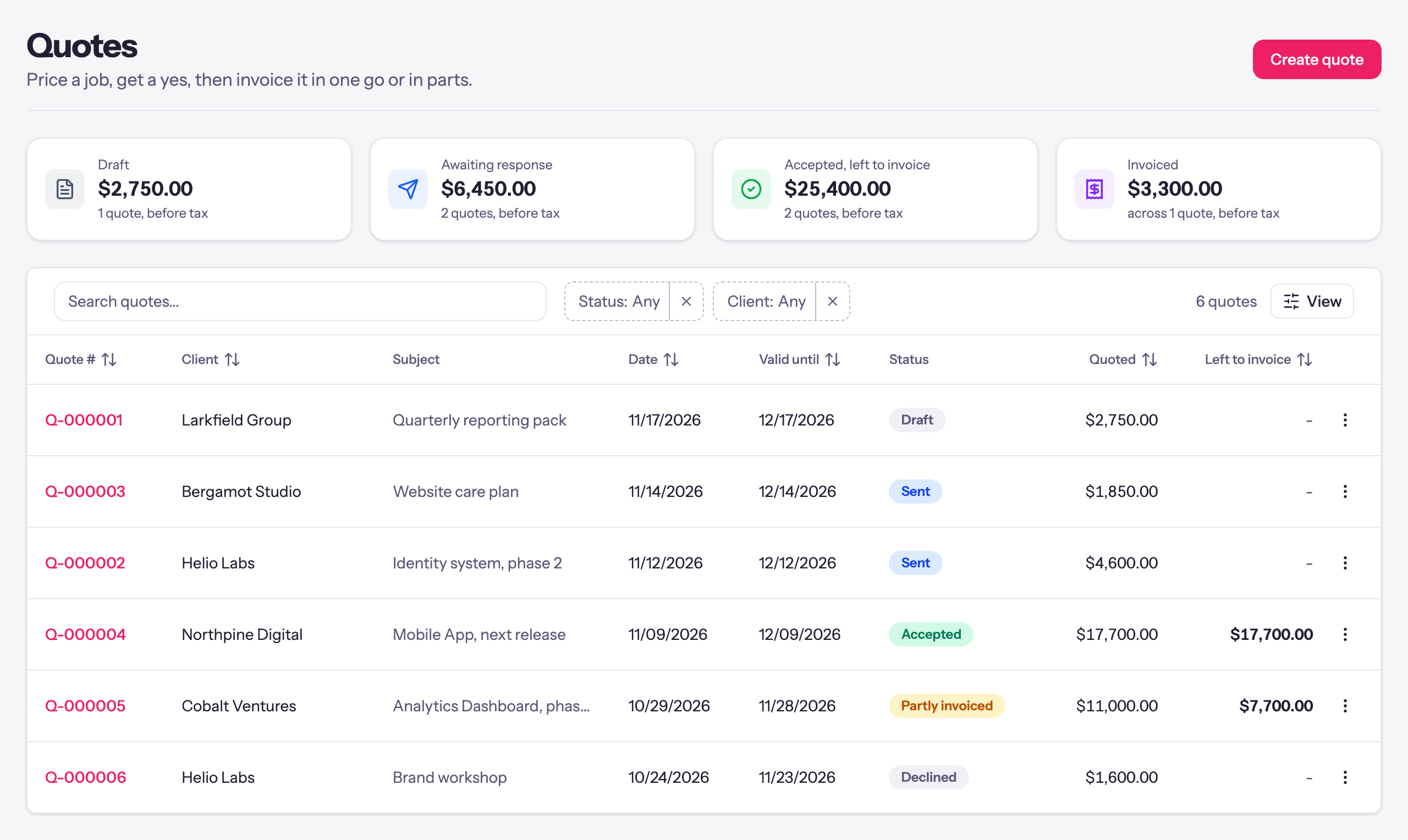
Most work starts with a number. Before anyone logs an hour, you tell the client what the job will cost, they say yes, and then the real question begins: how do you bill what you agreed?
Until now that step happened outside Quanta, in a document or a spreadsheet, and the link between the price you gave and the invoices you sent lived in your head. Quanta now has quotes, and they carry the agreement all the way through to billing.
A quote says how it will be billed
Write a quote the way you would write an invoice: a client, a subject, and lines with a quantity and a price. Then choose how the job is billed:
- One-time price. A set price for the job, with an optional deposit on acceptance.
- Estimate, billed by the hour. The total is your best guess, and the client pays for the hours worked.
- Prepaid block of hours. The client pays up front for a set number of hours.
- Recurring price. The lines are billed every month, quarter or year, with an optional start date and minimum term.
Whatever you choose, the quote prints it in plain sentences under the total, so the client knows exactly what they are agreeing to: that a 30% deposit is due on acceptance, that the work is billed at $135 an hour so the final amount may be lower or higher, or that billing starts on the 1st with a twelve-month minimum. Payment terms use the same choices as your invoices, so a quote that says NET 30 leads to invoices that say NET 30.
Hours and fixed prices on the same quote
Real jobs are rarely one kind of price. A support engagement might be 120 hours of development plus a fixed fee for an app store submission. A care plan might be a one-off setup fee plus a monthly retainer.
So a line can be set apart. On an estimate, tick Fixed price on the audit or the licence, and the quote says how much is fixed and how much is estimated. On a recurring quote, tick Billed once on the setup fee and it is charged at the start only. When the work begins, those lines are drafted as their own invoice and the rest is billed the way it was quoted.
A yes on a link
Send the quote from Quanta and the client gets a link. They see the lines, the total and the terms, and they can accept it by typing their name, or decline it with a reason. You get an email either way, and the quote keeps a record of every send, view and answer.
If the client says yes over the phone, mark it accepted yourself. If they never answer, the quote expires after its valid until date, and you can move the date to open it again.
Bill it in one go, or in parts
Once a quote is accepted, Create invoice bills it however the job needs: everything at once, a percentage for a deposit or a stage payment, an amount, or chosen lines. The quote keeps count of what has been invoiced and what is left, so you always know how much of a job is still to bill.
Or turn it into a project
For work you track by the hour, Create project sets the project up from the quote:
- A fixed price becomes a fixed-fee project, and the invoices from the quote count toward its fee.
- An estimate becomes an hourly project whose budget is the quoted hours, so you see the work against what you quoted as it happens, and get an alert as it nears the estimate.
- A prepaid block becomes a block that billable time draws down.
- A recurring price becomes a retainer that invoices the quote's lines every period.
When the client asks for more, quote the extra work and add it to the same project. A fixed fee grows by the new quote, an hourly budget grows by its hours, and a retainer picks up its new lines from the next invoice.
Try it
Quotes are under Business & Projects → Quotes in every workspace that has invoicing on, and the help article walks through every option. If you are still quoting in a document and billing from memory, this is the step that closes the gap.