

Everything Quanta does,
all in one place.
Track time, organize by client and project, and bill — without the bloated feature set other tools use to justify per-user pricing. Here's everything you get, for your whole team at one flat price.
Track time
Track time effortlessly
One-click timers, a familiar weekly timesheet grid, or a timer in your menu bar. However your team likes to log hours, Quanta makes it fast.
Time Tracking
Start and stop timers with one click. Log hours to projects and tasks effortlessly.
Time Tracking — live preview
Weekly Timesheet
Rather fill in the week at the end of it? The grid puts projects and tasks down the side and days across the top, so a week is a row of numbers. Copy last week's rows in one click, or switch to the list or week view whenever you like.
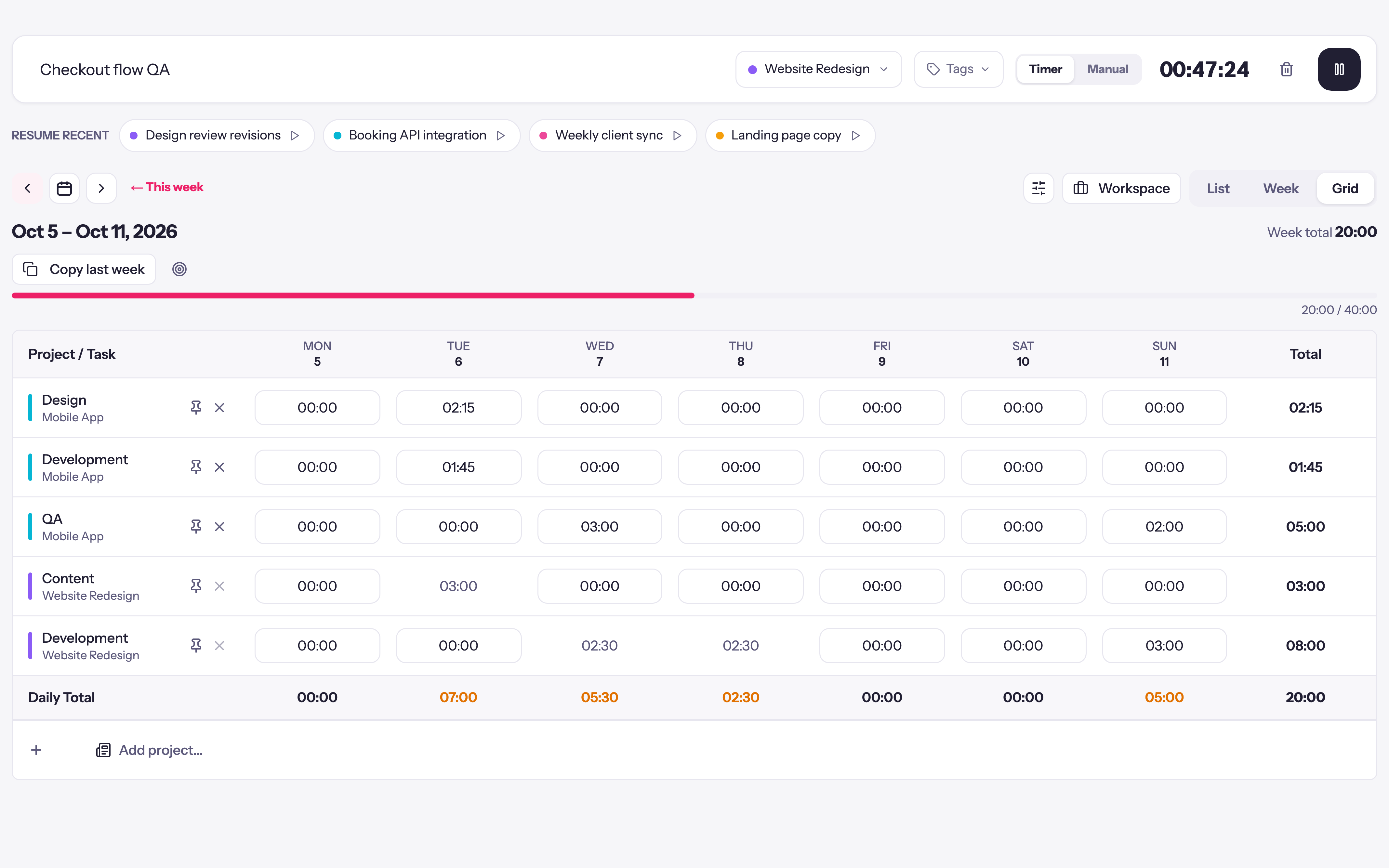
Weekly Timesheet — tap to open full sizetap to enlarge
My Workspace
Pin your active clients, projects, and tasks, and the project picker opens on the work you're actually doing.
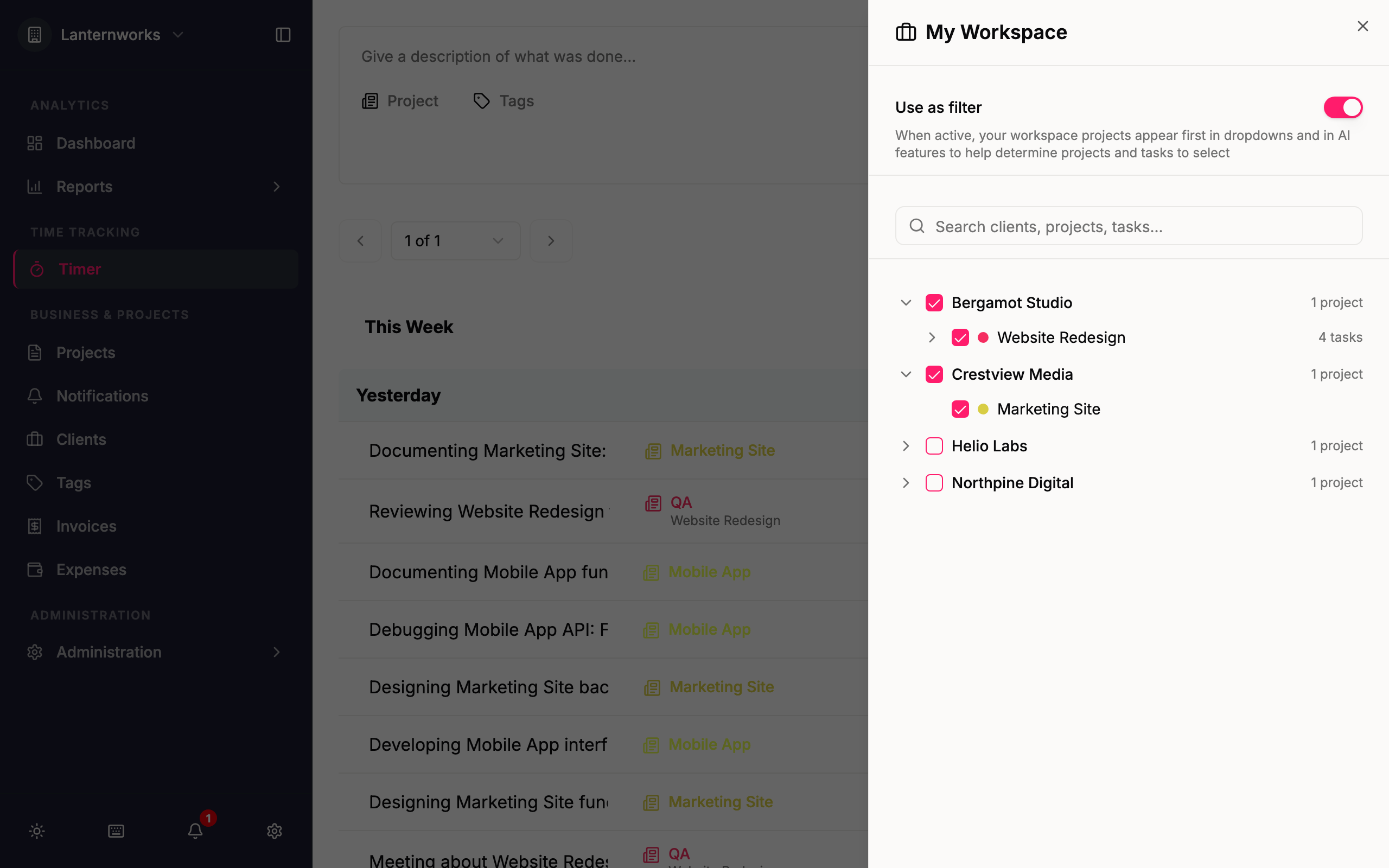
My Workspace — tap to open full sizetap to enlarge
Desktop App
A native Mac and Windows timer in your menu bar, with a global shortcut, idle detection, and real-time sync with your workspace.
Learn moreDesktop App — live preview
Start and stop timers with one click. Log hours to projects and tasks effortlessly.
Time Tracking — live preview
Organize
Organize by client & project
Keep every client, project, and task in one tidy structure, priced the way you bill, so your reports and invoices line up. Coming from another tracker? Bring your history with you.
Project Management
Organize work by client and project, with a project code you can read at a glance, start and end dates, and a heads-up to the project's managers before it ends.
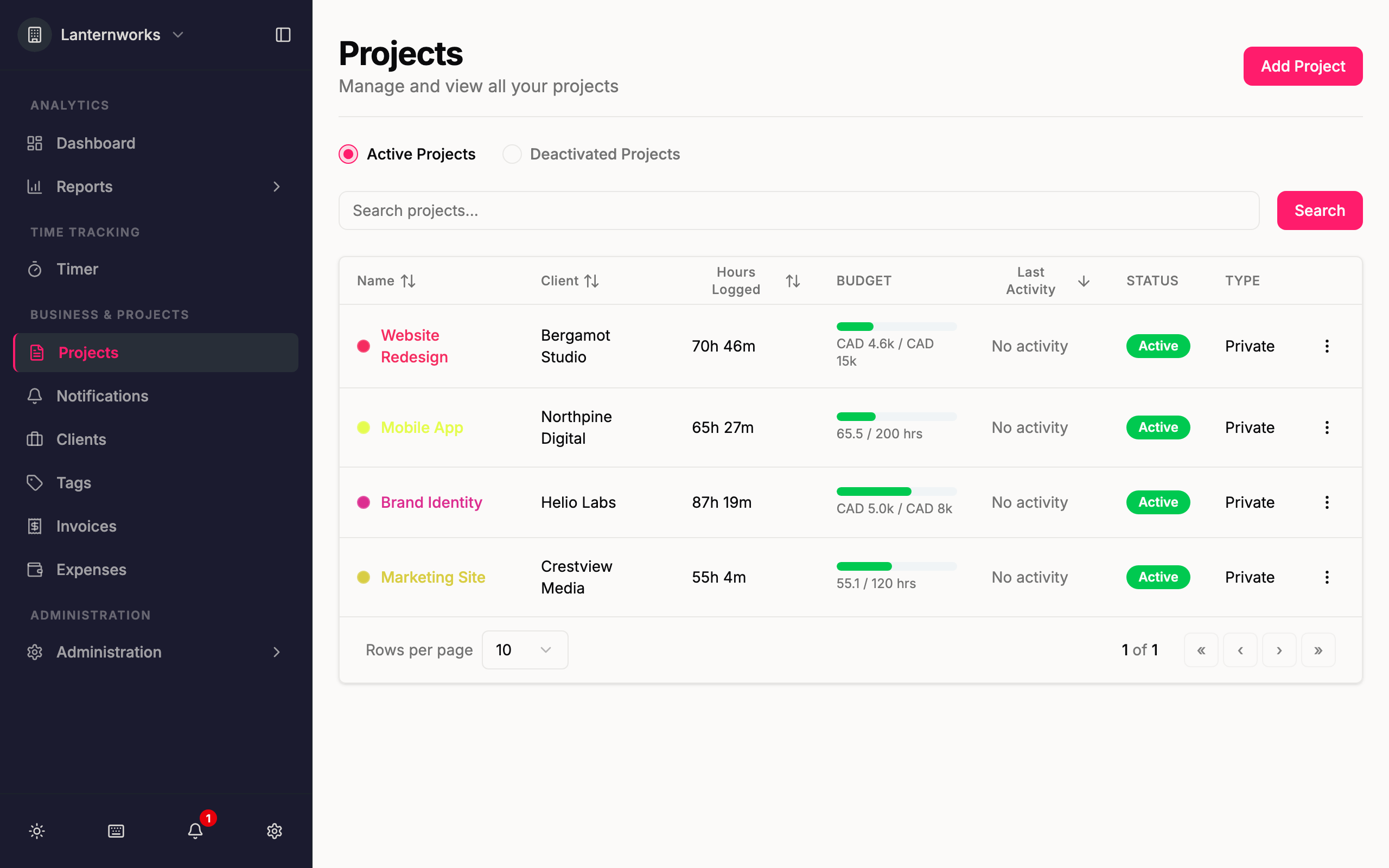
Project Management — tap to open full sizetap to enlarge
Rates and Currencies
Bill by the hour, as one agreed fee in full or in instalments, or not at all. Hourly rates can sit on the project, on each person or on each task, and every rate keeps a history: raise one from the first of the month and the open time from that day re-prices, while invoiced time keeps its rate. Each client is billed in its own currency.
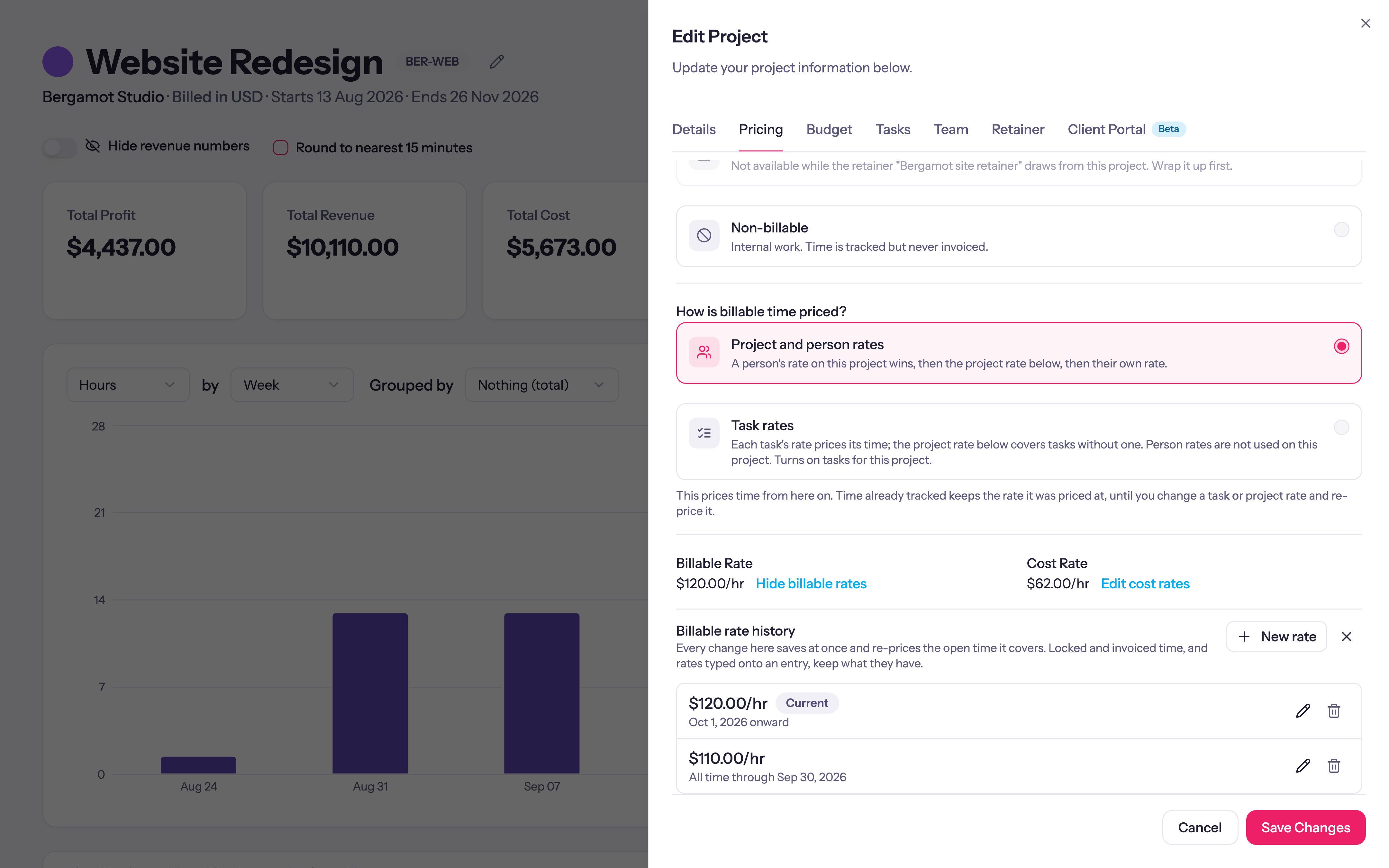
Rates and Currencies — tap to open full sizetap to enlarge
Tasks and Tags
Break projects into tasks with their own rates and budgets, start new projects from a shared task library, and tag entries with color-coded tags to filter them however you need.
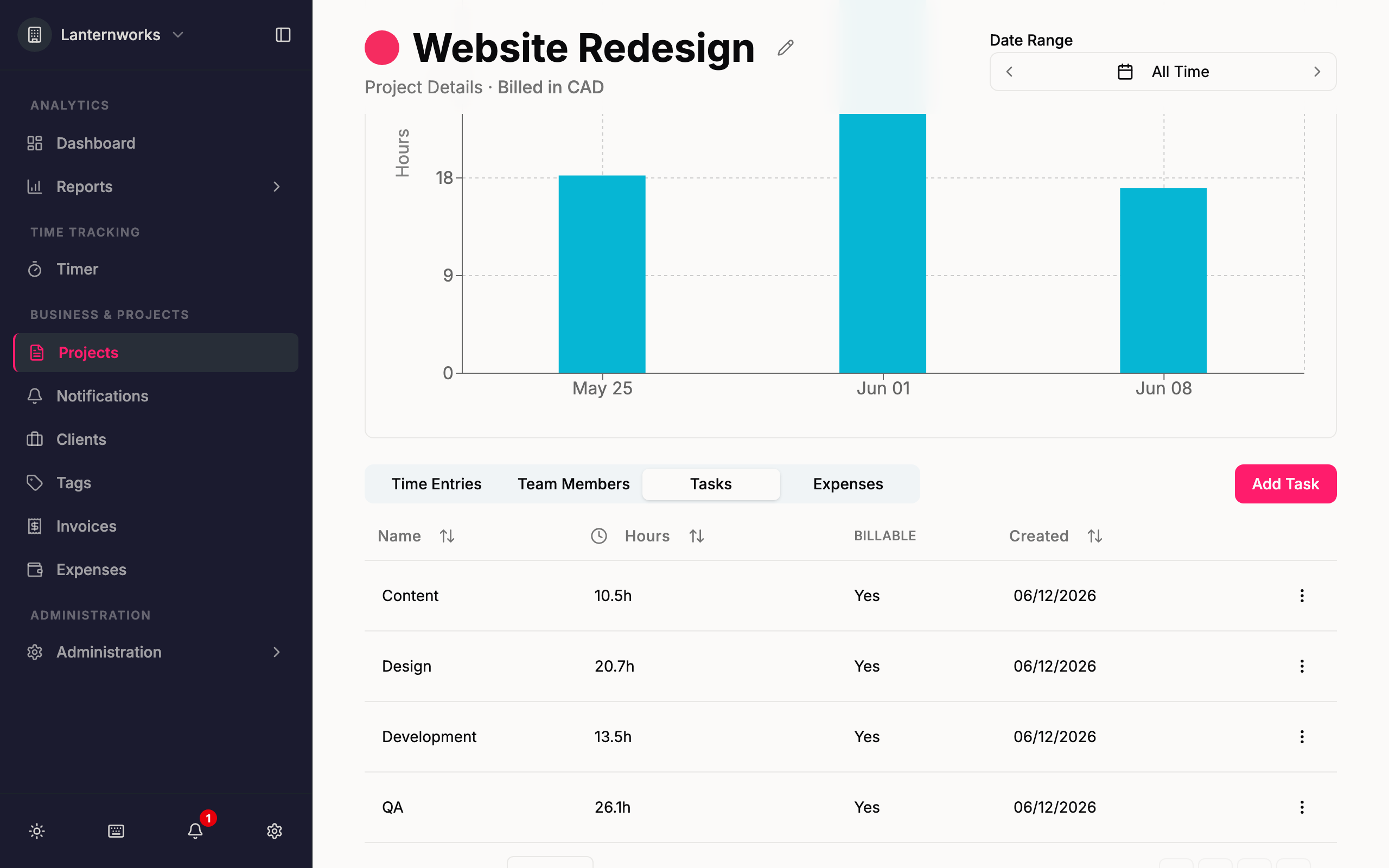
Tasks and Tags — tap to open full sizetap to enlarge
Import Your Data
Bring your clients, projects, tasks, people and time over from a Harvest, Toggl or Clockify export, or any CSV. Review everything before it is created, map it onto what you already have, and undo the whole import if it isn't right.
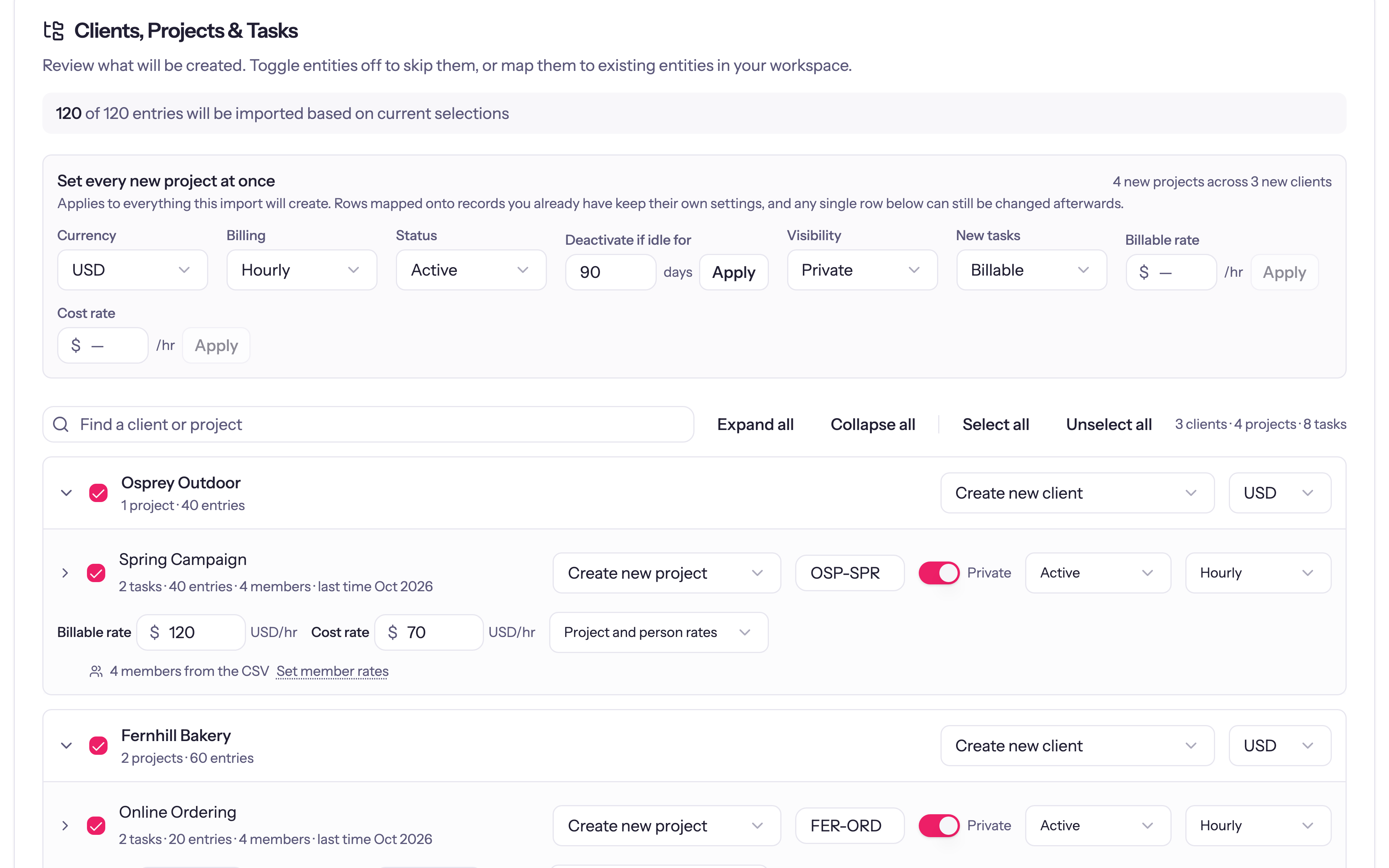
Import Your Data — tap to open full sizetap to enlarge
Organize work by client and project, with a project code you can read at a glance, start and end dates, and a heads-up to the project's managers before it ends.
Project Management — tap to open full sizetap to enlarge
Budgets
Know it before you go over
Budget the way you sold the work: fees or hours, for the whole project, for each task, or for each person. Watch each week or month fill against the line, hear about it before the overrun, and see every budget that needs a look in one report.
Six Budget Shapes
Fees or hours, for the whole project, for each task, or for each person. Pick the one that matches how you quoted, and each task or person fills its own allowance. On a fixed-fee project the budget is the fee, so you see how much of it the hours have used.
Learn more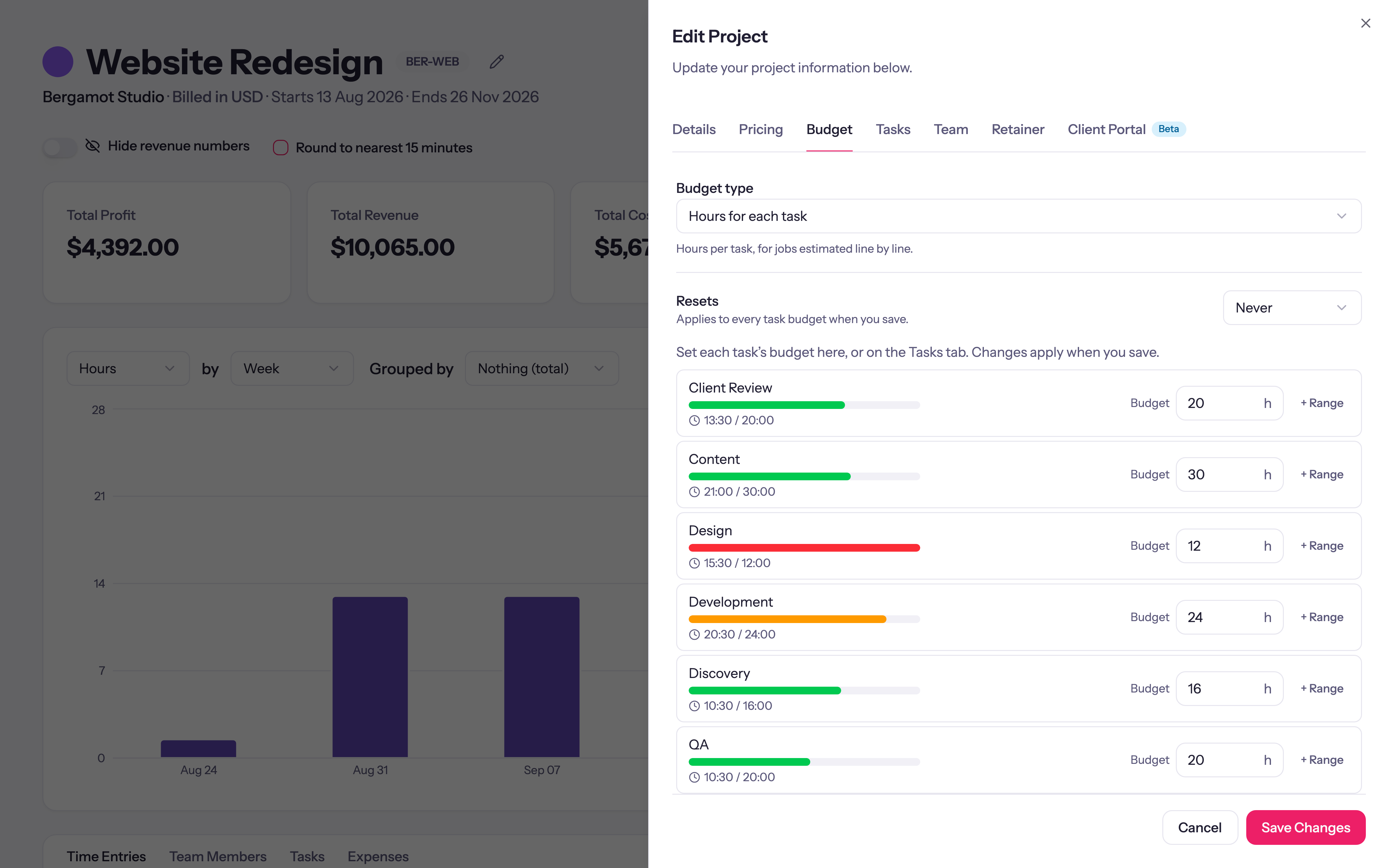
Six Budget Shapes — tap to open full sizetap to enlarge
Resetting Budgets
Reset a budget every week, two weeks or month, and the project page charts each period's spend against the budget line, stacked by person or task. You see which weeks ran over and who spent them, not just a lifetime total.
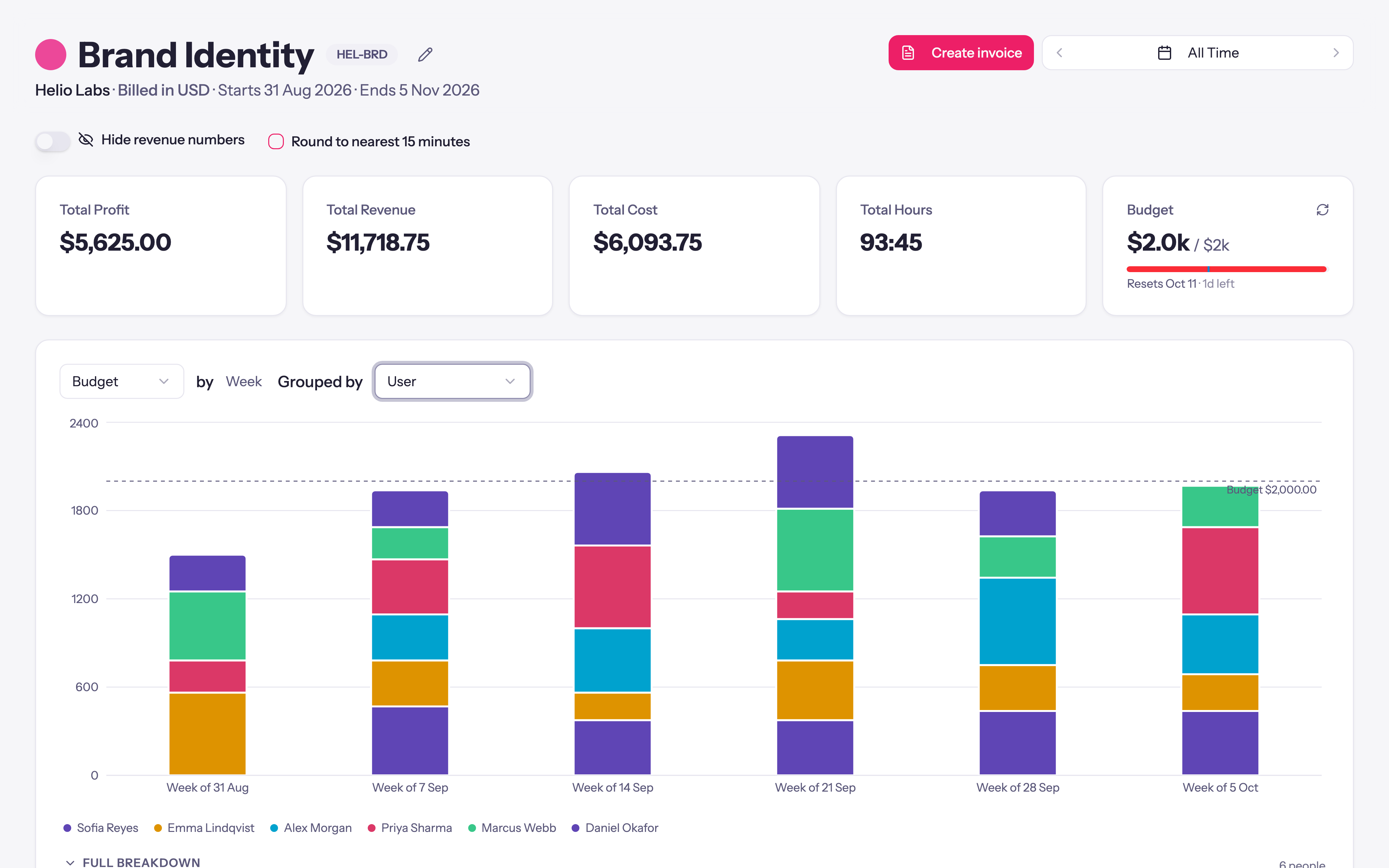
Resetting Budgets — tap to open full sizetap to enlarge
Alerts and Low Limits
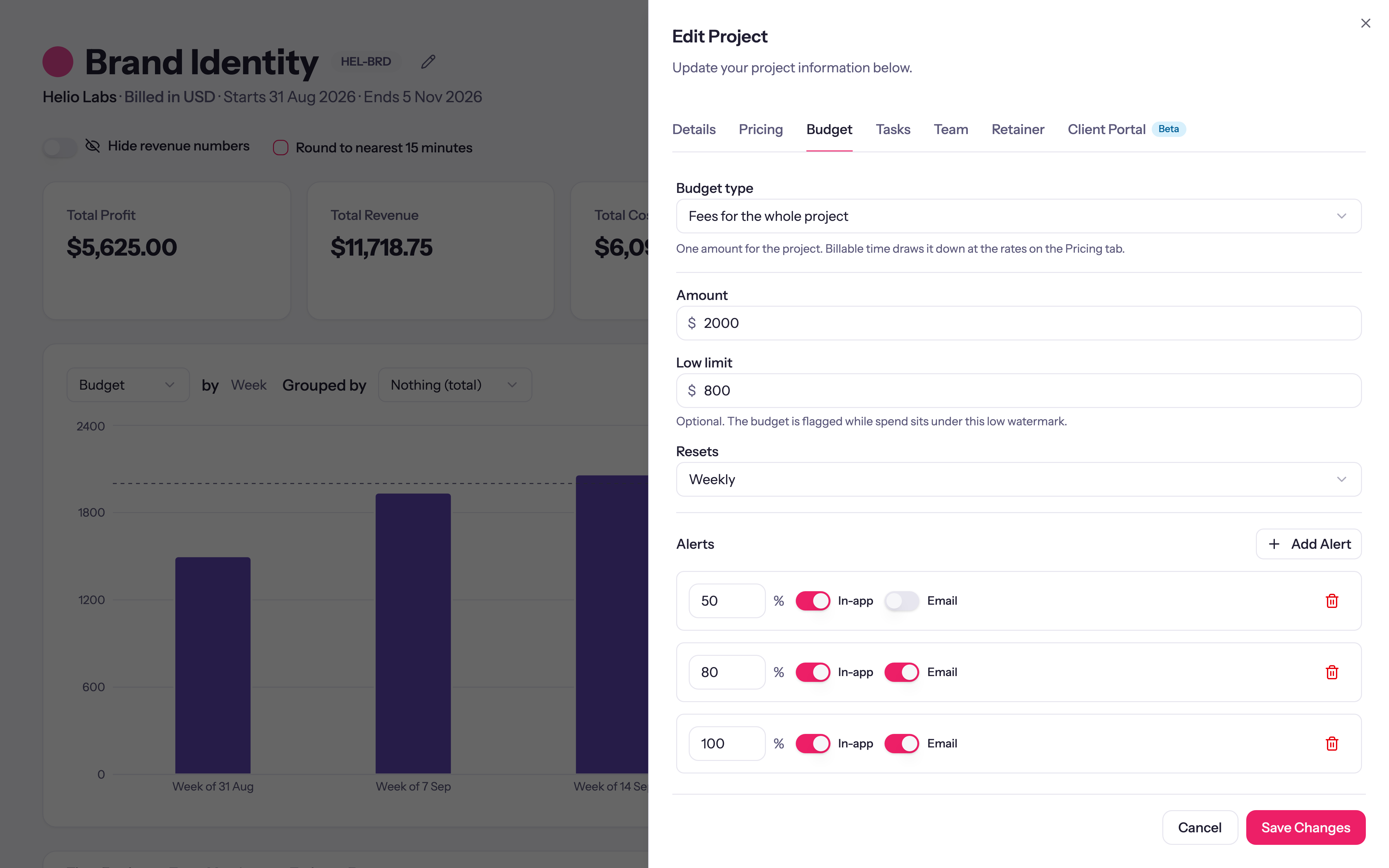
Alerts at the percentages you choose reach the project's managers and leads in the app or by email, before the budget runs out. A low limit flags a project running well under its number, and tasks like internal review can be left out of the budget.
Alerts and Low Limits — tap to open full sizetap to enlarge
Budget Report
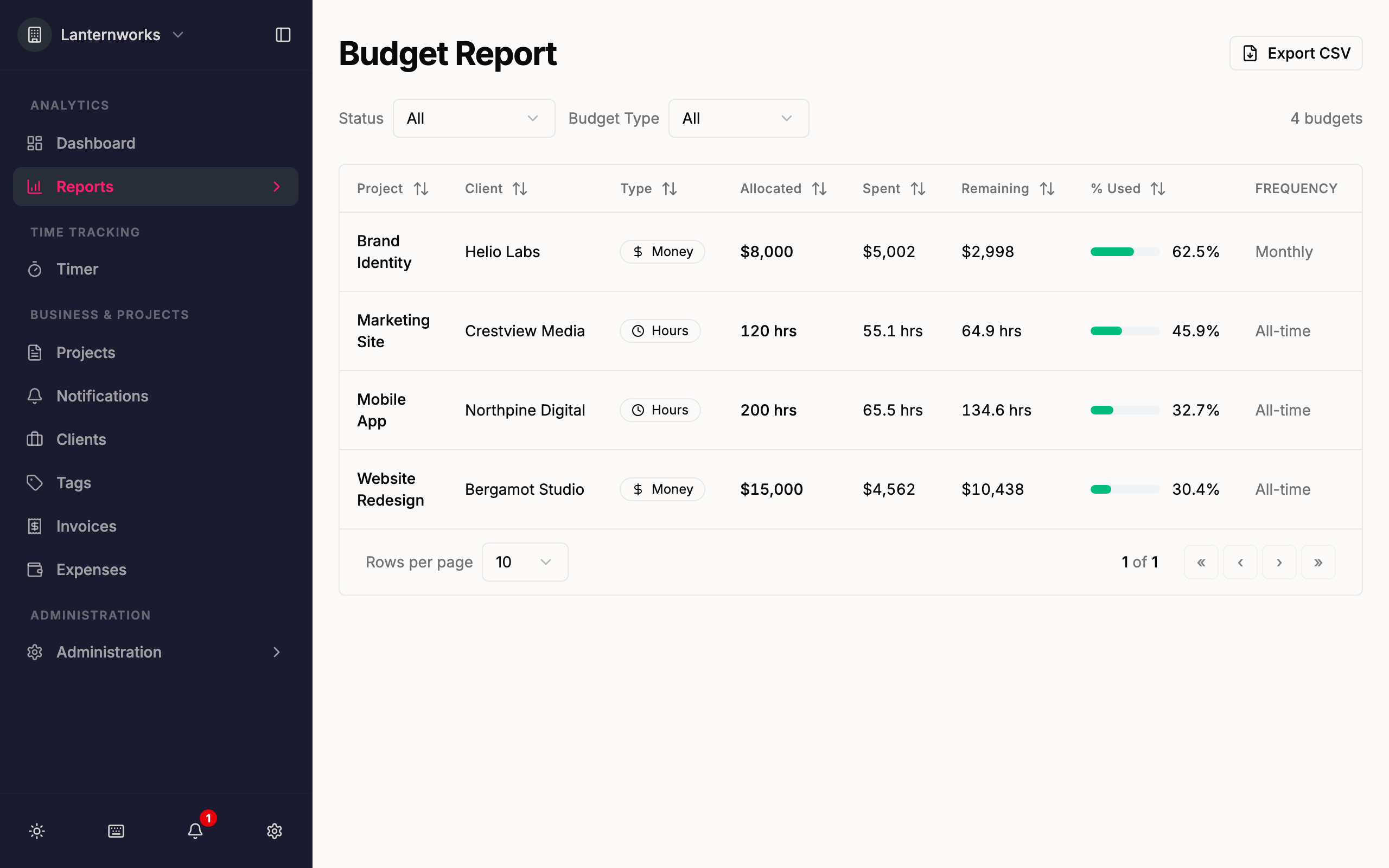
Every budget in one table: what it has used, what is left, when it resets, and whether it is on track, at risk, over, or under its low limit. Filter to the ones that need a look and export the list.
Budget Report — tap to open full sizetap to enlarge
Fees or hours, for the whole project, for each task, or for each person. Pick the one that matches how you quoted, and each task or person fills its own allowance. On a fixed-fee project the budget is the fee, so you see how much of it the hours have used.Learn more
Six Budget Shapes — tap to open full sizetap to enlarge
Billing
Bill and get paid
Turn tracked time and expenses into invoices, send them with a link your client can open and pay, and follow up on payment, without leaving Quanta or exporting to another tool.
Invoicing
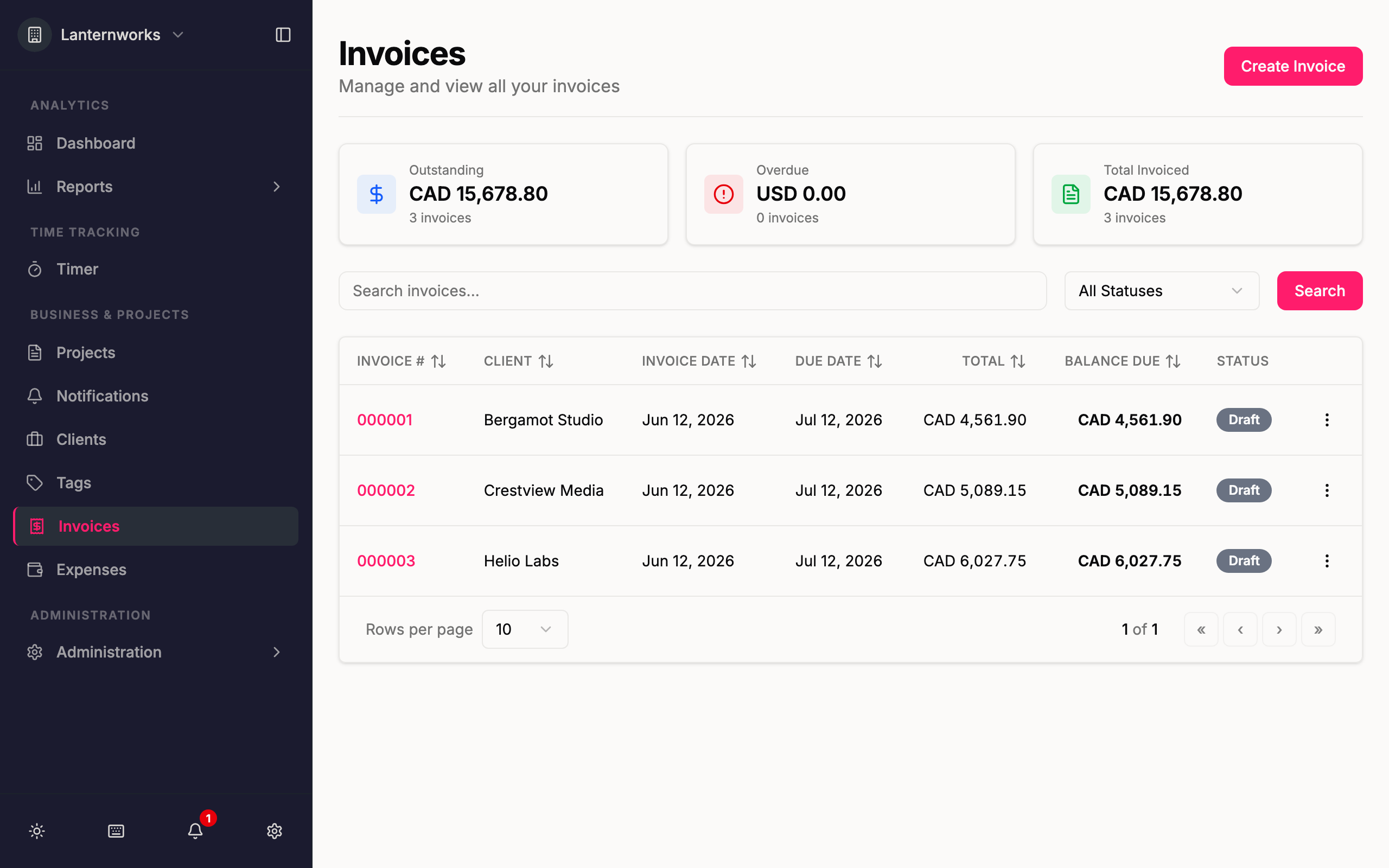
Create invoices from tracked time and expenses and send them. Each email carries a link to the invoice online, where your client can view it, download the PDF, or pay.
Invoicing — tap to open full sizetap to enlarge
Expenses & Mileage
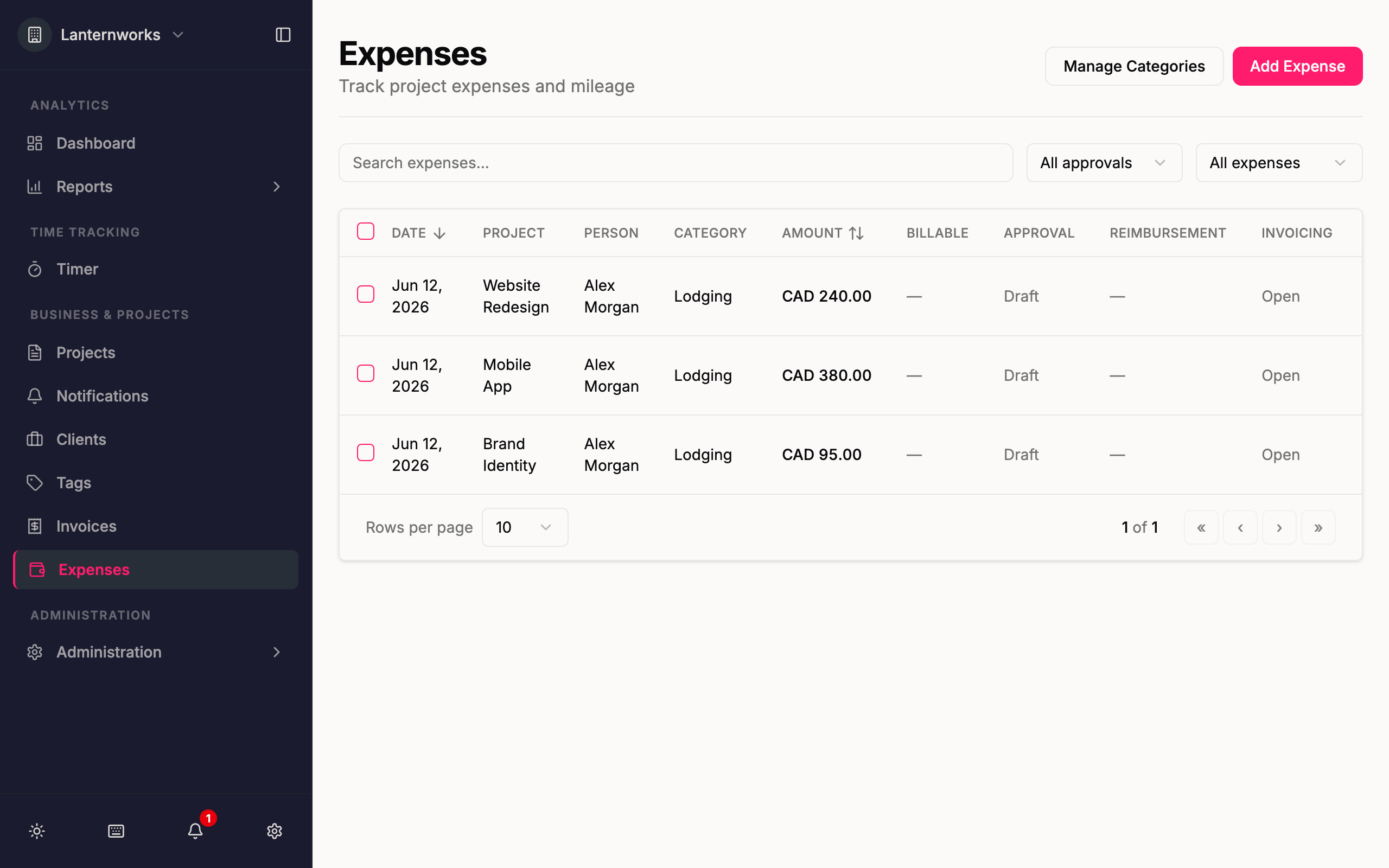
Log project expenses and mileage with receipts, mark them billable, and pull them straight onto client invoices.
Expenses & Mileage — tap to open full sizetap to enlarge
Retainers
Recurring retainers and prepaid hour blocks that bill themselves. Describe the deal once with its included hours, overage rate, and rollover, and Quanta tracks the burn, drafts the invoices on schedule, and locks the time it billed.
Learn more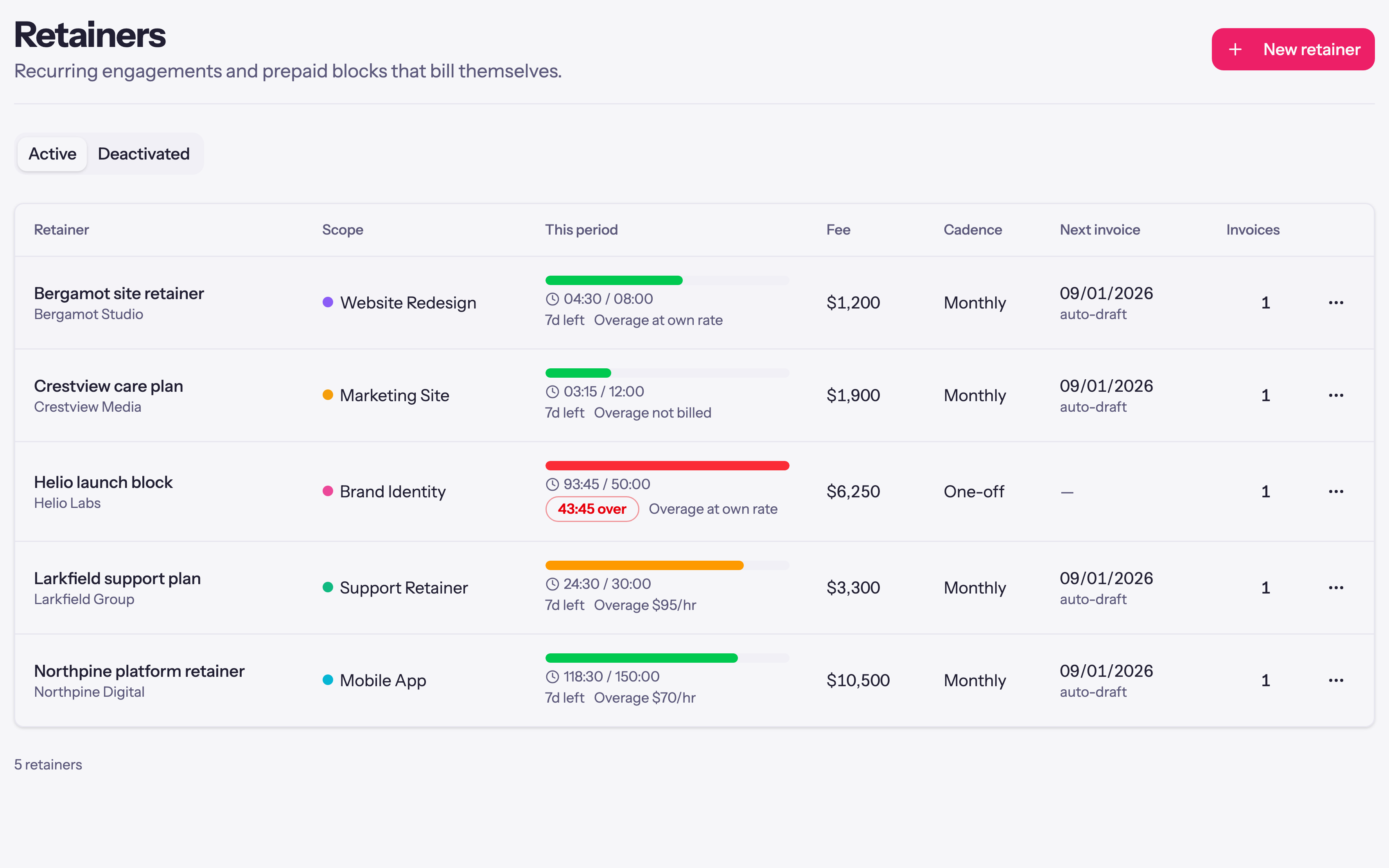
Retainers — tap to open full sizetap to enlarge
Get Paid on Time
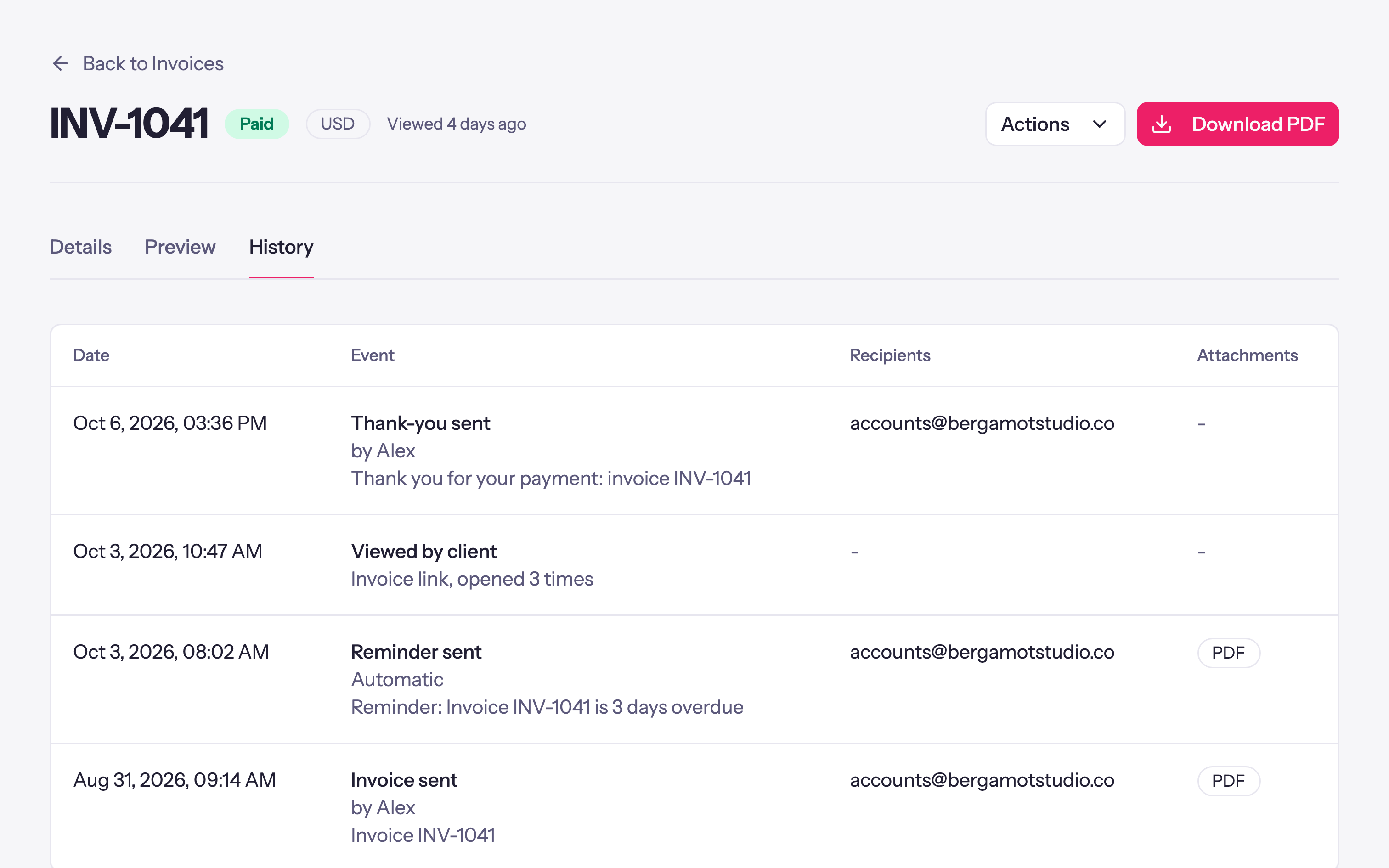
Automatic reminders chase overdue invoices on the schedule you set, each invoice shows when your client opened it, and a thank-you email goes out when you record their payment.
Get Paid on Time — tap to open full sizetap to enlarge
Create invoices from tracked time and expenses and send them. Each email carries a link to the invoice online, where your client can view it, download the PDF, or pay.
Invoicing — tap to open full sizetap to enlarge
Client portal
Share progress and get paid online
Give each client one place to see the projects, time and invoices you choose to share, and let them pay by card through your own Stripe account.
Client Portal
Clients sign in from a link in their email, with no password to remember, and see the projects, time, budgets, retainers and invoices you choose to share. Workspace defaults, then client and project settings, decide what each one sees.
Learn more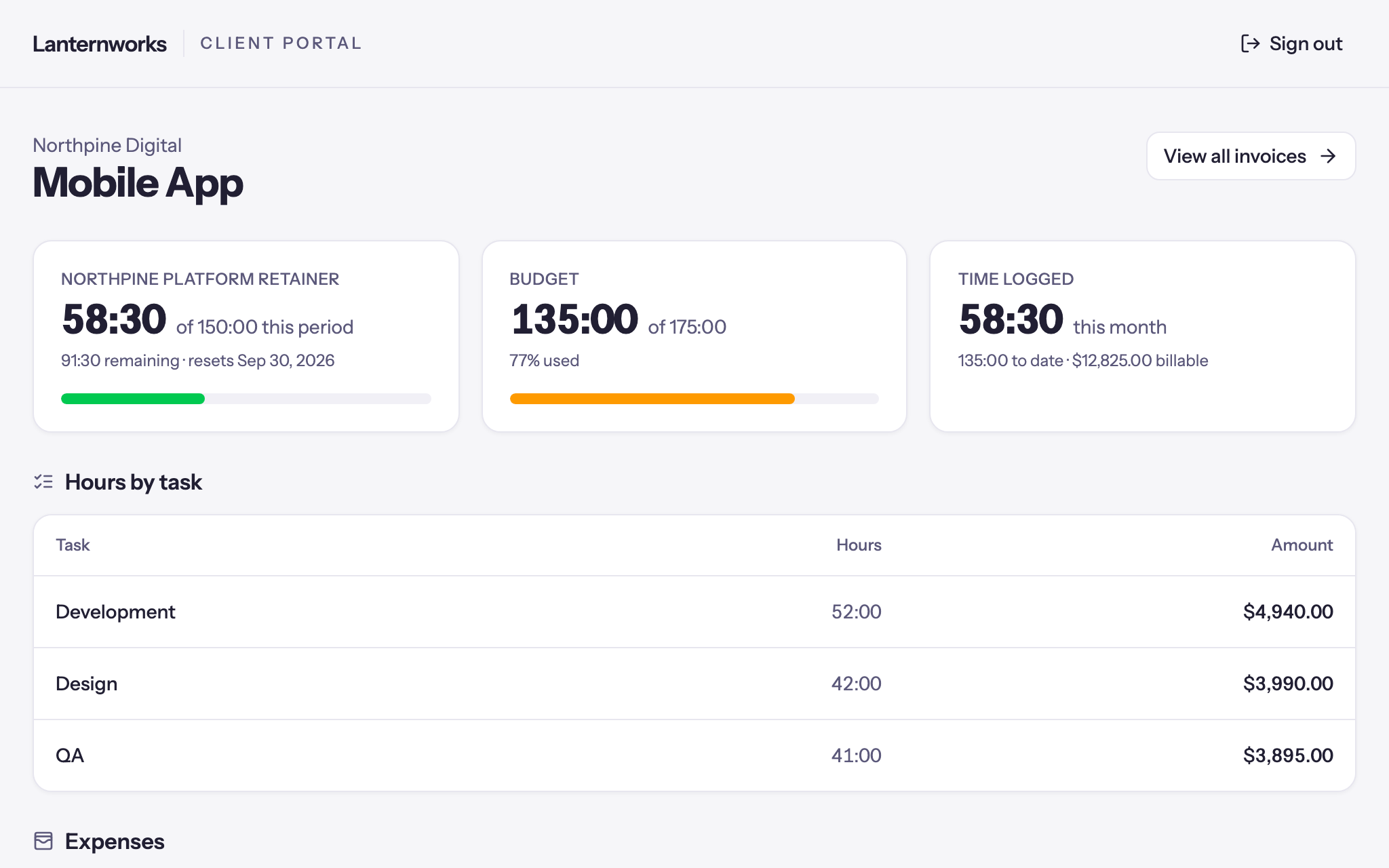
Client Portal — tap to open full sizetap to enlarge
Online Payments
Connect a new Stripe account or the one you already have, and clients pay by card or bank debit, from the portal or straight from the invoice email, several invoices at once if they like. The payment lands on each invoice, updates the balance, and follows it into QuickBooks Online or Xero.
Learn more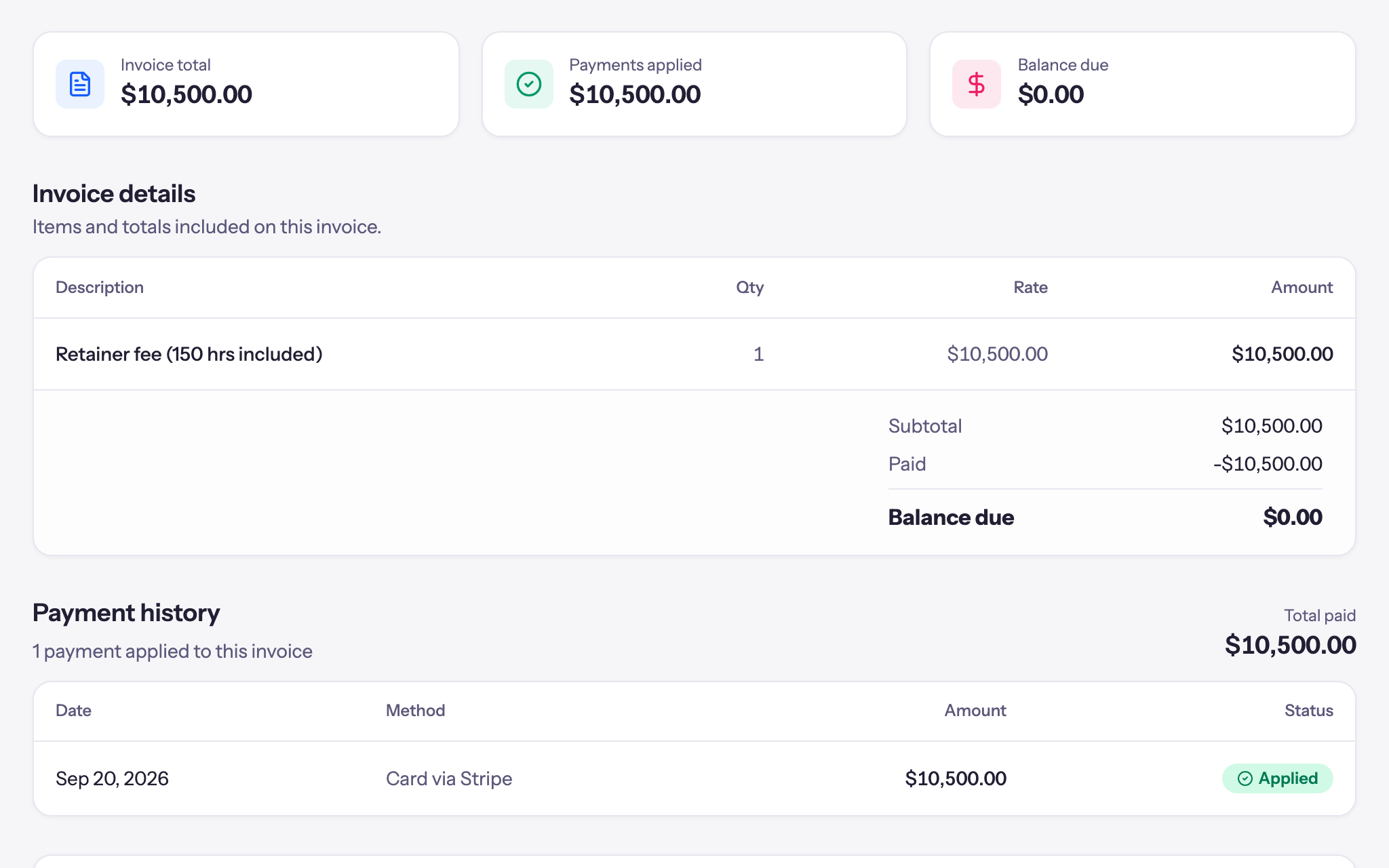
Online Payments — tap to open full sizetap to enlarge
Retainer Auto-pay
Clients save a card once from a retainer invoice, and every invoice after it is charged when it goes out. The card stays with Stripe, never with Quanta. Review each draft first, or let a fixed-price retainer run on its own. A declined card is tried again twice, and you and your client both hear about it.
Learn more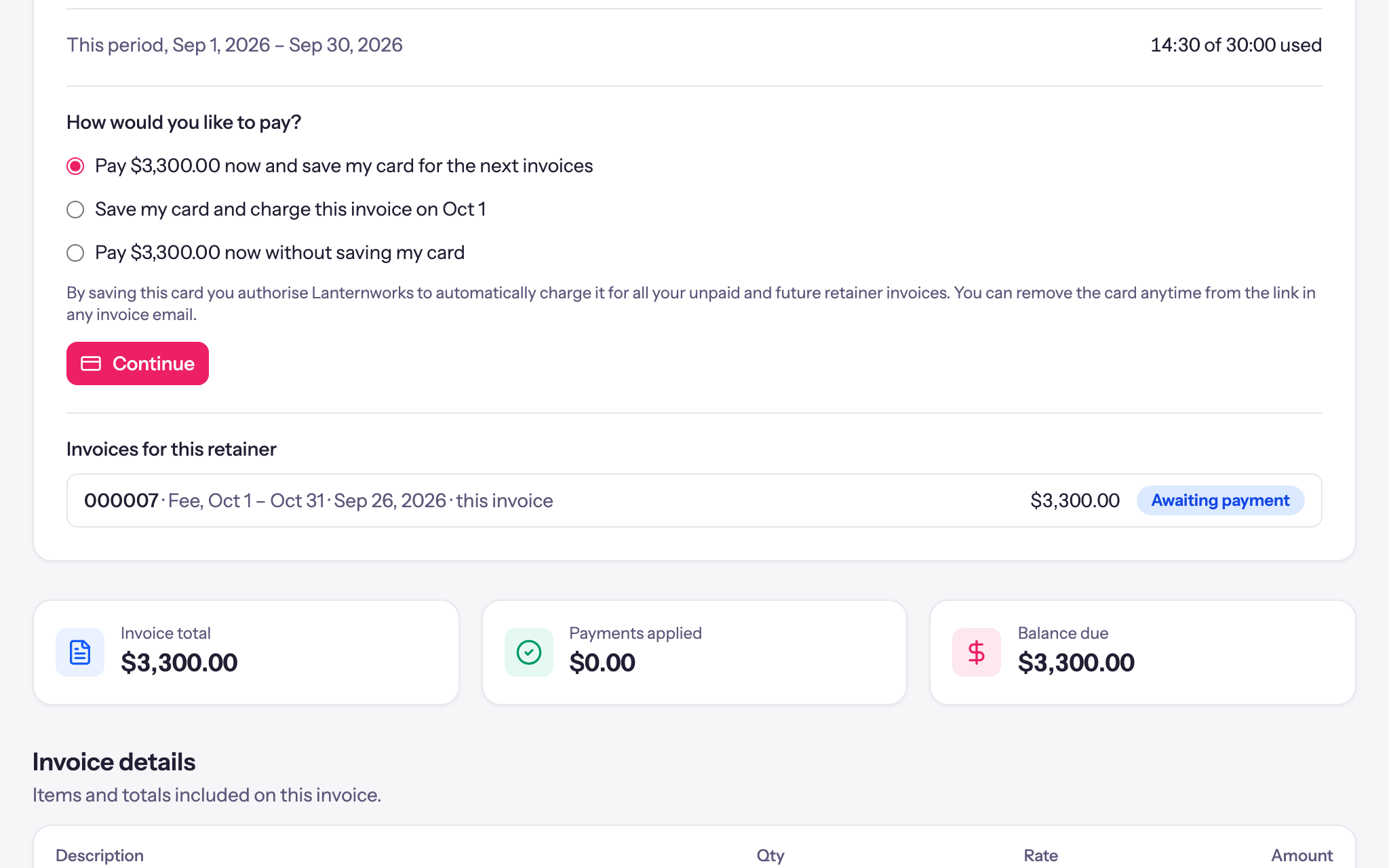
Retainer Auto-pay — tap to open full sizetap to enlarge
Clients sign in from a link in their email, with no password to remember, and see the projects, time, budgets, retainers and invoices you choose to share. Workspace defaults, then client and project settings, decide what each one sees.Learn more
Client Portal — tap to open full sizetap to enlarge
Reporting
See where the time goes
Every hour by client, project, task and person, with what it earned and what it cost. See which projects make money, who is stretched, and what is still waiting to be billed.
Reports & Export
Summary and detailed reports by client, project, task and person, with revenue, cost and profit. Filter by anything, search the notes, fix entries in bulk (move them to another project, mark them invoiced, lock them), and export to Excel or CSV with the columns you choose.
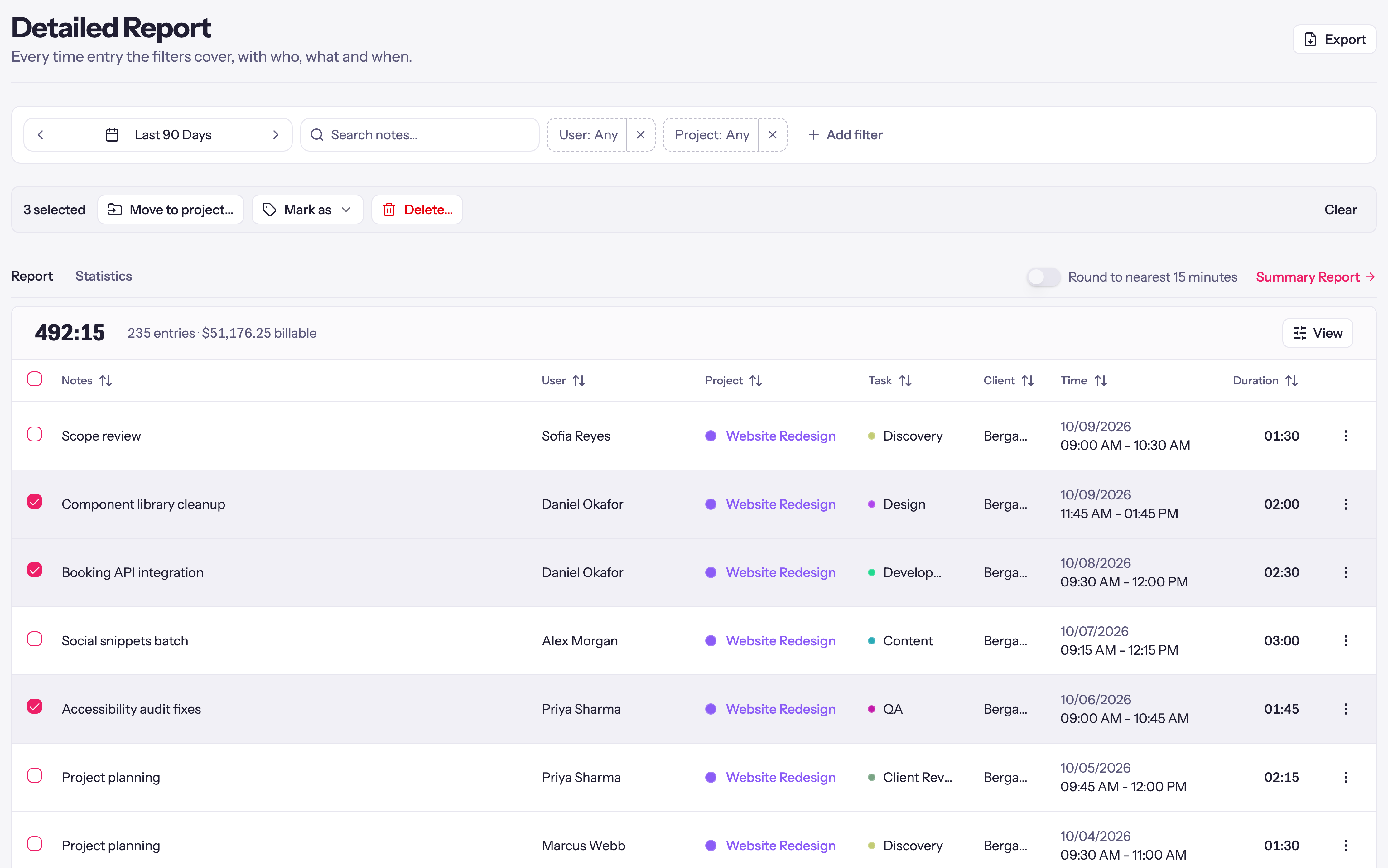
Reports & Export — tap to open full sizetap to enlarge
Profit by Project
Each project's hours, trend, revenue and profit, and each person's hours, utilization, revenue and cost, for any date range. Hide revenue numbers with one switch when you share your screen.
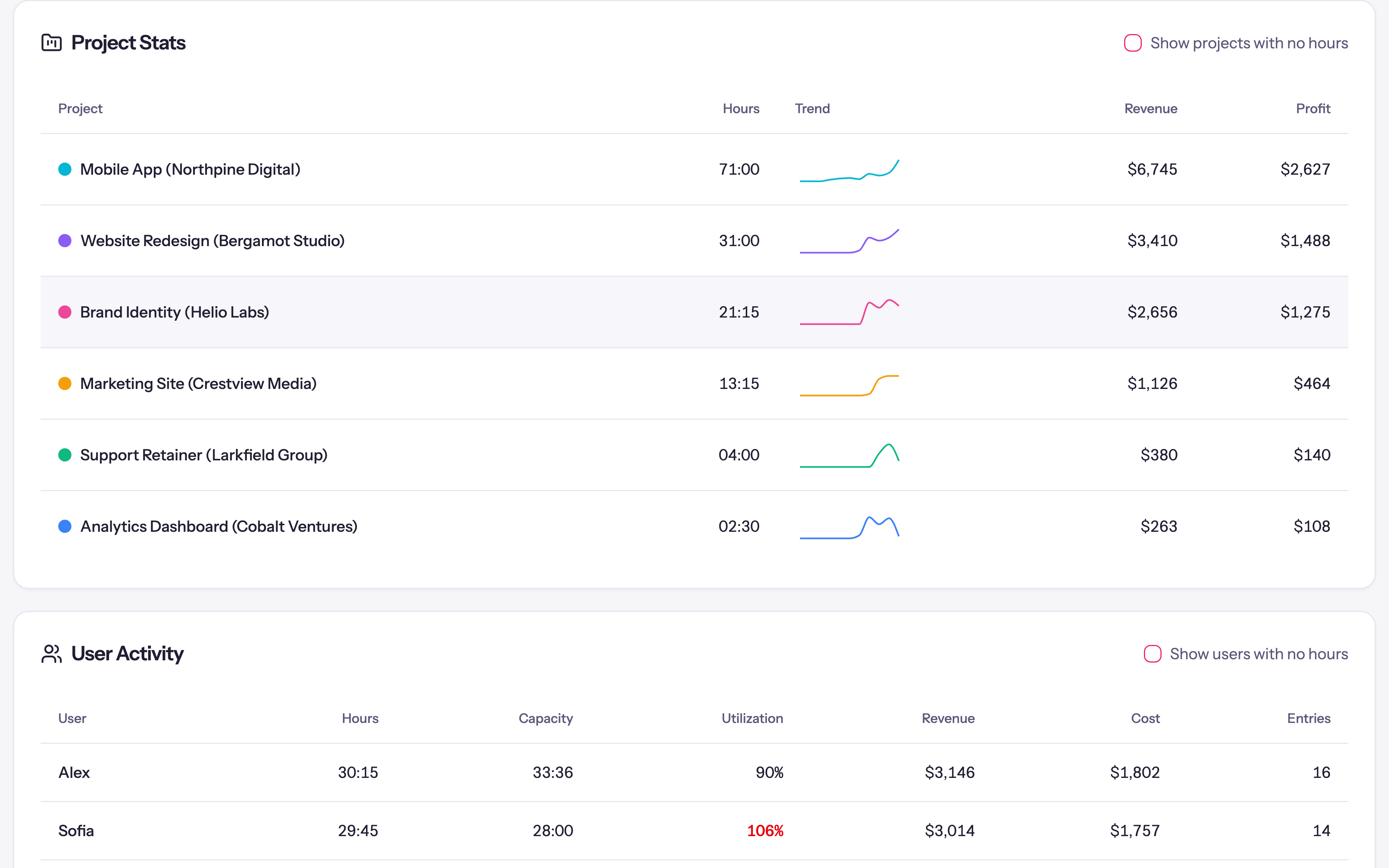
Profit by Project — tap to open full sizetap to enlarge
Team Utilization
Each person's tracked hours against their weekly capacity, billable and non-billable, one week at a time. Part-timers get their own capacity, and anyone past theirs shows in red.
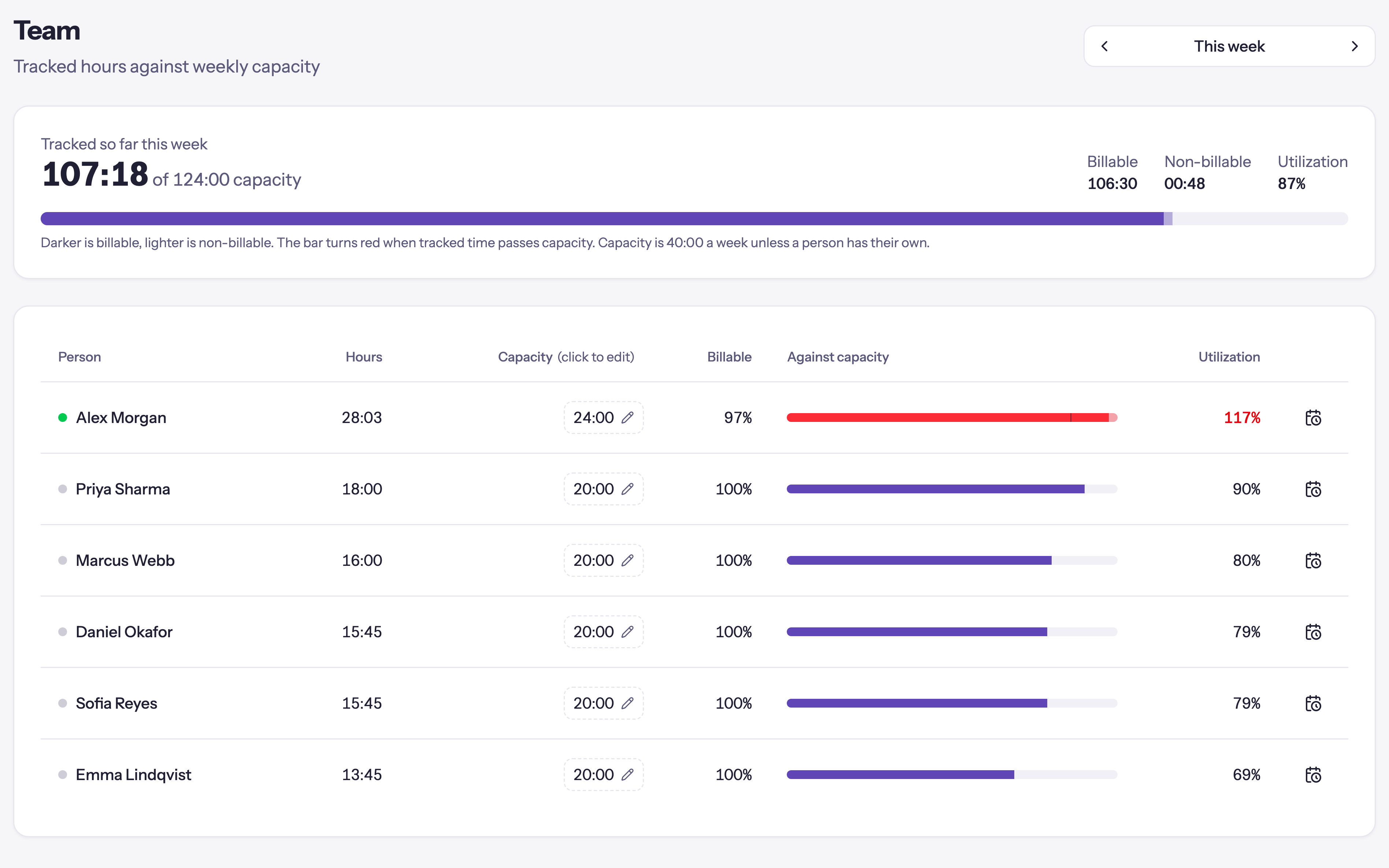
Team Utilization — tap to open full sizetap to enlarge
Uninvoiced Work
Billable time, approved expenses and project fees not yet on an invoice, client by client and project by project, with the oldest unbilled date and Create Invoice on every row.
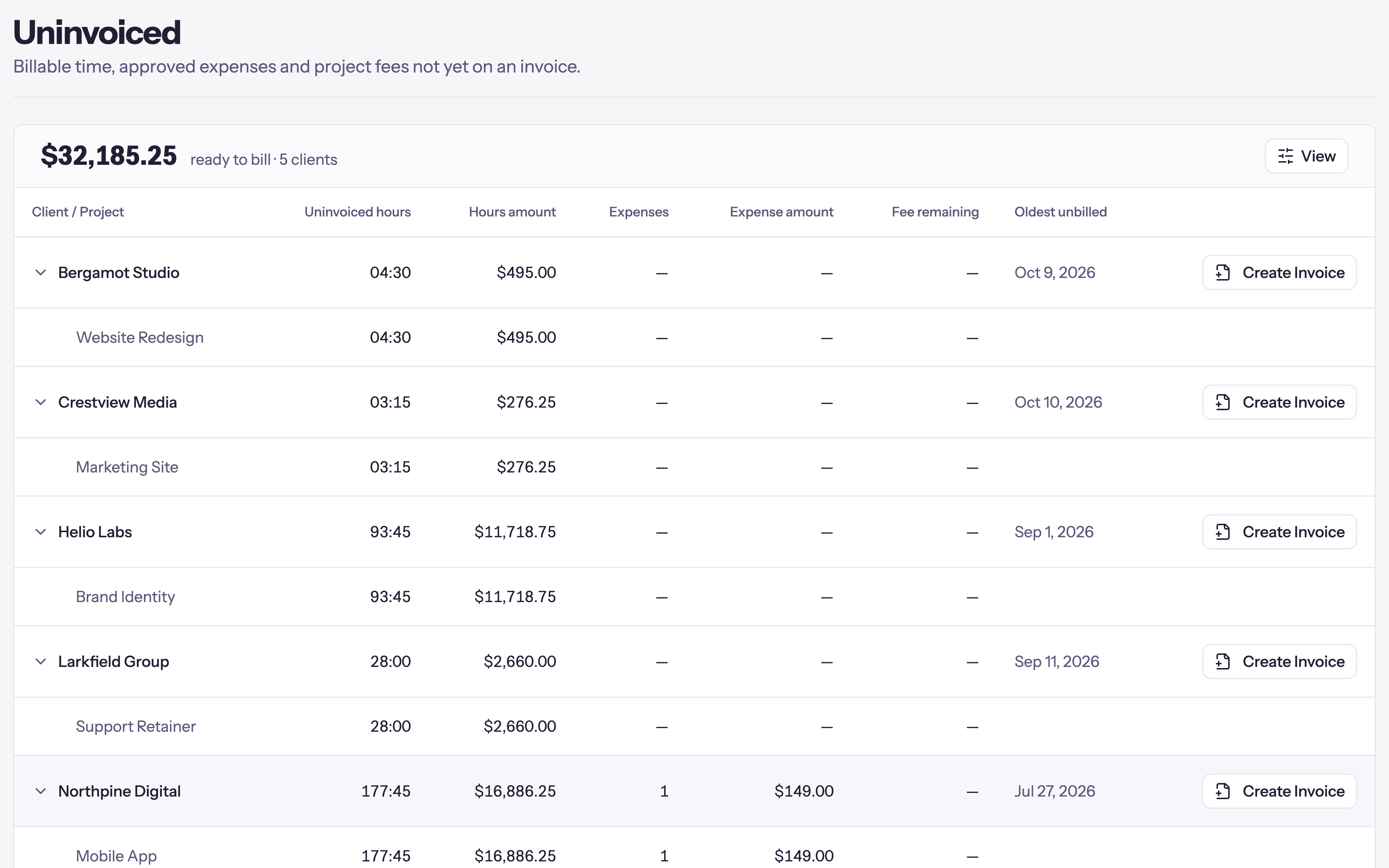
Uninvoiced Work — tap to open full sizetap to enlarge
Branded Reports
Export a report as a PDF or Excel file with your logo, a title, a note and the period at the top, or as plain data in Excel or CSV. Save it, and Quanta can make it again on a schedule and email it, with review before sending on by default.
Learn more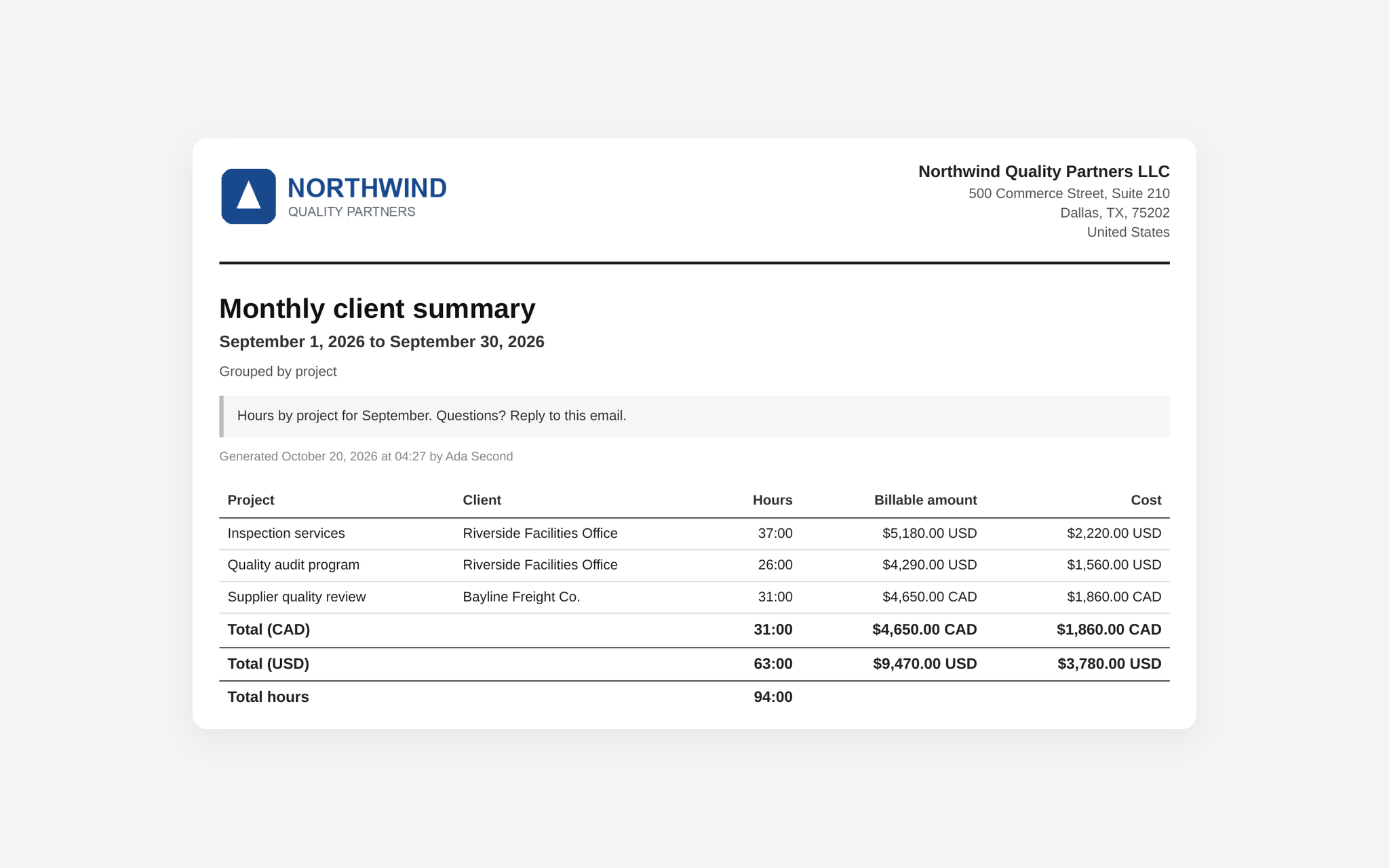
Branded Reports — tap to open full sizetap to enlarge
Summary and detailed reports by client, project, task and person, with revenue, cost and profit. Filter by anything, search the notes, fix entries in bulk (move them to another project, mark them invoiced, lock them), and export to Excel or CSV with the columns you choose.
Reports & Export — tap to open full sizetap to enlarge
Teams
Built for teams
Invite your whole team under one flat price, give everyone the right level of access, and sign off on the hours before they're billed.
Roles and Visibility
Invite your team with role-based permissions, and let each project decide who sees all the time logged on it, the budget, the revenue and the cost: its managers, its leads, its whole team, or everyone. Members can watch a fee budget fill without ever seeing a dollar figure.
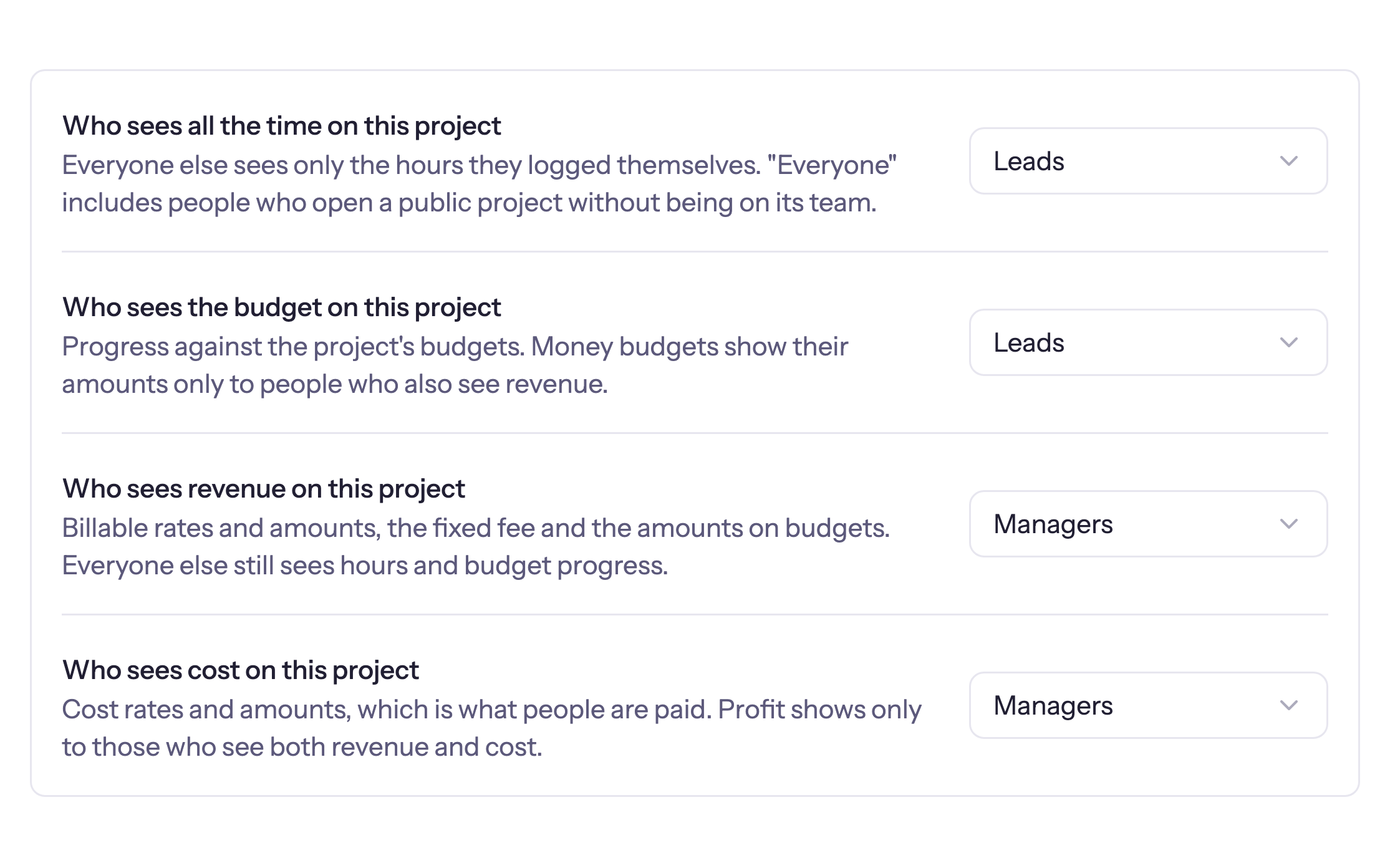
Roles and Visibility — tap to open full sizetap to enlarge
Timesheet Approvals
Your team submits their week and approvers review it by day and project, then sign off or send it back with a reason. Or let each project's managers approve the hours on their own project. Approved weeks lock until an approver reopens them, with multi-level approval when you need two sign-offs.
Learn more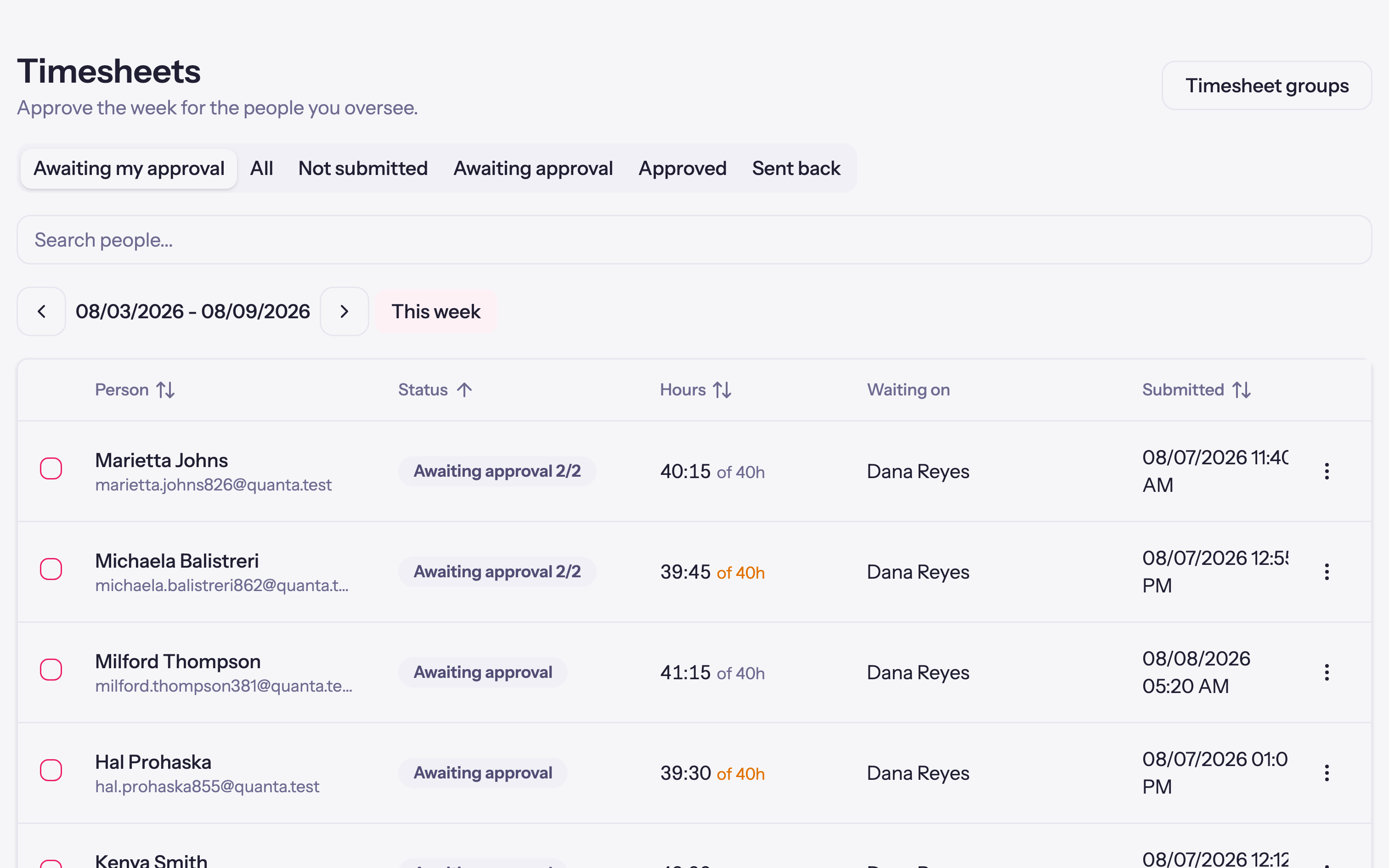
Timesheet Approvals — tap to open full sizetap to enlarge
Sign In with Microsoft
Sign in with Microsoft or Google as well as a password, on the web and in the desktop app. Require Microsoft, and the accounts your Microsoft 365 organization manages decide who gets in.
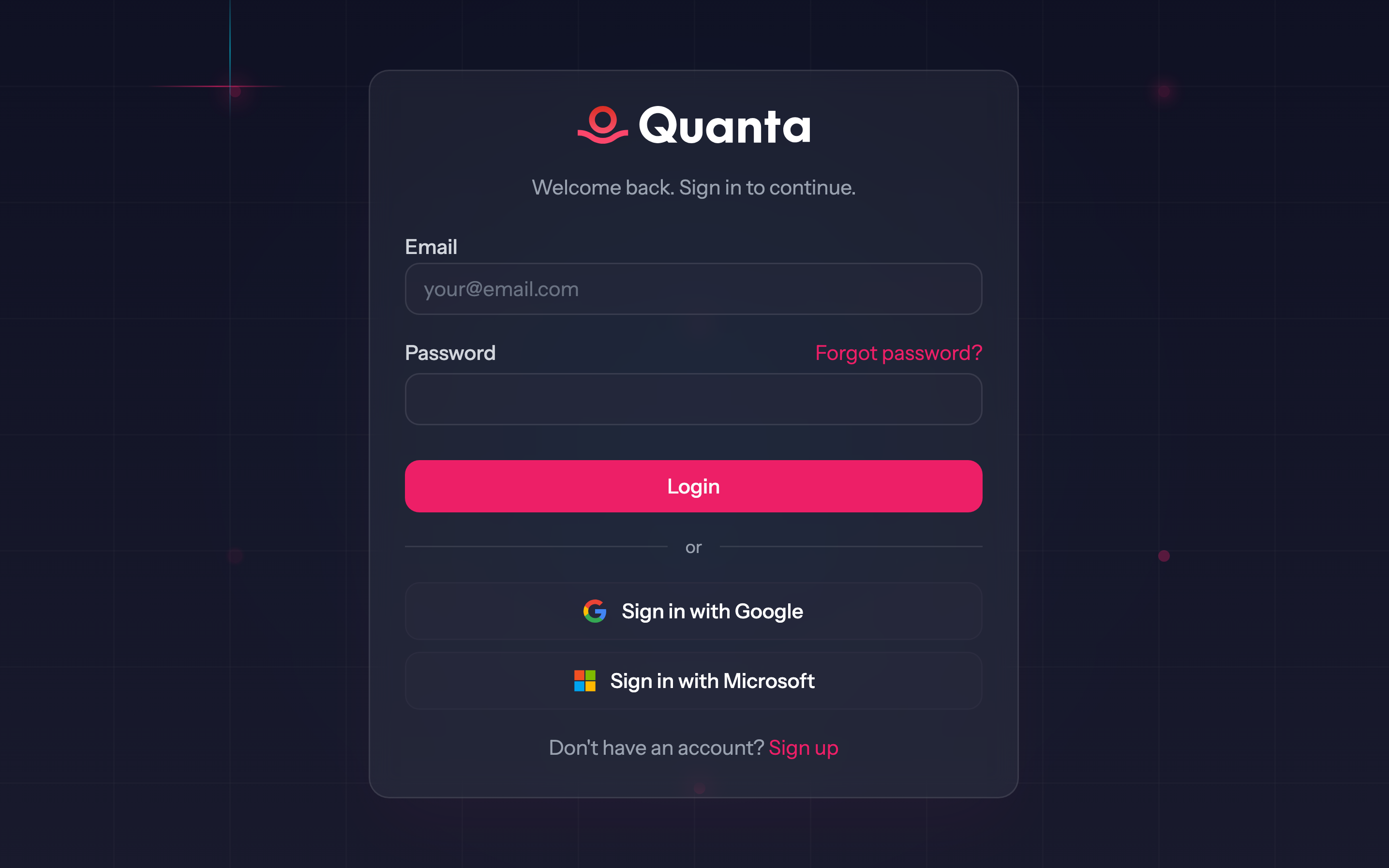
Sign In with Microsoft — tap to open full sizetap to enlarge
Multi-tenant Workspaces
Run multiple organizations from one account. Switch between workspaces instantly.
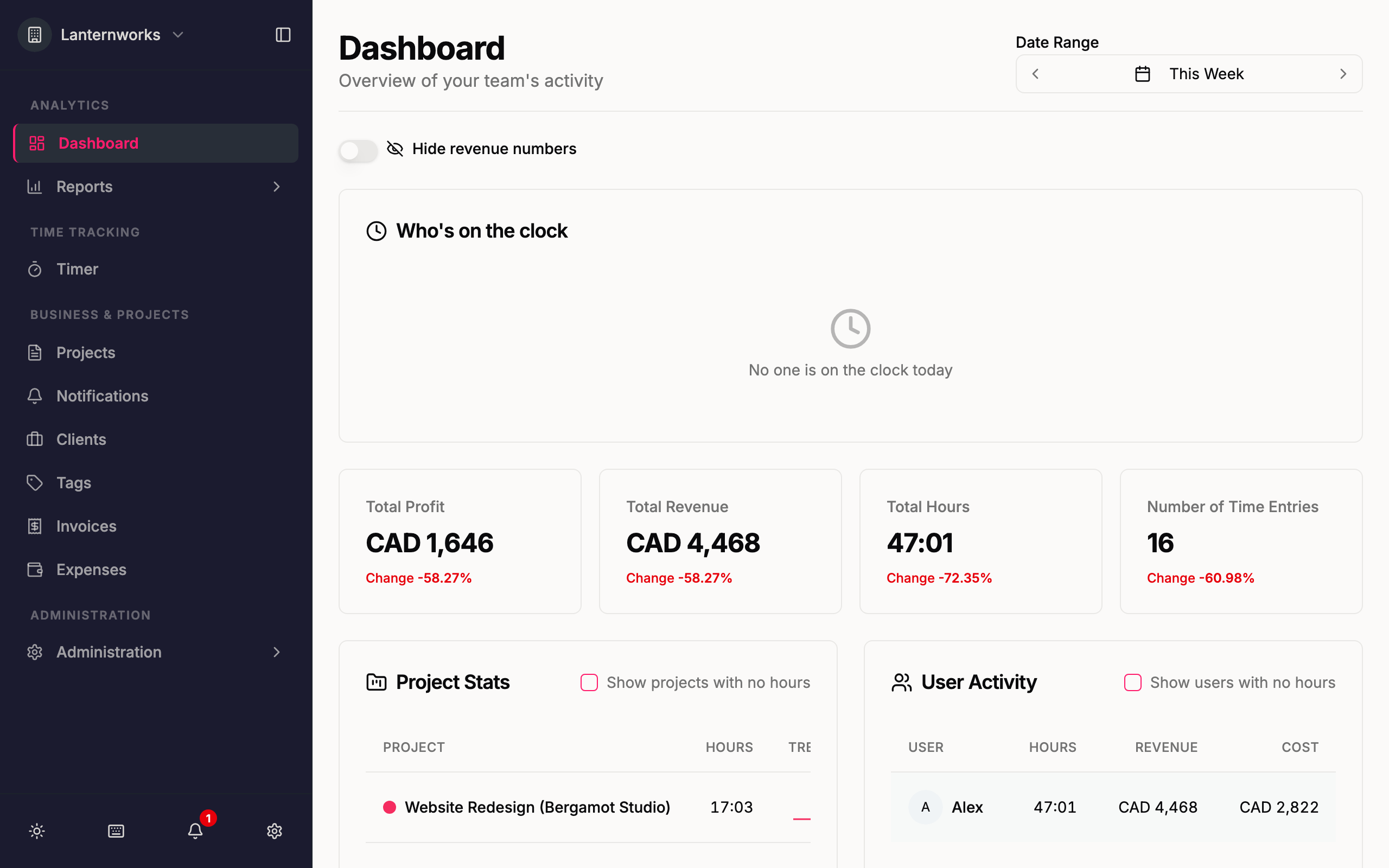
Multi-tenant Workspaces — tap to open full sizetap to enlarge
Invite your team with role-based permissions, and let each project decide who sees all the time logged on it, the budget, the revenue and the cost: its managers, its leads, its whole team, or everyone. Members can watch a fee budget fill without ever seeing a dollar figure.
Roles and Visibility — tap to open full sizetap to enlarge
Integrations
Connect it to anything
Your hours and invoices should not be stuck in one app. Sync them to your accounting, log time from the Jira issue you are working on, pull them into a finance spreadsheet or a dashboard, or let your AI assistant keep the timesheet for you.
QuickBooks Online Sync
Connect your QuickBooks Online company and each invoice you send flows into your books automatically, matched to the right customer, tax code, and product. Invoices and payments already in QuickBooks can be pulled into Quanta too.
Learn more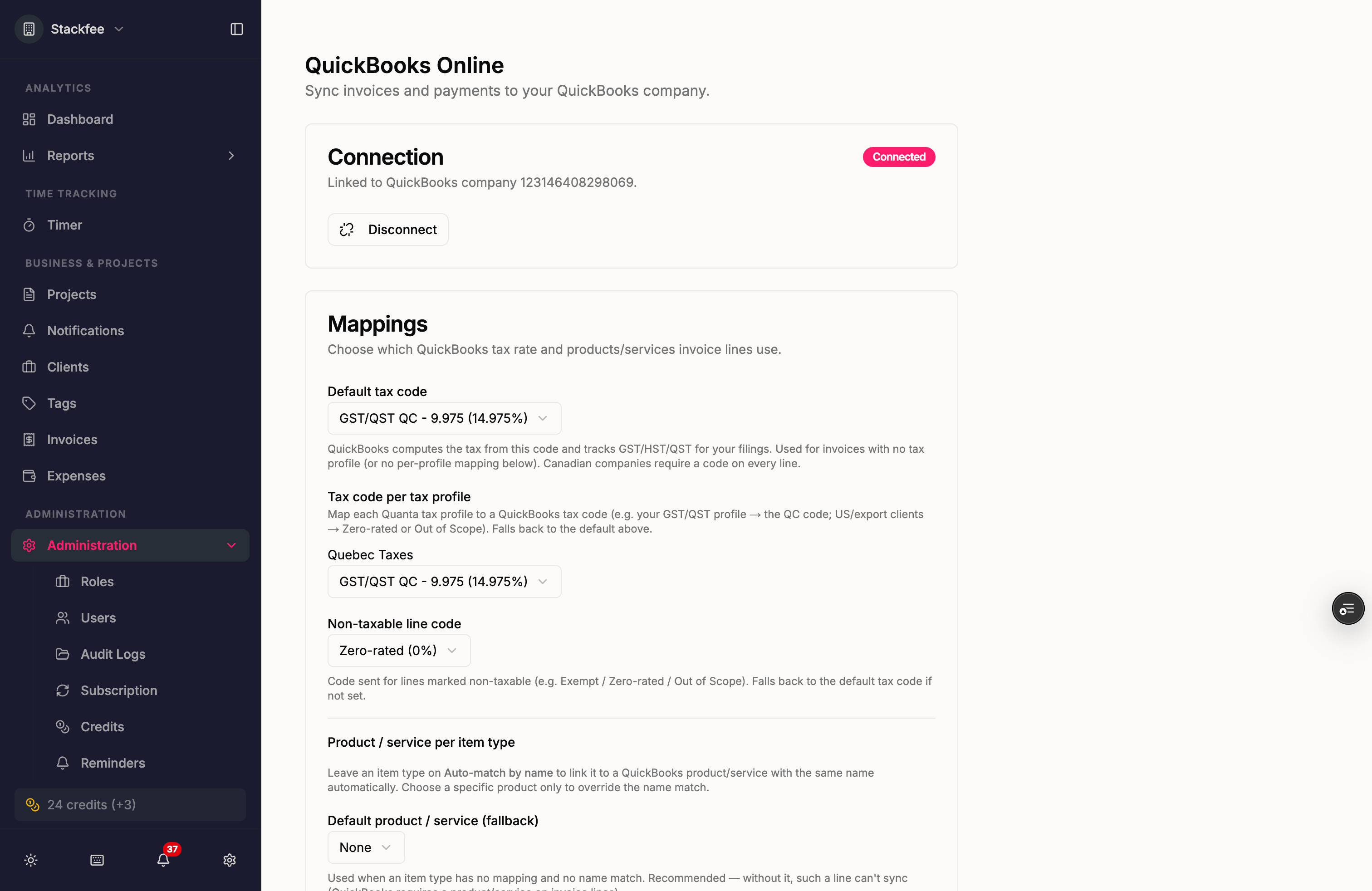
QuickBooks Online Sync — tap to open full sizetap to enlarge
Xero Sync
Connect your Xero organisation and each invoice you send lands there, matched to the right contact and account, with payments following. Choose whether invoices arrive as drafts or awaiting payment.
Learn more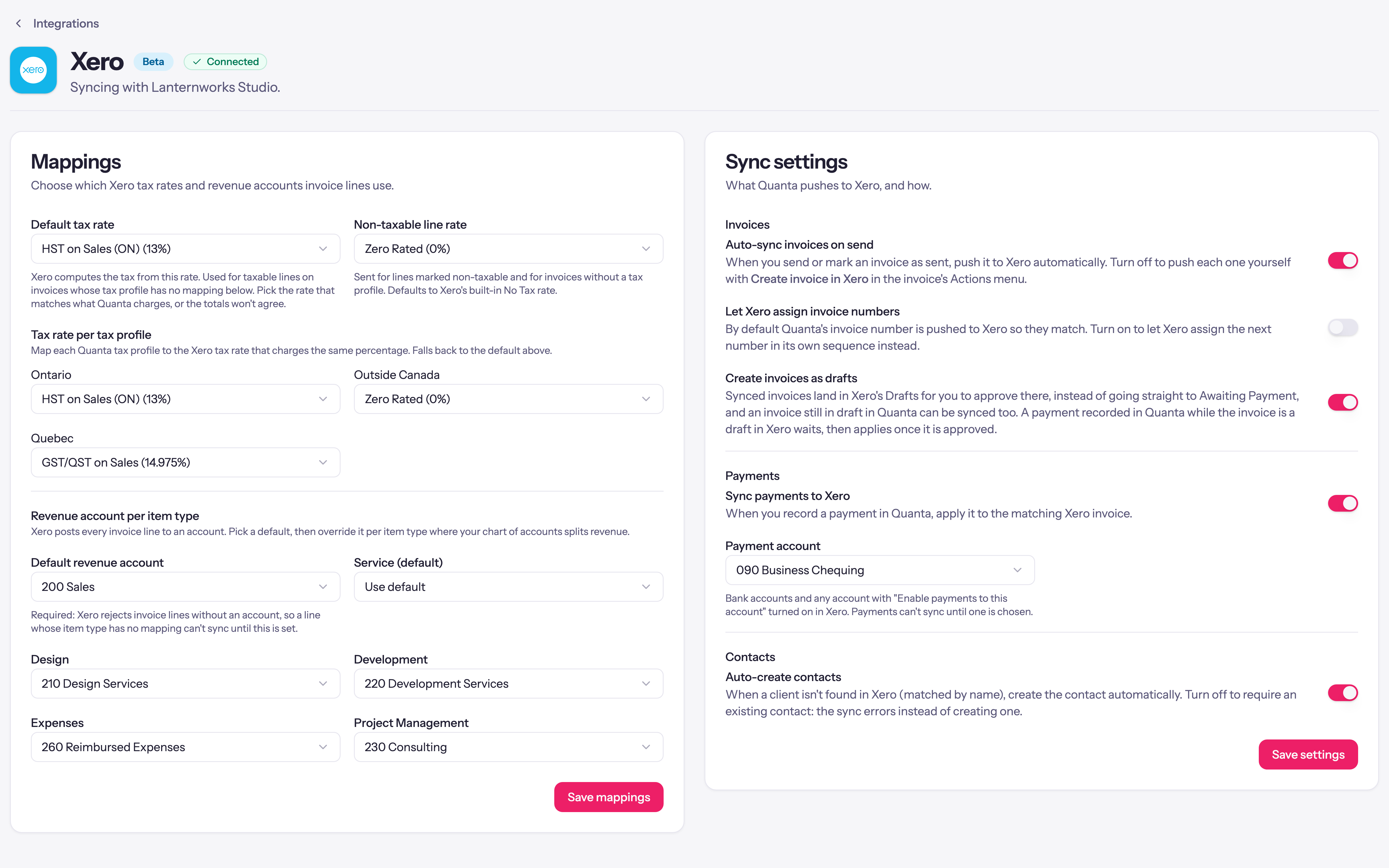
Xero Sync — tap to open full sizetap to enlarge
Jira App (Beta)
A Quanta panel on every Jira Cloud issue. Pick a project and task, type a duration or start a timer, and the entry lands in Quanta linked back to the issue and in its Jira work log. Each person connects their own account, on every paid plan.
Learn more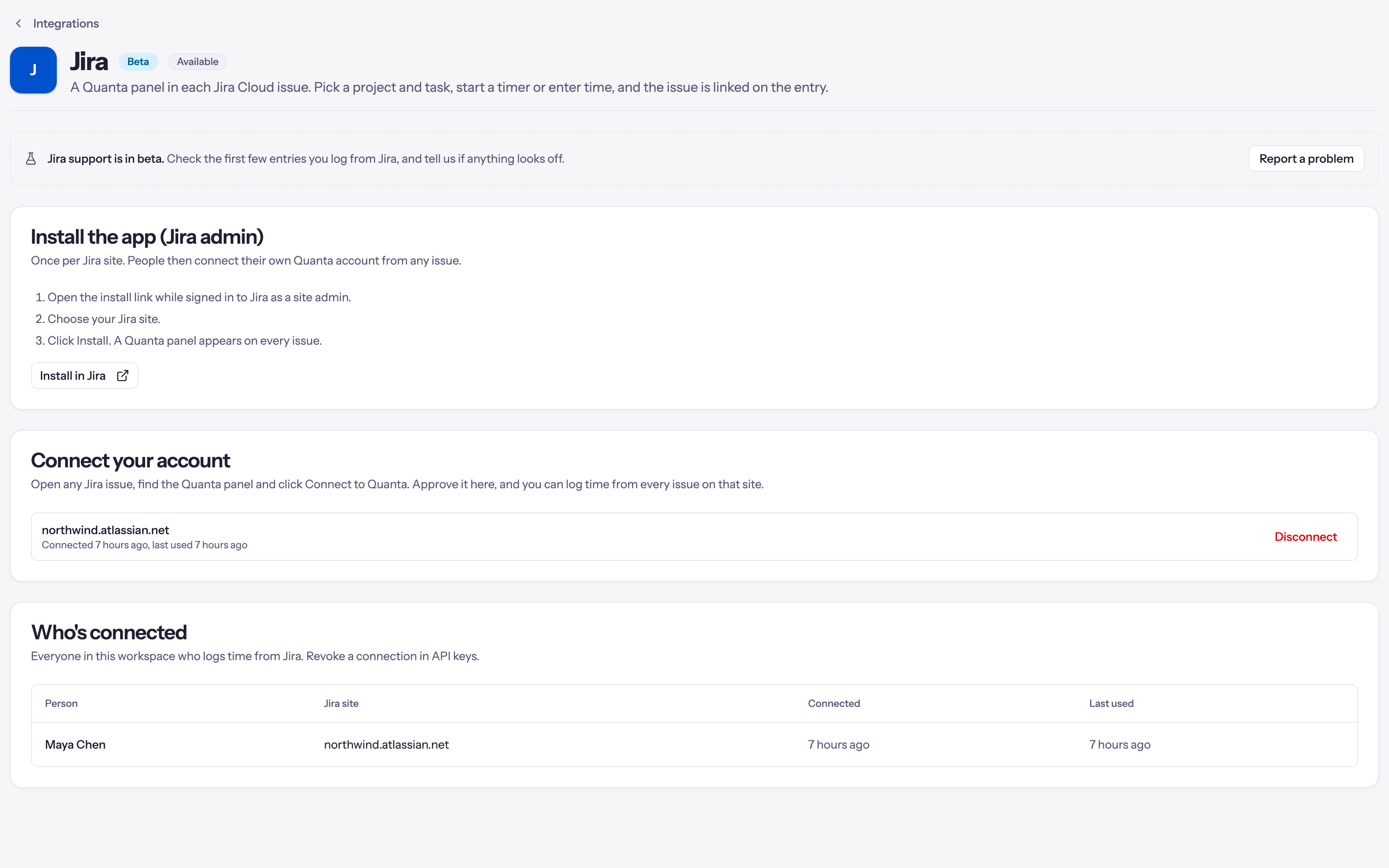
Jira App (Beta) — tap to open full sizetap to enlarge
Log Time from Claude
An MCP server for Claude, Cursor, and any MCP client. Say your day in one sentence and it lands as clean entries, fix a mistake by saying so, and ask where the hours went.
Learn moreLog Time from Claude — live preview
Public API
A documented REST API for time entries, the timer, and reports, that can also create clients, projects and tasks, on every paid plan. Create a key in settings and point your tooling at it.
Learn more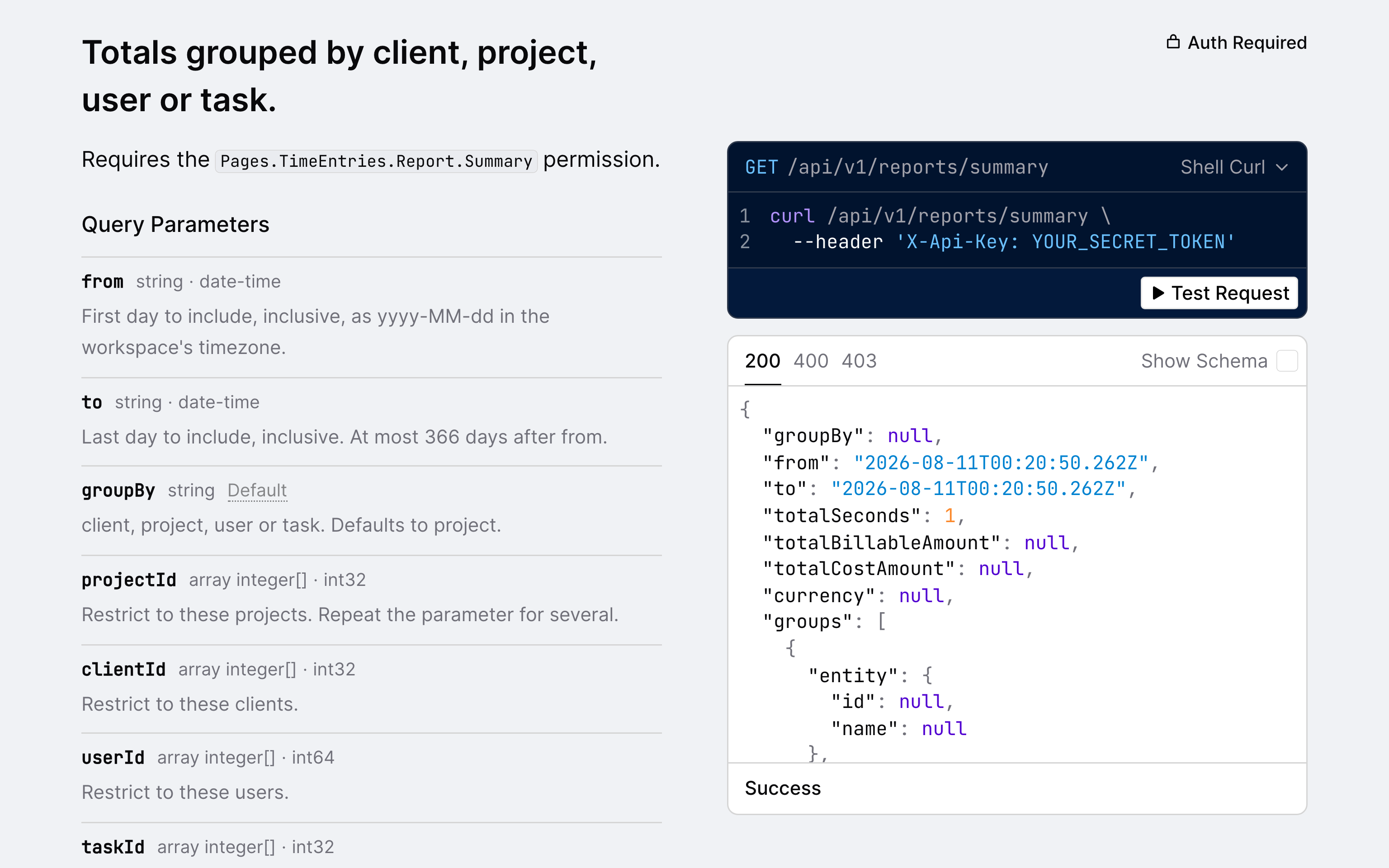
Public API — tap to open full sizetap to enlarge
Connect your QuickBooks Online company and each invoice you send flows into your books automatically, matched to the right customer, tax code, and product. Invoices and payments already in QuickBooks can be pulled into Quanta too.Learn more
QuickBooks Online Sync — tap to open full sizetap to enlarge
Switching from another tool?
See how Quanta compares feature for feature, and how much you'll save, against the time tracker you use today.
Hours in. Invoices out. Books in sync.
Your whole team on one flat price, from the first timer to the paid invoice.
Free 14-day trial. No credit card required.