Fixed-Fee Projects in Quanta
Price a project as one number instead of by the hour. Bill the fee in full or in slices, track fee against cost, and still log every hour for the record without those hours turning into billable time.
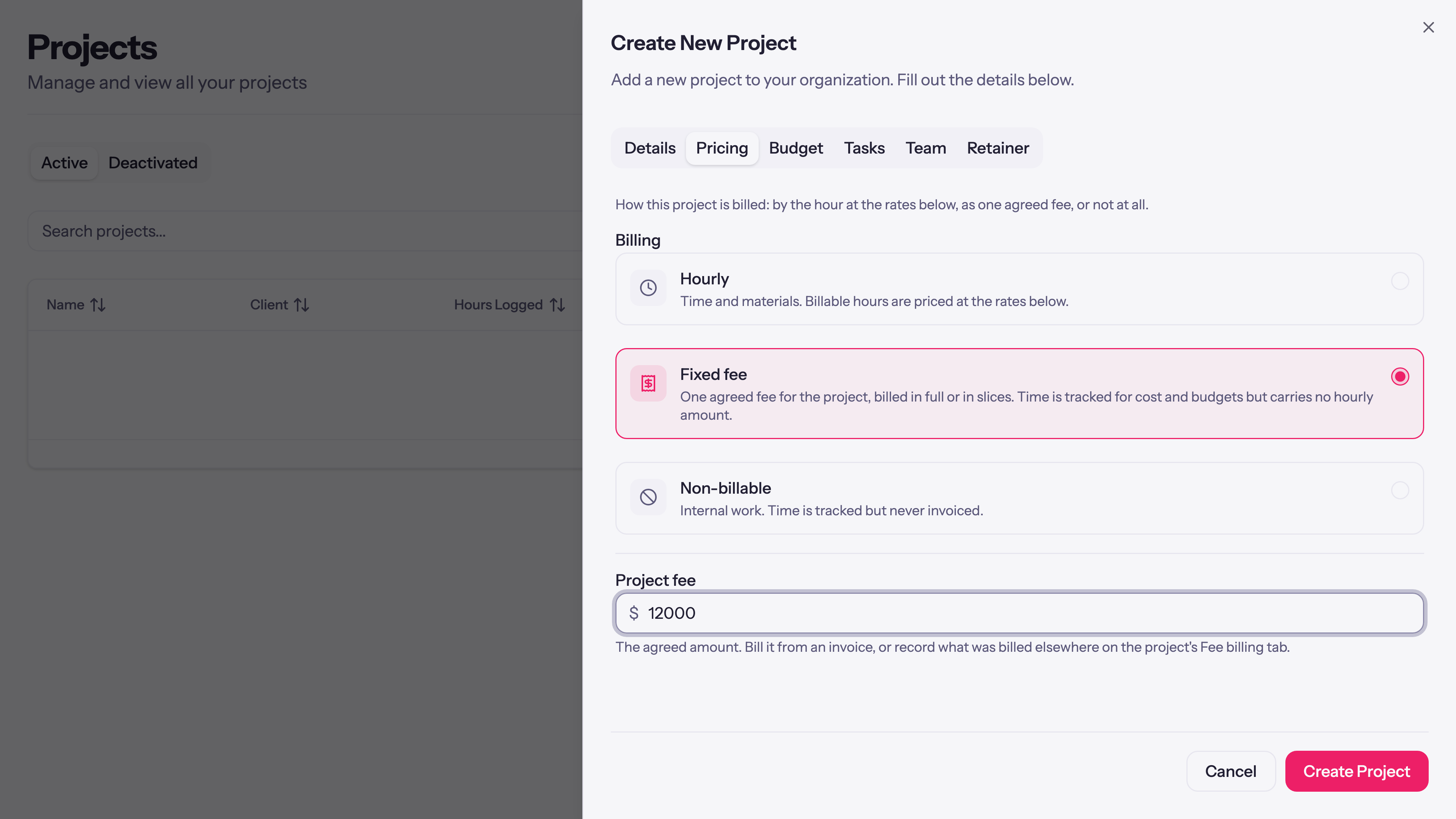
Not every project is sold by the hour. Plenty are quoted as one number: a logo for $4,000, a booth build for $12,000, a brand refresh for a flat fee. You still want your team logging hours against that work, but those hours aren't what you bill. Quanta now handles that directly with a fixed-fee project type.
Three ways to price a project
Open a project and the Pricing tab starts with how the work is billed:
- Hourly. The classic: time is priced by a rate and billed by the hour.
- Fixed fee. One agreed number for the whole project.
- Non-billable. Internal work you still want tracked.
Pick Fixed fee and set the number. From then on, the project's hours stop behaving like billable time and the fee becomes the thing you bill.
The fee is revenue when you bill it
A fixed fee is money you earn as you invoice it, not the moment the project is created. Quanta keeps a per-project ledger of what's been billed against the fee, so a half-finished project shows half its fee earned if that's what you've invoiced, not the whole number sitting on your books early.
You bill the fee two ways:
- Through a Quanta invoice. When you build an invoice, pull the project's fee in as a line: the whole fee, or a slice of it. Bill 25% at kickoff, 50% at a milestone, the last 25% on delivery, and the ledger tracks each slice.
- Recorded by hand. Billed the client from somewhere else? Record the amount against the project so the fee's history stays complete and the remaining balance stays right.
The project's uninvoiced view shows fee remaining rather than a pile of unbilled hours, and the workspace dashboard's revenue includes fees alongside your hourly billing.
Hours still count, as cost
Turning a project fixed-fee doesn't mean the hours stop mattering. They still get tracked, and on a fixed-fee project they carry a cost rate instead of a billable one, so Quanta can show you the fee against what the work cost to deliver. A Total cost card on the project page adds it up, which is the number that tells you whether a flat fee was priced well.
Switch an hourly project to fixed fee and the existing time is re-priced for you: the billable side is stripped and the cost side stamped in, while anything already invoiced or locked is left exactly as it was billed.
A few guardrails
- Fixed-fee projects are flagged with a Fixed fee badge on the projects list, so you can tell at a glance how each one is priced.
- A project is either a fixed-fee deal or a retainer, never both at once; Quanta keeps the two from colliding.
- Fixed-fee hours count as billable in the team capacity view, because for capacity what matters is that the week was full of client work.
In short
If you quote flat fees, Quanta now speaks that language: one number per project, billed in full or in slices, tracked against cost, with every hour still logged for the record. Set the billing type on the Pricing tab and the rest follows.
Questions, or a pricing model we don't cover? Email support@quanta.is.
— The Quanta team