Managing clients
Billing details, currency, payment terms, automatic reminders, contacts, and client-wide managers and leads.
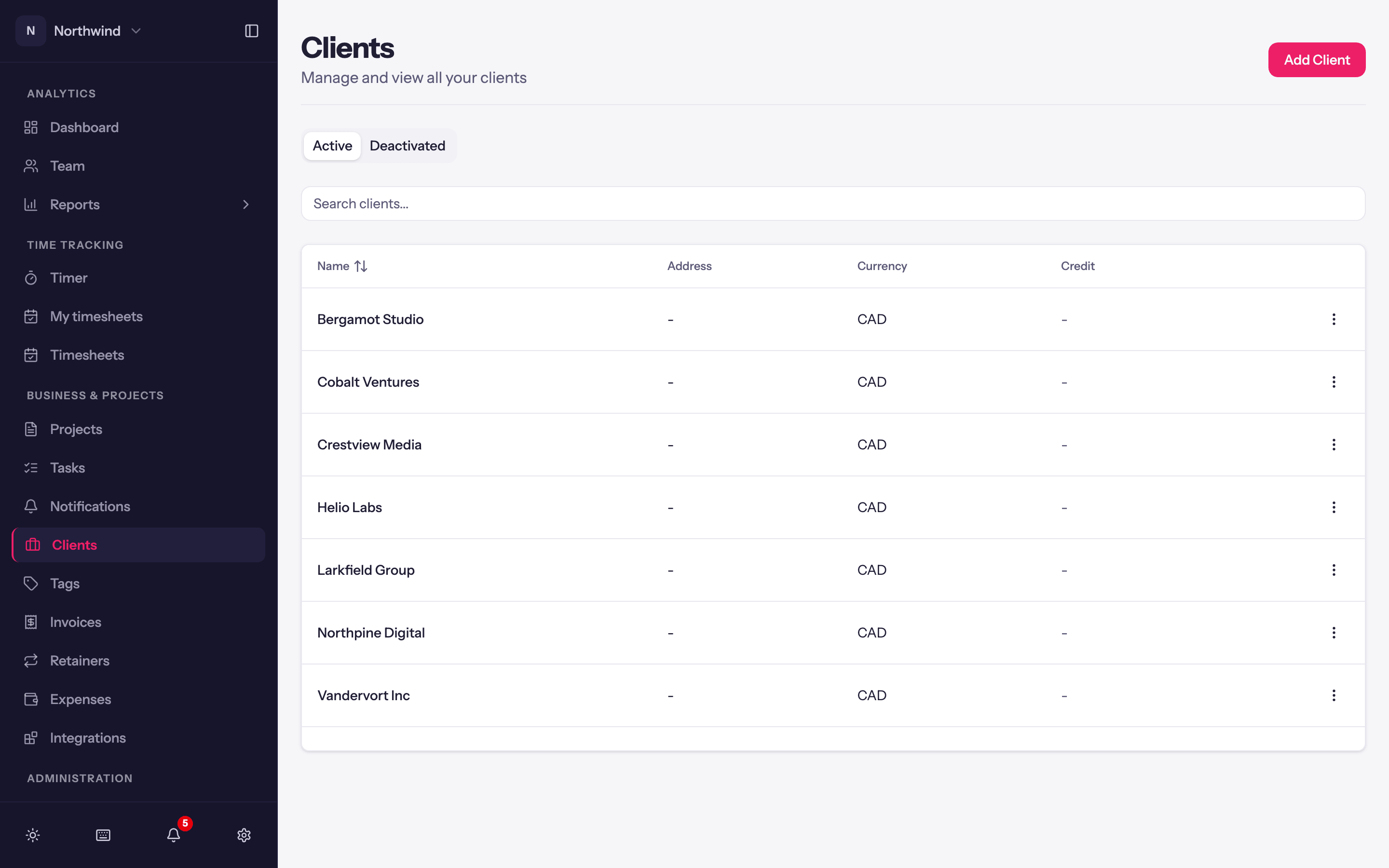
Every project belongs to a client, and the client carries the details invoices need. Business & Projects → Clients lists them; Add Client and the row's Edit open the client sheet.
Click a client's name to open its page. Total Hours, Billable Hours and, for people who see revenue, Total Revenue cover the period, counted the way reports count: the client's projects you can open, and other people's time where the project shows it to you. Anyone who can open Clients sees them.
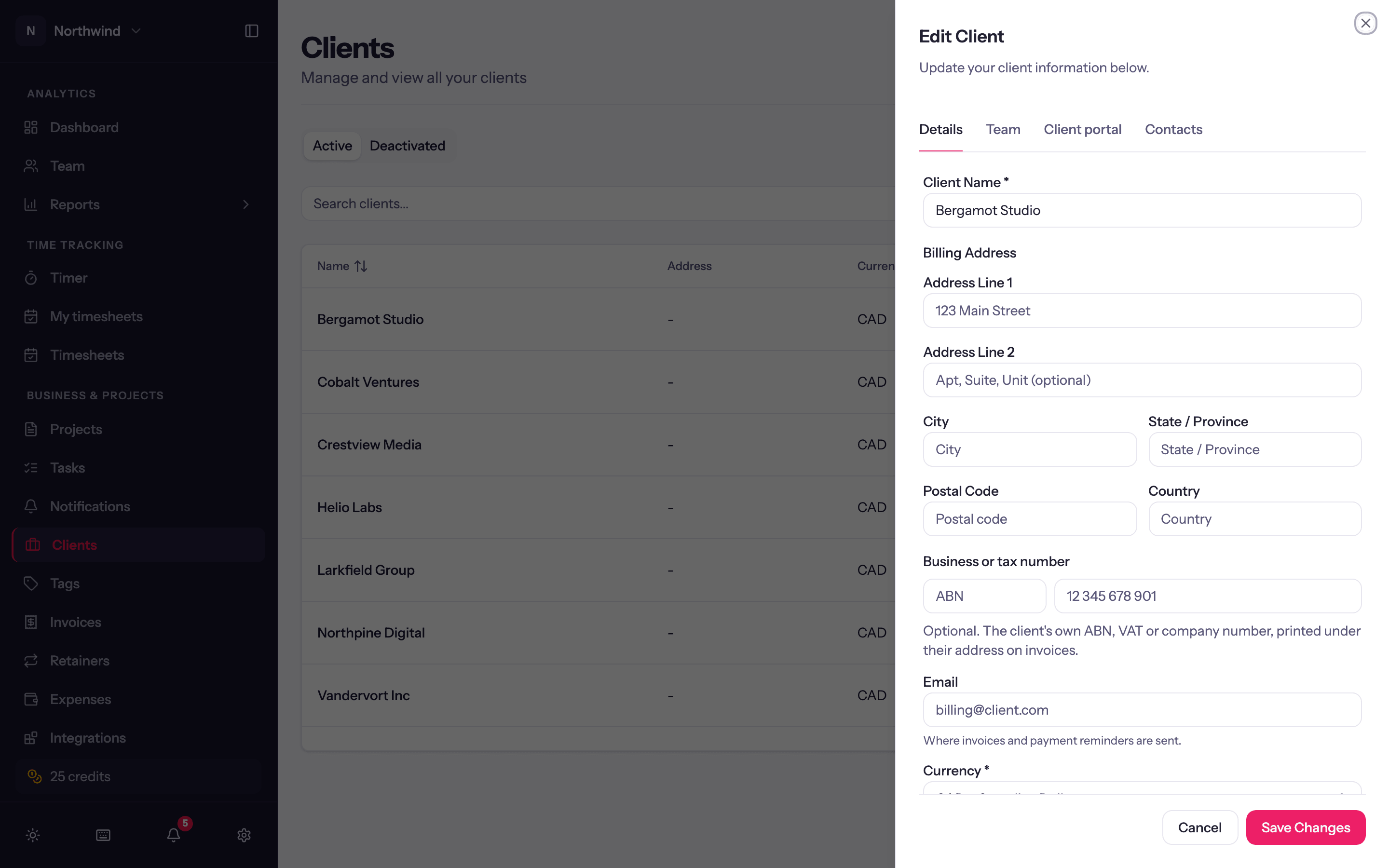
Details
| Field | Notes |
|---|---|
| Client Name | Required. Printed on invoices. |
| Billing Address | Printed in the To block of invoices. |
| The default recipient when you send this client an invoice. | |
| Currency | Required. New clients pick up the workspace currency; each client can differ. Rates and invoices for this client's projects use it. |
| Default Tax Profile | Optional. The tax lines new invoices for this client start with. See Tax profiles. |
| Default project colour | Optional. New projects for this client start with this colour; each project can still pick its own. Falls back to the workspace default under Project defaults. |
| Default payment terms | Due on Receipt, NET 15/30/45/60/90, or a day of the following month (for example 20th of following month). Pre-fills the due date on new invoices. Falls back to the workspace default term. |
| Send automatic payment reminders to this client | On by default when the workspace uses reminders. Turn it off for a client on a retainer or an agreed payment schedule. See Payment reminders. |
| Business or tax number | Optional. The client's own ABN, VAT or company number, with its label, printed under their address on invoices. |
| Other unpaid invoices on invoice links | Whether this client's invoice links list their other unpaid invoices so they can pay several at once. Starts at the workspace setting under Invoice settings. |
Client managers and leads
On the Team tab, two pickers give people a role across every project of the client, current and future:
- Client managers act as Manager on every project of this client, and see all its retainers with money.
- Client leads act as Lead on every project of this client, and see its retainers hours-only.
A project-level role can only raise what a client role grants, never lower it. See Project team.
Contacts
The Contacts tab lists people at the client (Name, Email, Title, Phone). Pick one as the Bill to contact on an invoice and their name prints in the To block and they become the default recipient.
A contact's row menu also has Invite to portal, which gives them access to the client portal.
Client portal
The Client Portal tab controls what this client sees in the portal: Client portal access, Preview portal, and settings that start at the workspace default. Allow this client to pay invoices online, on the Details tab, lets them pay by card when Stripe is connected. See What clients see.
Accounting link
When QuickBooks or Xero is connected, the client sheet's QuickBooks (or Xero) tab shows which accounting customer or contact this client syncs to. Quanta matches by name; pick one here to override the match for all future syncs. If there is no match yet, the picker offers to create the customer or contact in QuickBooks or Xero with the client's name. See QuickBooks and Xero.
Status
Clients are Active or Deactivated. Deactivating a client prevents time tracking against its projects; Activate reverses it. Delete is permanent; deactivate instead unless the client was created by mistake.