Projects & Clients
Project defaults and duplicating
Decide how every new project starts, or start one from a copy of an existing project.
Applies to:
Admins
If most of your projects look alike, set the shape once instead of on every project.
Project defaults
On the Projects page, Project defaults opens a sheet that mirrors the project sheet. Whatever you set here is pre-filled on every new project, however it is created; you can still change any of it on the project itself.
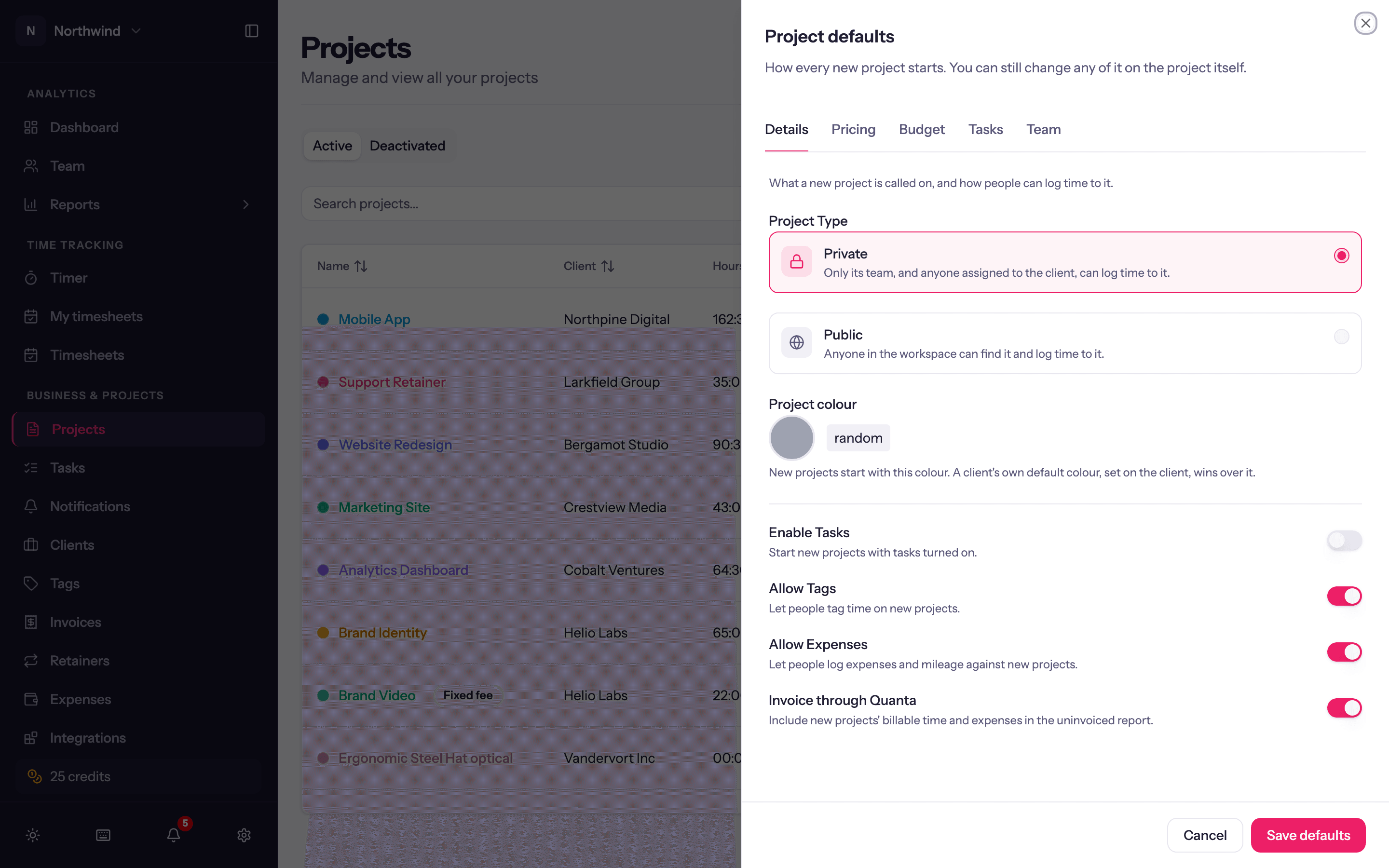
- Details. What a new project is called on, and how people can log time to it: type (Private or Public), whether it has tasks, tags, expenses and invoicing, and the default colour new projects start with (Use random goes back to a random colour each time). A client's own default colour wins over this one.
- Pricing. Hourly, fixed fee or non-billable; Project fee (leave empty and new fixed-fee projects start with no fee); how billable time is priced (project and person rates, or task rates); default billable and cost rates.
- Budget. The budget shape new projects start with (Budget type) and how it Resets. Amounts stay per project.
- Tasks. What tasks a new project starts with. Library tasks marked Common task appear here automatically.
- Team. Who sees all the time, the budget, revenue and cost on a new project (Who sees … on a new project; see Project team), and people added to every new project, however it is created, each with a role and rates. Whoever creates a project is a member already.
Project defaults saved confirms. Existing projects are not changed.
Duplicate a project
From a project's row menu on the Projects page, Duplicate opens the project sheet pre-filled with that project's Details, Pricing, Budget shape, Tasks and Team. Give it a new name (and code), adjust, and Create Project. Time entries, expenses and invoices are never copied.