Invoicing
From tracked time to a paid invoice, plus expenses, retainers and the settings behind them.
Invoicing pulls uninvoiced billable time, approved expenses and project fees onto an invoice, sends it as a PDF, records what comes back, and chases what does not. It needs the Invoices permission (Admins have it) and the workspace's invoicing switch to be on (Workspace Settings → General → Features).
Creating invoices
Import time, expenses and fees; group the lines; add tax, notes and payment instructions.
Sending invoices
Recipients, the email preview, attachments, Mark as Sent and the send history.
Recording payments
Per invoice, or one payment across several, plus credit on account.
Invoice statuses
Draft, Sent, Partially Paid, Paid, Overdue and Void, and the actions on each.
Payment reminders
Automatic follow-ups after the due date, per workspace, client or invoice.
Invoice settings
Your address, logo, default term, date format, payment instructions and sender details.
Tax profiles
Named sets of tax lines to apply to invoices.
Item types
Categorise invoice lines and drive the accounting mapping.
Expenses and mileage
Log, approve, reimburse and bill expenses.
Retainers
Recurring fees and prepaid hour blocks that bill themselves.
The Invoices page
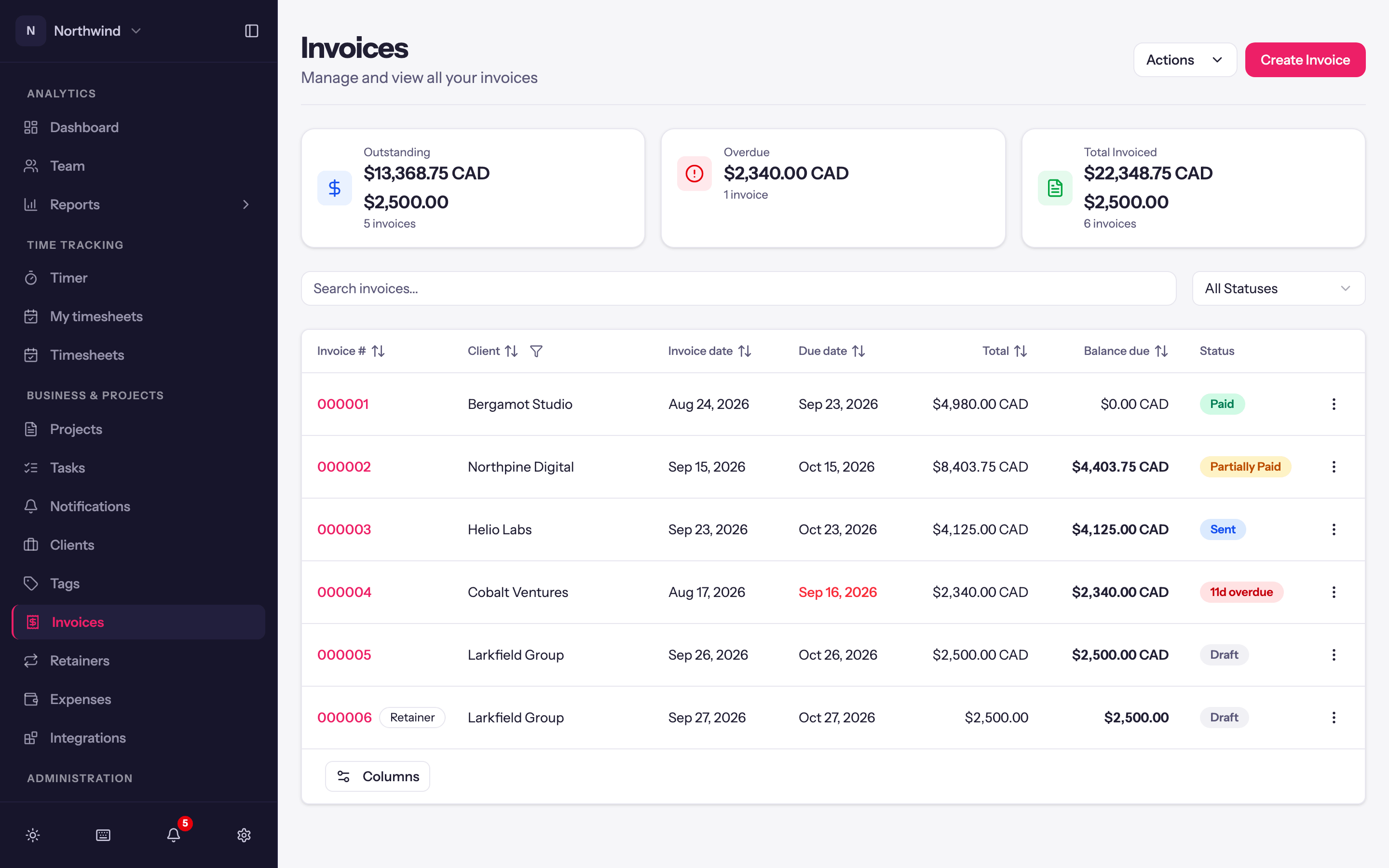
Business & Projects → Invoices shows three totals, Outstanding (still owed on invoices you have sent), Overdue and Total Invoiced, then every invoice with its number, client, dates, total, balance and status. Filter by Status: Outstanding lists every sent invoice that isn't fully paid (Sent, Partially Paid and Overdue), or pick a single status. Search by number or client, and use the buttons at the top: Create Invoice, Receive Payment (one payment across several invoices) and Manage Item Types.
Pushing invoices and payments to QuickBooks Online or Xero is covered under Integrations. Sharing invoices with clients and taking card payments is covered under Client portal.