Invoice settings
The Invoicing tab of Workspace Settings: your address, logo, business and tax numbers, payment terms, date format, payment instructions, online invoice links, client emails and line item wording.
Workspace Settings → Invoicing holds everything that prints on every invoice or goes out with every invoice email. It is only shown while invoicing is switched on for the workspace (General → Features).
Invoice
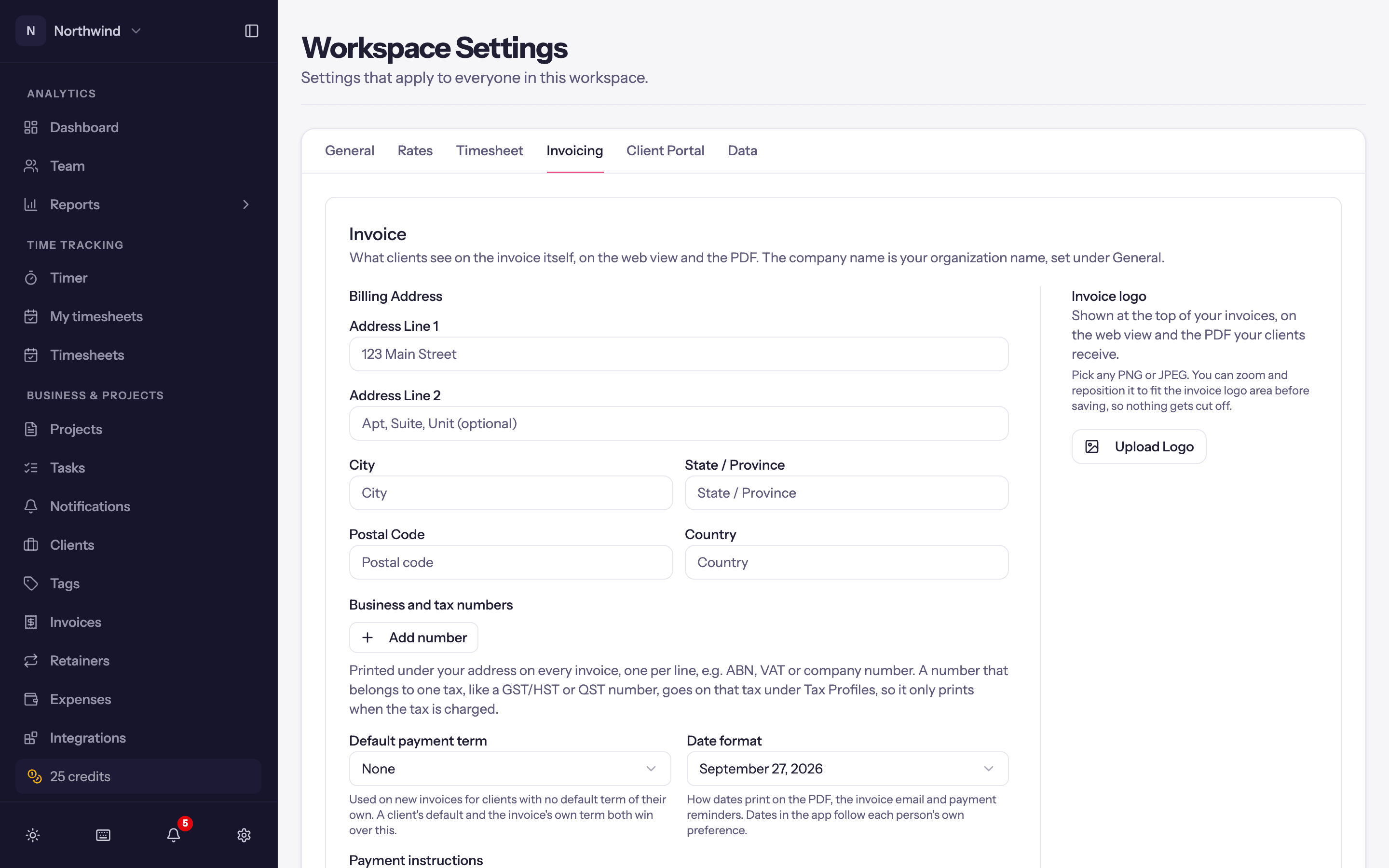
- Billing Address. Your company's address, printed in the From block.
- Business and tax numbers. Any number of label and number pairs (an ABN, a VAT number, a company registration), printed on every invoice. A tax's own number (GST/HST, QST) goes on the tax line in its tax profile instead, so it prints only on invoices charging that tax.
- Invoice logo. Any PNG or JPEG up to 10 MB. Adjust your logo lets you drag to reposition and zoom, and choose a Transparent or White background, so nothing is cut off. Shown on the web view and on the PDF.
- Default payment term. Due on Receipt, NET 15/30/45/60/90 or a day of the following month. Used when a client has no term of its own.
- Date format. How invoice and due dates print: the long form (September 12, 2026) or one of
MM/DD/YYYY,DD/MM/YYYY,YYYY-MM-DD,DD.MM.YYYY,YYYY.MM.DD,YYYY/MM/DD. - Payment instructions. Bank details or "pay by" wording. They print at the foot of the invoice PDF, after the totals and any note to the customer, where the reader looks once they know what they owe, and last in the invoice email. Any single invoice can change or clear its own copy.
- Show the contact name on invoices. Off by default, so an invoice names only the client. On, the bill-to contact's name prints under the client on the PDF and in the invoice email. The contact receives the email either way.
- Add a PO number field to invoices. Adds a PO number field to the invoice sheet for the client's purchase order number. It prints on the invoice and goes to QuickBooks or Xero.
Click Save in the section; Invoice details saved. confirms.
Online invoices
A page for each sent invoice where your client can view it, download the PDF and pay online, with no account needed.
- Include an online invoice link. On by default. Invoice emails get a View invoice online button, or Pay invoice when Stripe is connected and online payments are on, and you can copy an invoice's link to share it. Off, emails carry the PDF only and links you already sent stop opening. See Invoice share links.
- Let clients pay their other unpaid invoices from the link. Lists the client's other unpaid invoices under the one they opened, so they can pay several at once. A client's own Details tab can change this for them.
Client emails
Every email Quanta sends to your clients on your behalf, the invoice itself, payment reminders and payment thank-yous, uses:
- Sender name, e.g. Northwind Studio.
- Reply-to email. Client replies go straight here.
- Email footer.
Payment reminders
The schedule and template for automatic reminders; see Payment reminders.
Payment thank-you
The Subject and Message of the thank-you you can email a client when you record a payment (see Recording payments). You can use {ClientName}, {InvoiceNumber}, {AmountPaid}, {PaymentDate} and {BalanceDue}.
Tick "Email a thank-you" by default when recording a payment decides whether the box on Record Payment starts ticked. Nothing is sent unless that box is ticked when you record the payment.
Click Save Email Settings to keep the changes.
Line items
- Start fixed-fee lines with "Project fee:". On, an imported fixed-fee line reads Project fee: Brand refresh (50% of fee); off, just Brand refresh (50% of fee). It applies to fee lines imported from then on; lines already on invoices keep their wording.
Client portal
The switch that turns the client portal on for the workspace, and what clients see by default, sit at the bottom of this tab.
Tax Profiles
Also on this tab; see Tax profiles.
Related settings elsewhere
- Currency (General) is what new clients start with.
- Rounding (Rates) is what the invoice import's rounding checkbox does.
- Invoice Item Types has its own page under Administration; see Item types.