Recording payments
Record a payment on one invoice, apply one payment across several, and use credit on account.
One invoice
Open the invoice and click Record Payment.
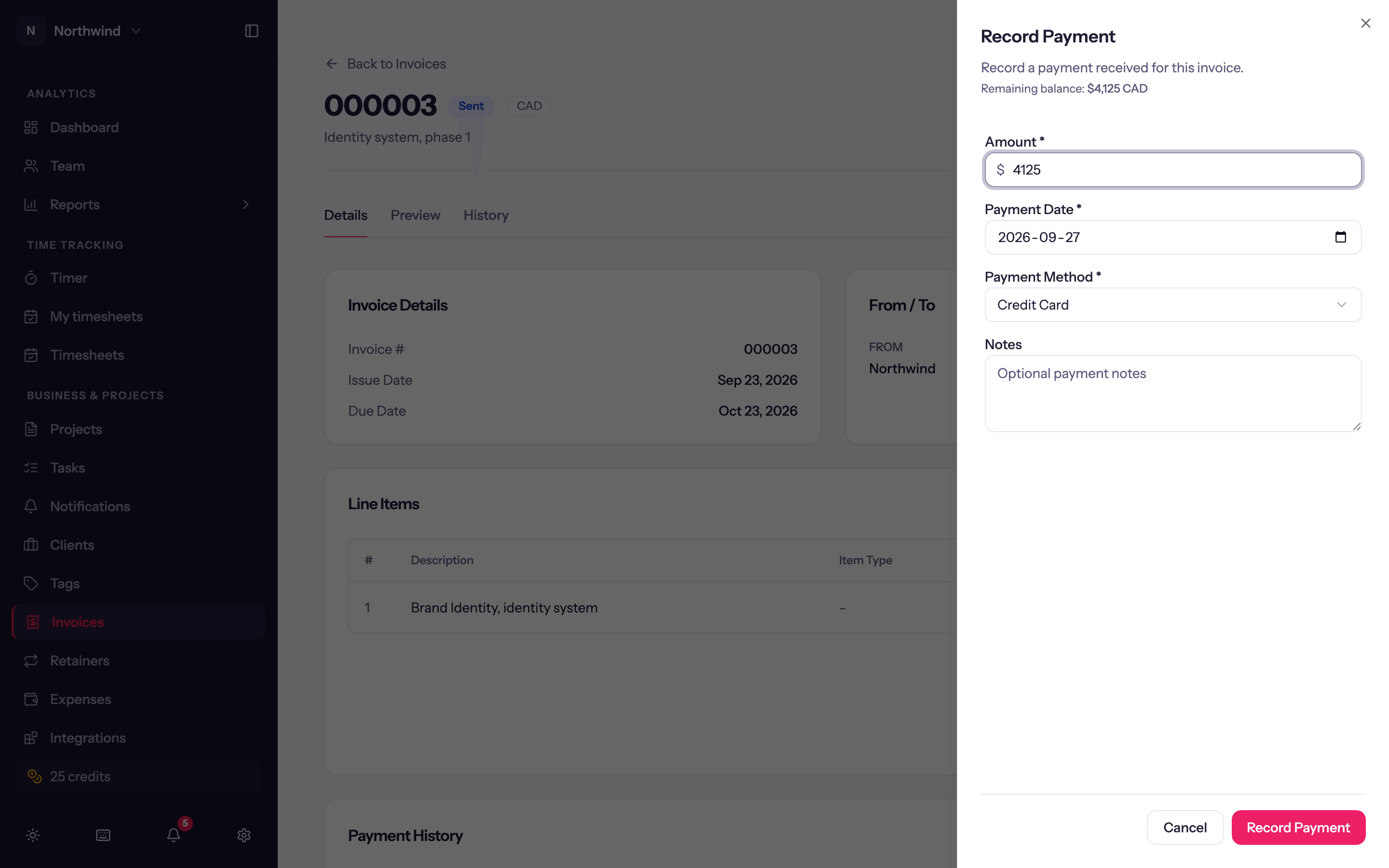
- Amount: defaults to the remaining balance, shown above the field.
- Payment Date.
- Payment Method: Bank Transfer (the default), Credit Card, Check, Cash or Other.
- Optional notes (a reference number, say).
- Email a thank-you to the client: see Thanking the client.
The payment appears under Payment History on the invoice with its date, method and amount, and the status becomes Partially Paid or Paid. A payment can be deleted from that list if it was recorded by mistake.
Thanking the client
Tick Email a thank-you to the client on Record Payment to email them once the payment is saved. It goes to the invoice's bill-to contact, or the client's email if there is no contact; the sheet shows the address. The email carries your logo, sender name and footer, the amount received and the date, and the balance still owing, with a link to pay it if online payments are on. A paid invoice says Paid in full.
The wording is yours to change in Workspace Settings → Invoicing under Payment thank-you, where you can also have the box start ticked. The box is greyed out when the client has no email address.
Each thank-you appears in the invoice's send history as Thank-you sent. If it can't be sent, the payment is still recorded and the history says why.
Editing a payment
To correct a payment, even on a paid invoice, open the menu at the end of its row under Payment History and choose Edit. You can change the Amount, Payment Date, Payment Method and notes, then click Save.
- A payment recorded with Receive Payment across several invoices, or one that left credit on the client's account, is one receipt. A new date or method changes it on every invoice it paid. Its amount can't be changed.
- A payment the client made online keeps the date and method Stripe recorded. Its amount and notes can still change, after a refund in Stripe, say.
- A payment pulled from QuickBooks or Xero has no Edit. Change it in QuickBooks or Xero.
- If the payment was already pushed to QuickBooks or Xero, a new amount, date or method marks the invoice with a sync error. Update the payment there to match, then choose Push changes to QuickBooks (or Xero) in the invoice's Actions menu to clear it.
Several invoices at once
A client who pays one amount against three invoices is handled from the Invoices page: Receive Payment.
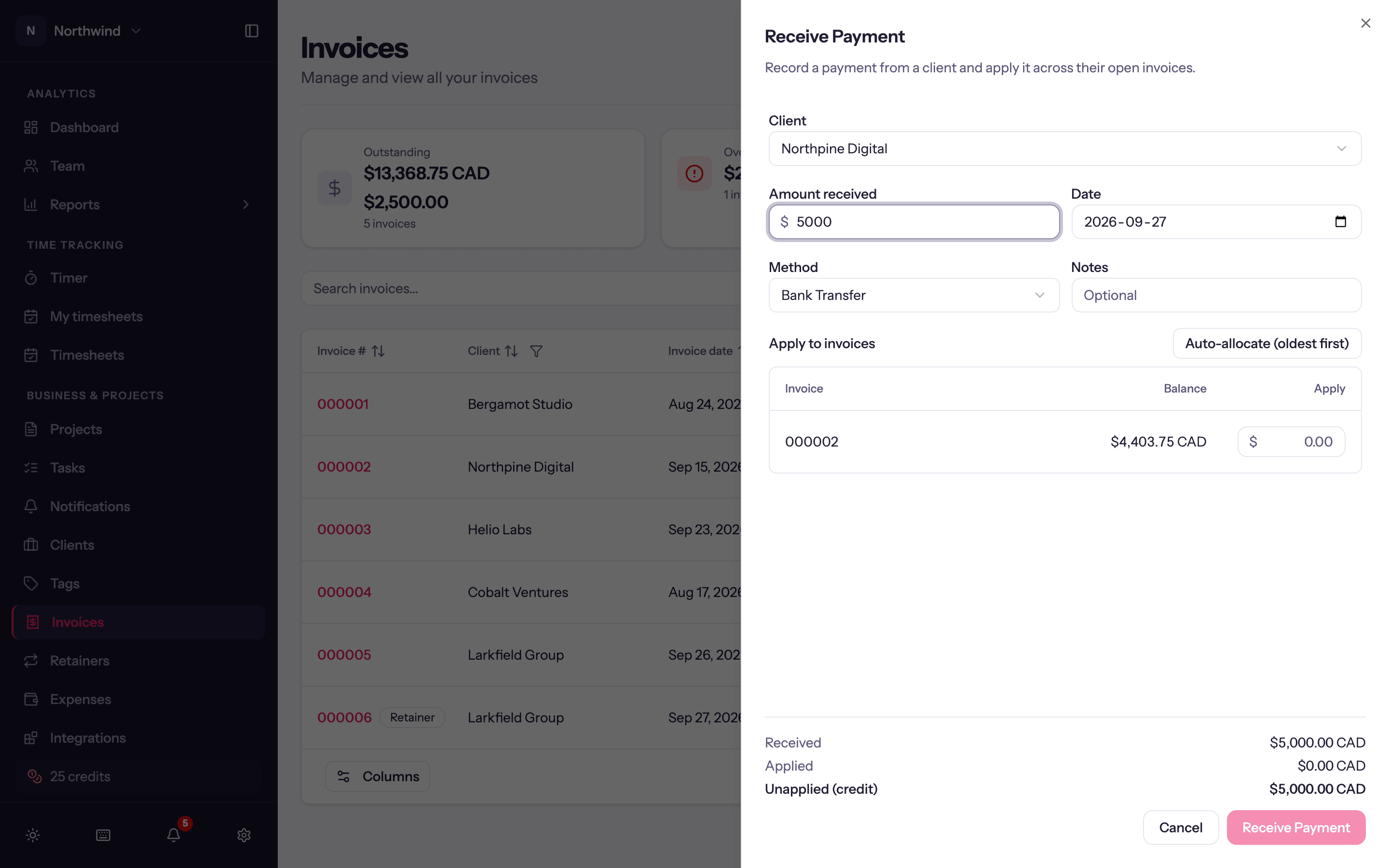
Pick the Client and enter the Amount received, the Date, Method and optional Notes.
Under Apply to invoices, the client's open invoices are listed oldest first with their balances. Type an Apply amount on each row, or click Auto-allocate (oldest first) to spread the money automatically.
The footer shows Received, Applied and Unapplied (credit). Whatever you leave unapplied becomes credit on account for that client. Applying more than you received is blocked.
Credit on account
Overpayments and unapplied amounts sit as credit on the client. On any of that client's invoices with a balance due, Apply credit in the invoice's Actions menu lets you apply some or all of it (Amount to apply), and the Receive Payment sheet shows Credit on account for the client so you can use it up there.
Card payments from clients
When a client pays by card through the client portal, or a saved card is charged by retainer auto-pay, Quanta records the payment on the invoice for you and emails your workspace. There is nothing to record by hand.
A refund made in Stripe is not recorded automatically. Quanta emails you about it, and you delete or edit the payment on the invoice if the refund should show there.
Accounting sync
When QuickBooks or Xero is connected with Sync payments on, each payment you record here is pushed to the ledger against the synced invoice. See Integrations.
Payments recorded in QuickBooks or Xero can also be pulled onto a sent, linked Quanta invoice. Open its Actions menu and choose Pull payments from QuickBooks (or Xero). The result shows how many payments were imported or already present, with details for any that could not be imported. Run it again whenever you want to check for new payments. With QuickBooks, the Invoices page's Actions menu also has Pull all payments from QuickBooks, which checks every linked invoice at once; see QuickBooks.