

Quanta Desktop: a Native Timer for Mac and Windows
A small, fast timer that lives in your menu bar, stays in real-time sync with your Quanta workspace, notices when you step away, and keeps itself up to date. Available now for macOS and Windows.
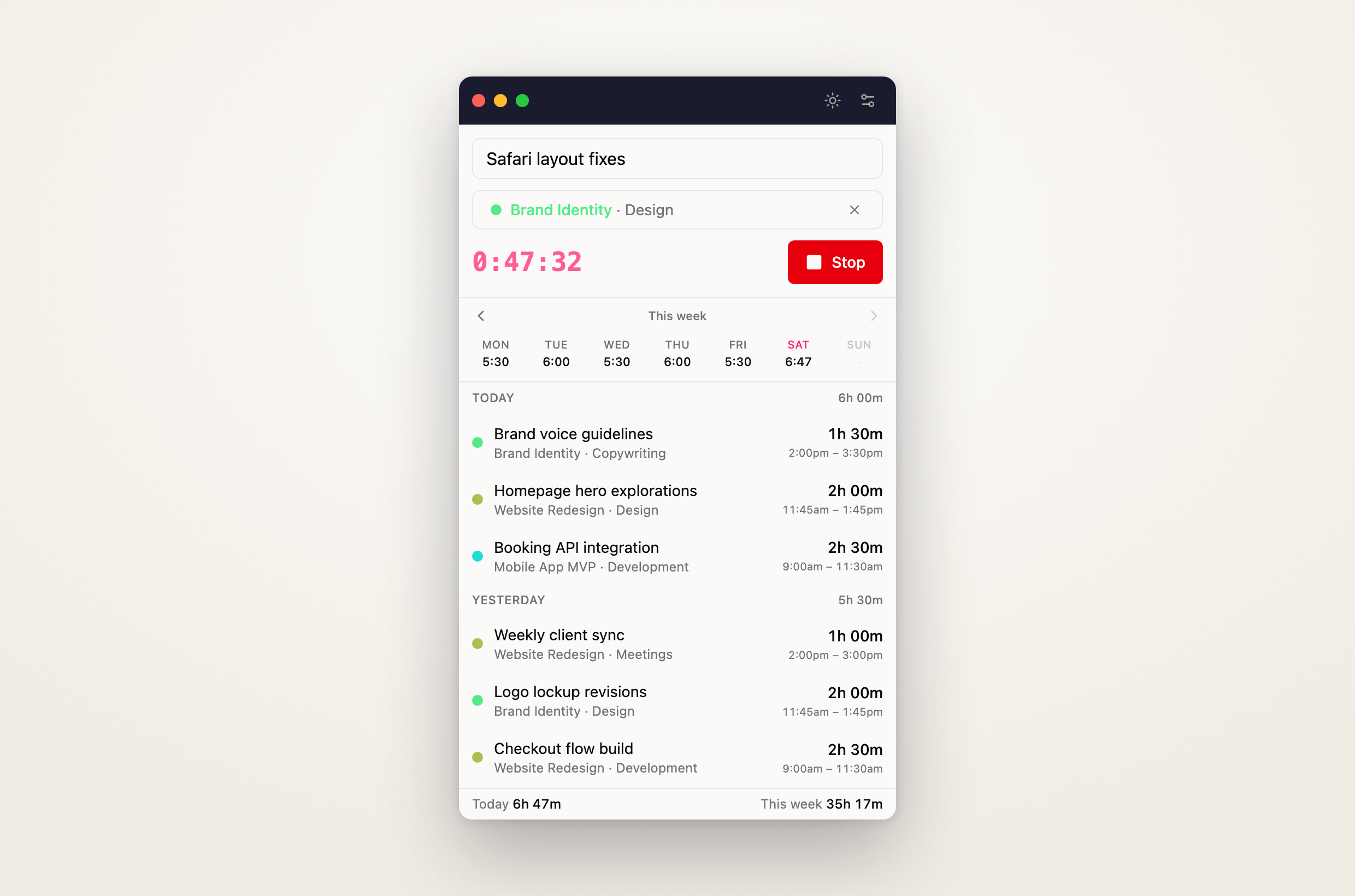
The browser is great for planning your week — less great for starting a timer the second a call begins. So we built a small, fast companion that lives where your work happens: Quanta Desktop, a native timer for macOS and Windows that stays in sync with everything already in your Quanta workspace.
It's a tiny window and a tray icon, not another browser tab. Start and stop in a click, see your week at a glance, and everything you track flows straight into the same reports and invoices you already use.
Start first, fill in the details later
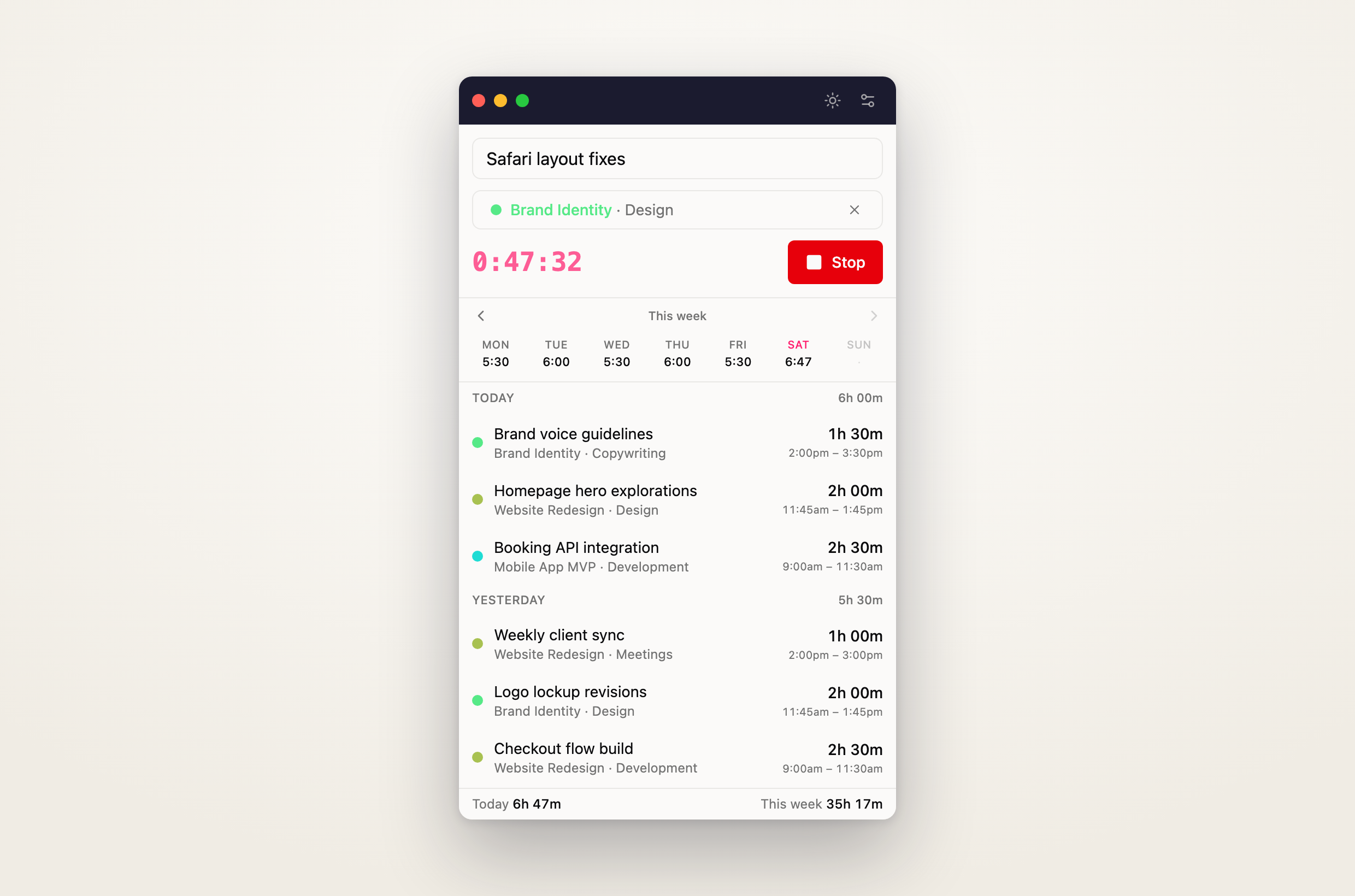
Hit Start and you're tracking — no need to pick a project or write a description up front. If your workspace requires a project, task, or description, Quanta asks for them when you stop, so entries never slip through half-filled into your reports. Click the running clock to fix the start time if you got going late, and the description and project stay editable the whole time the timer runs.
Your last two weeks are right there under the timer: a Monday-to-Sunday strip with a total for every day, and a running list you can edit, delete, or continue with one click. Browse back through previous weeks whenever you need to.
Real start and end times, if that's how you work
Workspaces that track start and end times get them everywhere: entry rows show the actual window (9:00am – 11:30am), and the edit dialog gives you start, end, and duration inputs that stay consistent — change the end and the duration recomputes, change the duration and the end moves.
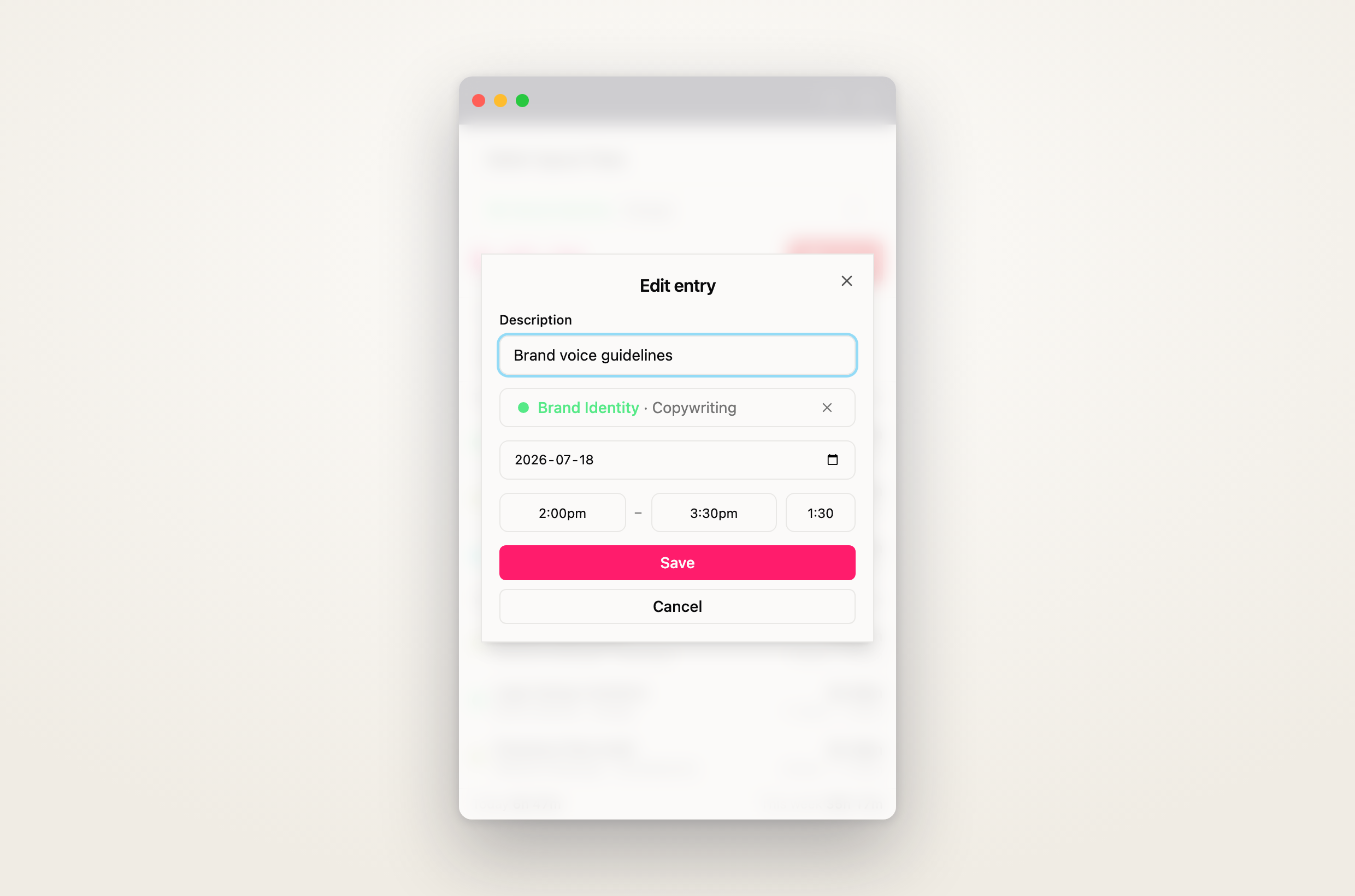
Duration-only workspaces see none of that ceremony — just clean durations, same as the web.
It notices when you step away
Leave a timer running through a hallway conversation and Quanta notices. When you come back, it tells you exactly how long you were gone and asks what to do:
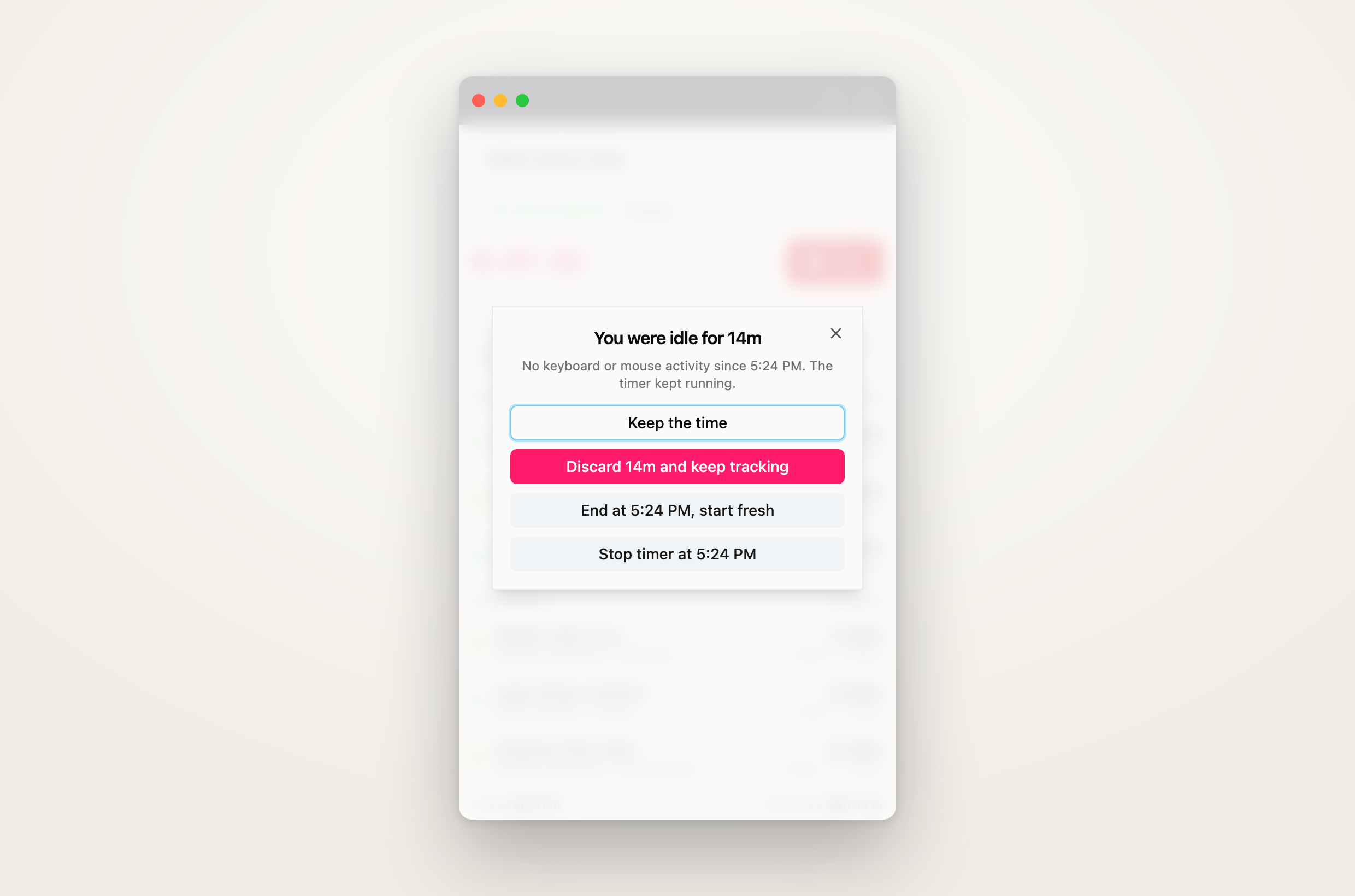
Keep the time, discard the idle stretch and keep tracking, end the entry where you left off and start a fresh one, or stop the timer entirely as of the moment you walked away. The threshold is yours to set — five minutes, thirty, or any custom value.
Detection runs at the operating-system level, so it works even while the app is hidden away in the tray.
In sync everywhere, instantly
Start a timer on the web and it appears on the desktop within seconds — and the other way around. Edits, deletes, new entries: everything syncs in real time across every device signed into your workspace. If the connection drops, the app quietly falls back to polling and catches up the moment it's back.
Out of your way
- A global shortcut — ⌘⇧Space on Mac, Ctrl+Shift+Space on Windows — summons the window and starts or stops the timer from inside any app.
- Launch at login, so tracking is one click away from the moment you sit down.
- Closing the window keeps the app in the tray; the timer keeps running.
- Sign in with your Google account or email and password — same as the web.
- The app updates itself: new versions download in the background and install on your next restart.
Get it
Quanta Desktop is included with every Quanta workspace — no extra cost.
Download Quanta Desktop — macOS (Apple Silicon & Intel) and Windows.
Install it, sign in, and your workspace is already there. If anything feels off, tell us at support@quanta.is — this is v1, and the fastest way to shape what comes next is to tell us what would make it indispensable for the way you track time.