

Quanta,
on your iPhone.
Start a timer the moment work begins, add the hours you already worked, log an expense with its receipt and submit your week. It keeps working with no signal and syncs when you are back online.
Included with every Quanta workspace. Sign in with your existing account. No account yet? Start free.
The parts of Quanta you need away from your desk
Everything you log on your phone shows up on the web right away, ready for timesheets, approvals, reports and invoices.
Start first, details later
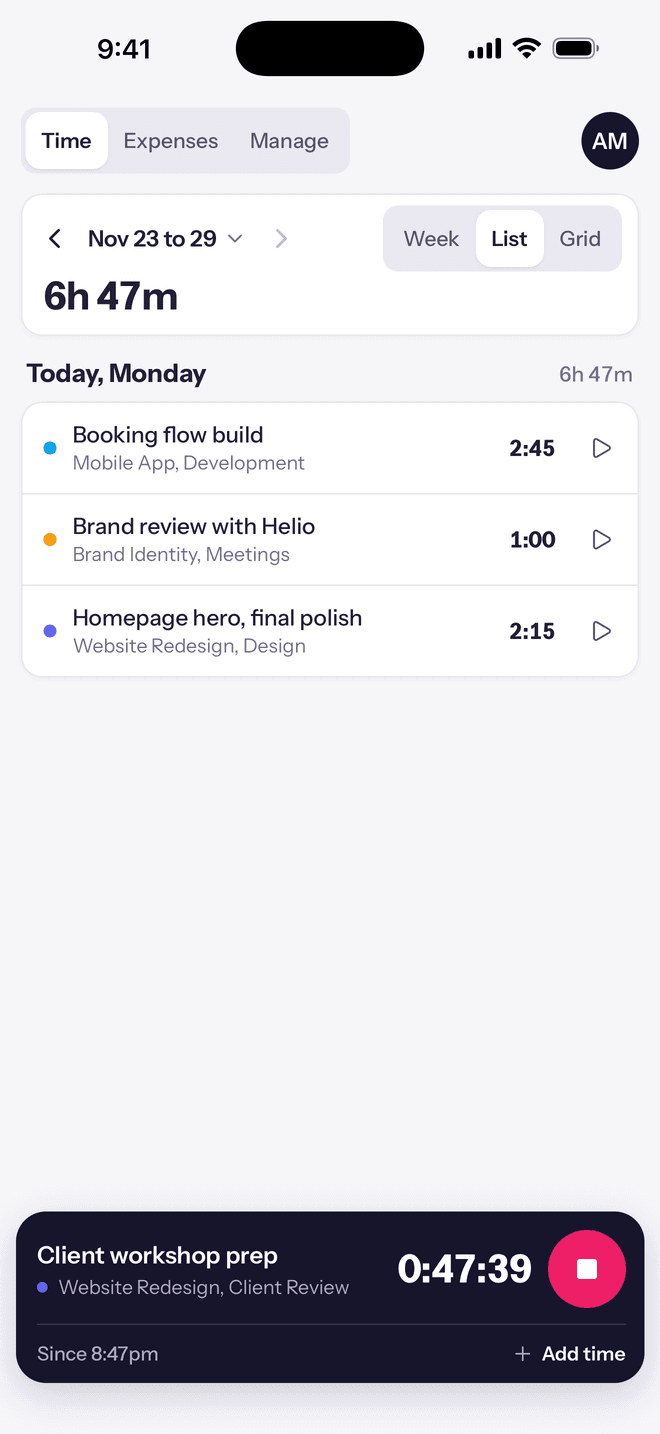
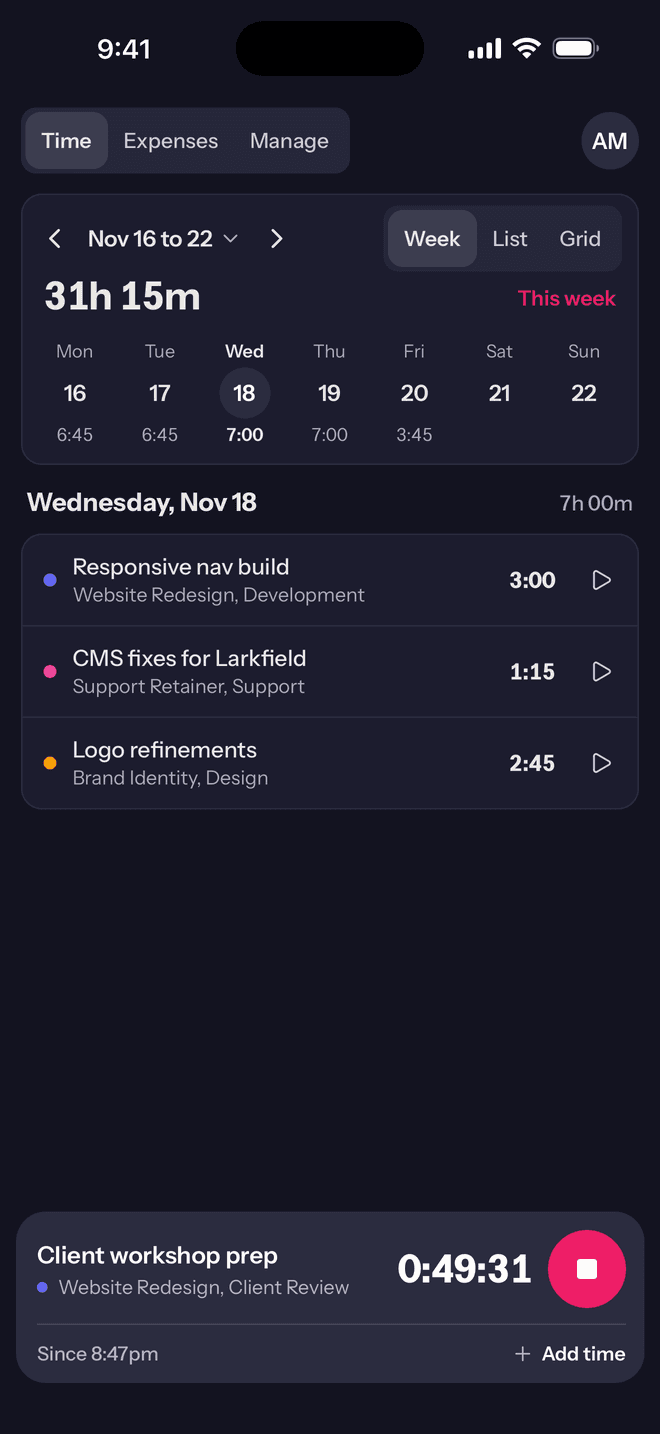
Start the timer with one tap and pick the project and task now or when you stop. Forgot to start it? Add the time you worked, or move the start back.
Your week, three ways
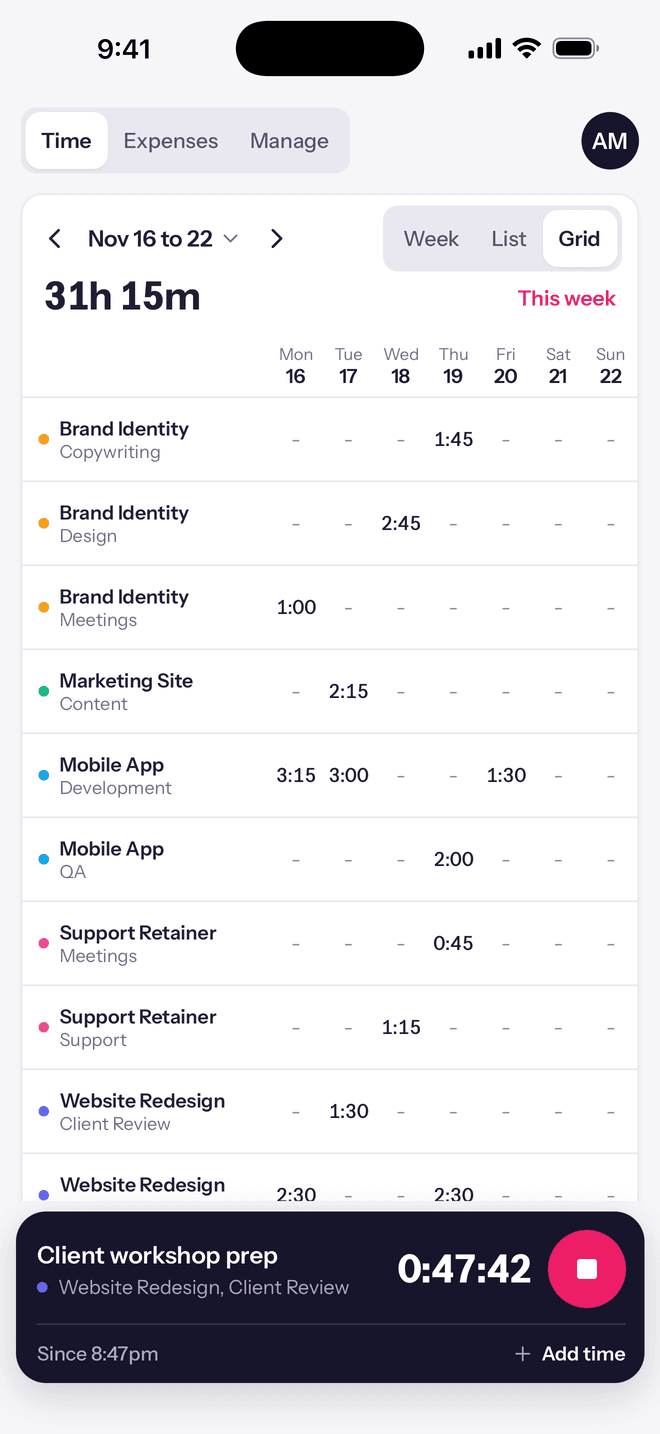
Look at one day, a list of the whole week, or a project-by-day grid. Tap any entry to fix its time, notes or project.
Expenses with receipts
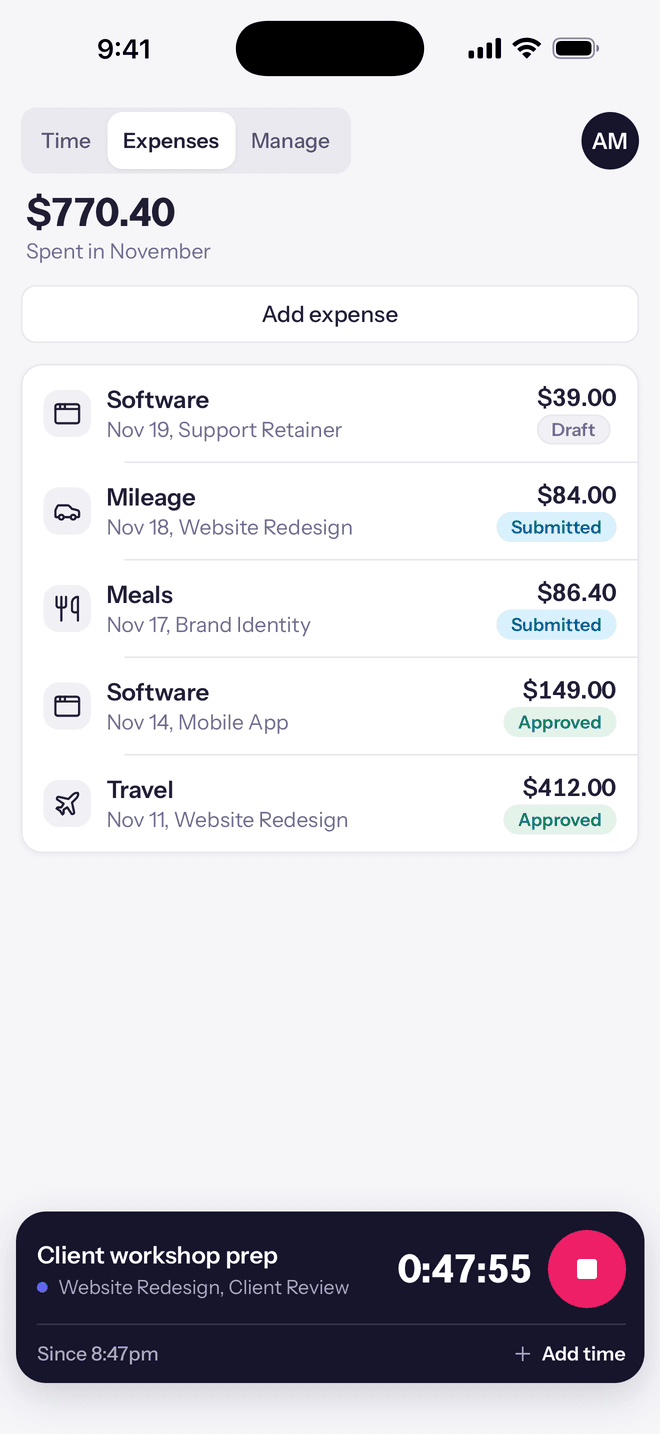
Log a cost against a project and photograph the receipt. Mileage and other per-unit categories work out the amount for you.
Submit your week
If your workspace uses timesheet approvals, submit from your phone and see whether the week is waiting, approved or sent back.
Works offline
On site or in the air, keep tracking. Changes are saved on your phone and sync the moment you are back online.
For managers
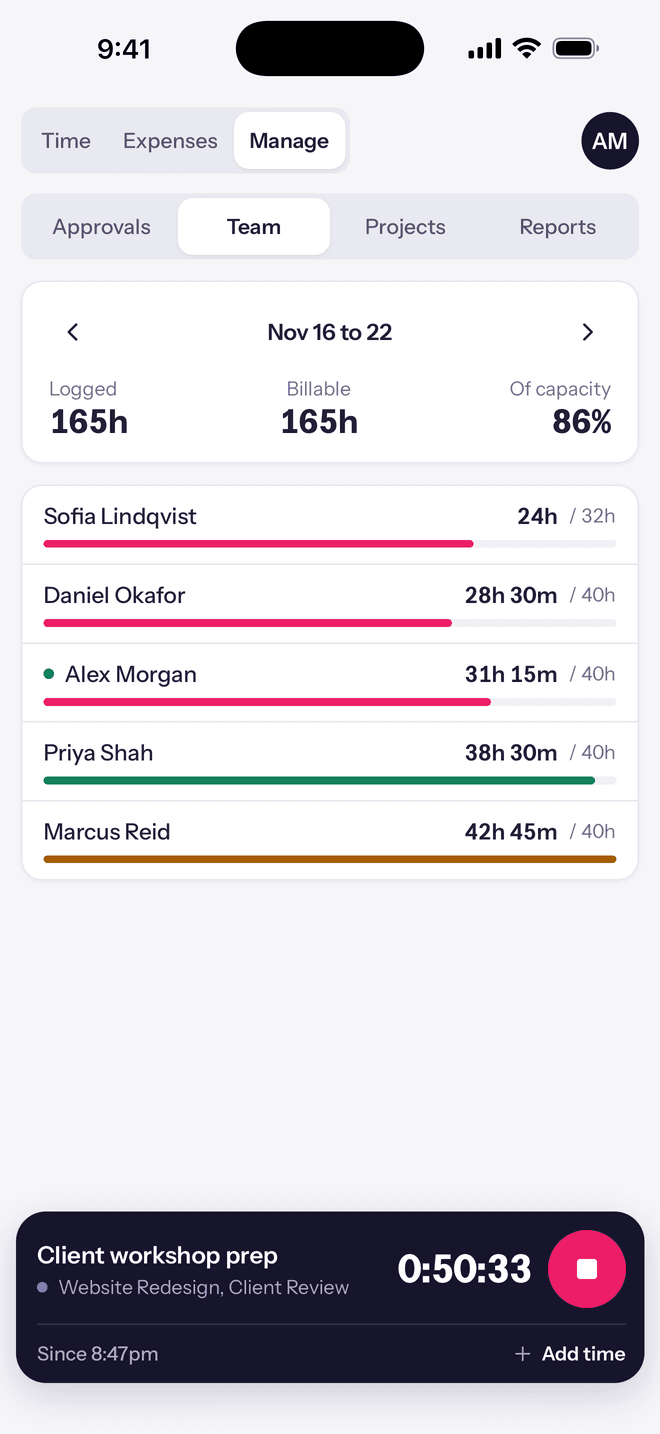
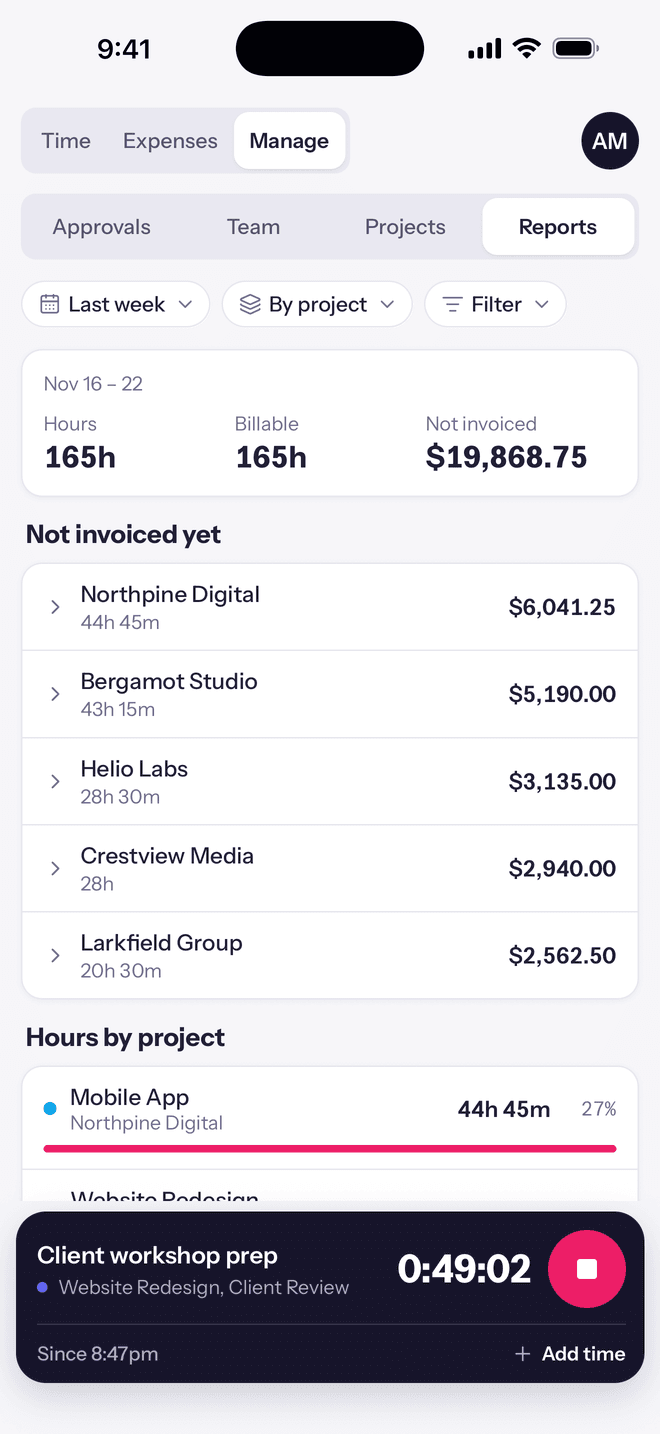
See your team's week against capacity, open anyone's entries, check a project's hours and costs, run reports and approve what is waiting.
Quanta for iPhone is free with every plan. Android coming soon.