Inviting users
Send invitations with a role and rates, share the invite link, manage pending invites, and what the plan allows.
People join by invitation from Administration → Users. The step-by-step is in Invite your team; this page covers the admin details.
The invite sheet
Invite team member (in the Pending invites section) asks for:
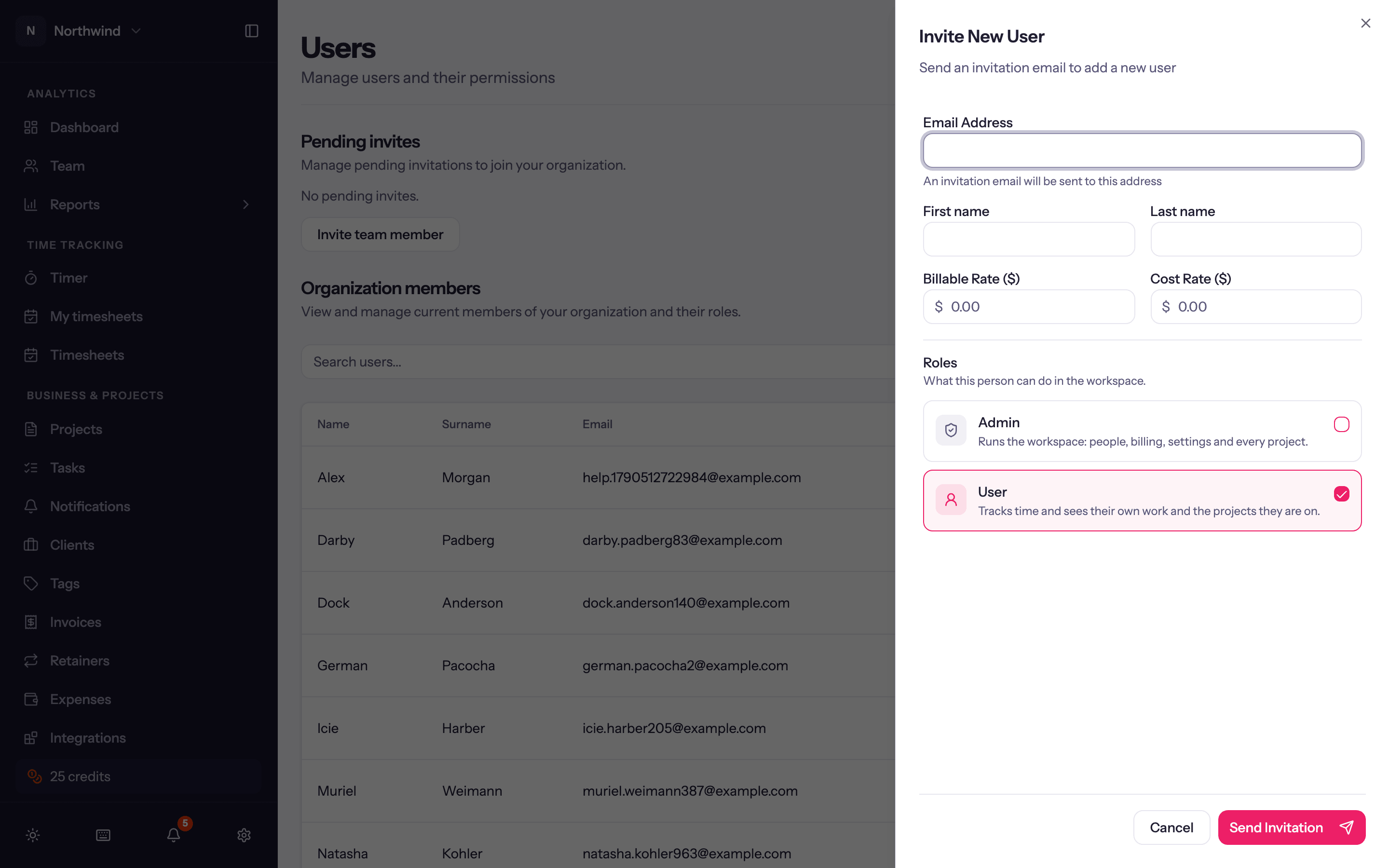
- Email Address. An invitation email goes to it. If the address already has a Quanta account no email is sent; share the link instead.
- First name and Last name, optional but worth filling in: entries, reports and timesheets show the name from day one, and the person can still correct it when they accept.
- Billable Rate ($) and Cost Rate ($): the person's own rates, the fallback after any project or project-member rate. See Billing and rates.
- Timesheets start: with weekly timesheets on, the first week the person is expected to submit.
- User Roles: tick one or more. See Roles and permissions.
Send Invitation sends the email and shows the Invite link with Copy link. The link is the same thing the email contains; anyone who opens it can accept.
Pending invites
Every unaccepted invitation is listed with Invitee, Level (role), Created by and date. Per row: Resend invitation, Edit invitation email (re-sends to the corrected address) and Revoke invitation. Once accepted, the person moves to Organization members and the invite disappears.
Plan limits
- Individual: one person.
- Team: up to 50 people.
- Business: up to 100 people.
- Trial: up to 100 people.
Pending invites count toward the limit. People a time import adds count once they accept their invite. At the limit the invite sheet says Your plan has reached its user limit and offers Upgrade to Team, Upgrade to Business or Contact us.
Bringing people in from an import
The CSV importer can create users from the names in your file and, optionally, send them invitations in bulk. See Importing data.
Workspace settings
Administration → Workspace Settings: organization, timezone, currency, features, default rates and rounding, time tracking mode, the first day of the week, required fields, invoicing, Microsoft sign-in, export and closing the account.
Managing users
The Users page, editing a person's roles and capacity, deactivating and deleting.