Reports
Team
Tracked hours against weekly capacity, person by person, one week at a time.
Applies to:
Admins
Analytics → Team answers "who is under or over this week?". It needs the Team permission.
The page
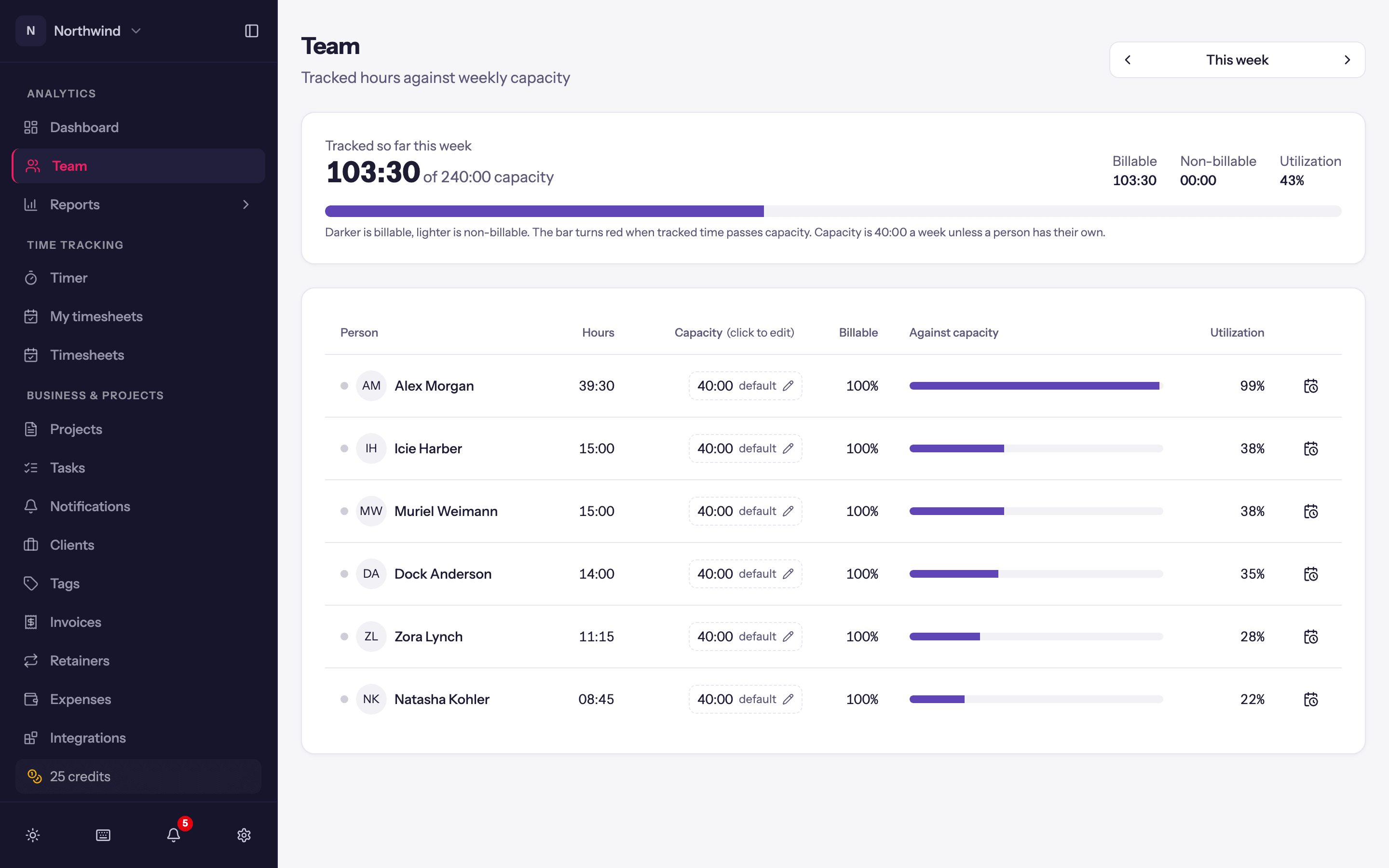
- Previous week / This week / Next week move one week at a time.
- The default button (for example 40:00 default) shows the workspace's default weekly capacity and lets you change it in place; it applies to everyone without a capacity of their own.
- One row per person: Person, Hours split into Billable and Non-billable, and Against capacity as a bar and a Utilization percentage. Click the Timesheet icon to open that person's week in the timer views (a banner reads Viewing name, with Back to my timesheet).
Capacity
Each person's capacity is the number of hours they are expected to work each week. Set it on the person (Administration → Users → edit → the weekly capacity field, 0 to 168) or leave it empty to use the workspace default. Part-timers get their own number; everyone else follows the default.
Capacity is also what the Dashboard uses for utilization and what the grid view's targets are independent of (those are personal and browser-local).