Budget report
Budgets with their spend, remaining, status and reset date.
Analytics → Reports → Budget Report lists active budgets: project-wide, per task and per person. Admins see all of them. Anyone else with the report sees the budgets they would see in the Projects list: on projects they can open, where the project's Who sees the budget on this project lets them in or their role has View budgets on every project. Money budgets show amounts only to people who see revenue; everyone else sees the percent used.
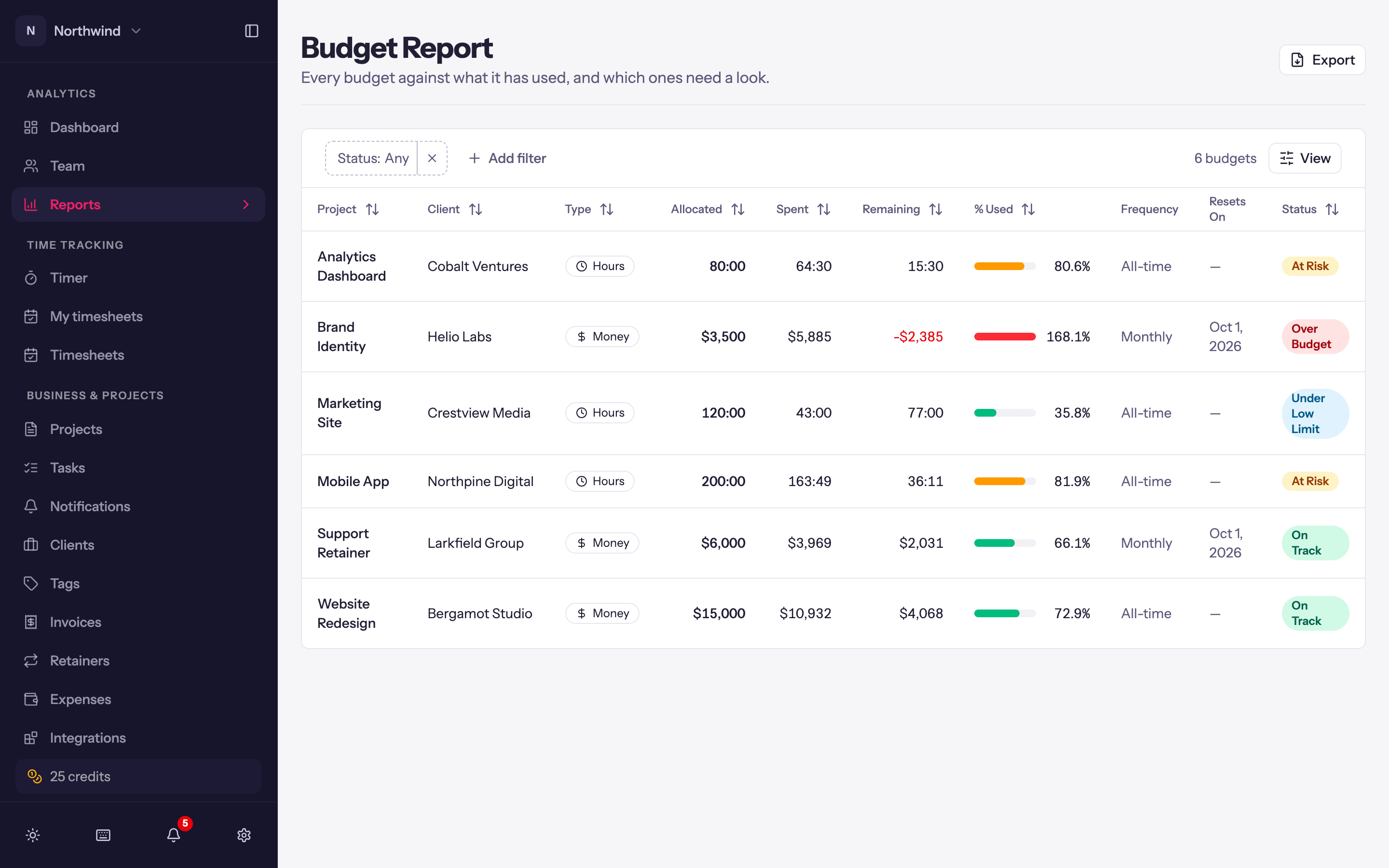
Columns
- Project (and task or person, for scoped budgets).
- Budget Type: Hours or Money.
- Amount, spent, remaining and a progress bar.
- Status: On Track, At Risk (75% or more used), Over Budget (100% or more), Under Low Limit (spend below the low watermark). See Project budgets.
- Frequency (Never, Weekly, Biweekly, Monthly) and Resets On for recurring budgets.
Narrow it with the Status chip, or Budget type (hours or money) from + Add filter, and Export the table as a PDF, Excel or CSV file, with or without your logo, a title and a note; see Branded exports. A budget report has no period, so a saved report of it shows each run As of the day it is made.
Keeping it accurate
Spend is cached. If a row looks stale, open the project and click Recalculate budget on its budget card. Paused budgets (from a project whose budget type was changed) are not listed.