Public API and API keys
Create an API key, send it as a header, and read or write your workspace over REST.
The Quanta API covers time entries, timers, projects, clients, tags and reports. Every key acts as the person who created it: the same data, the same permissions. API access is included on every paid plan.
Create a key
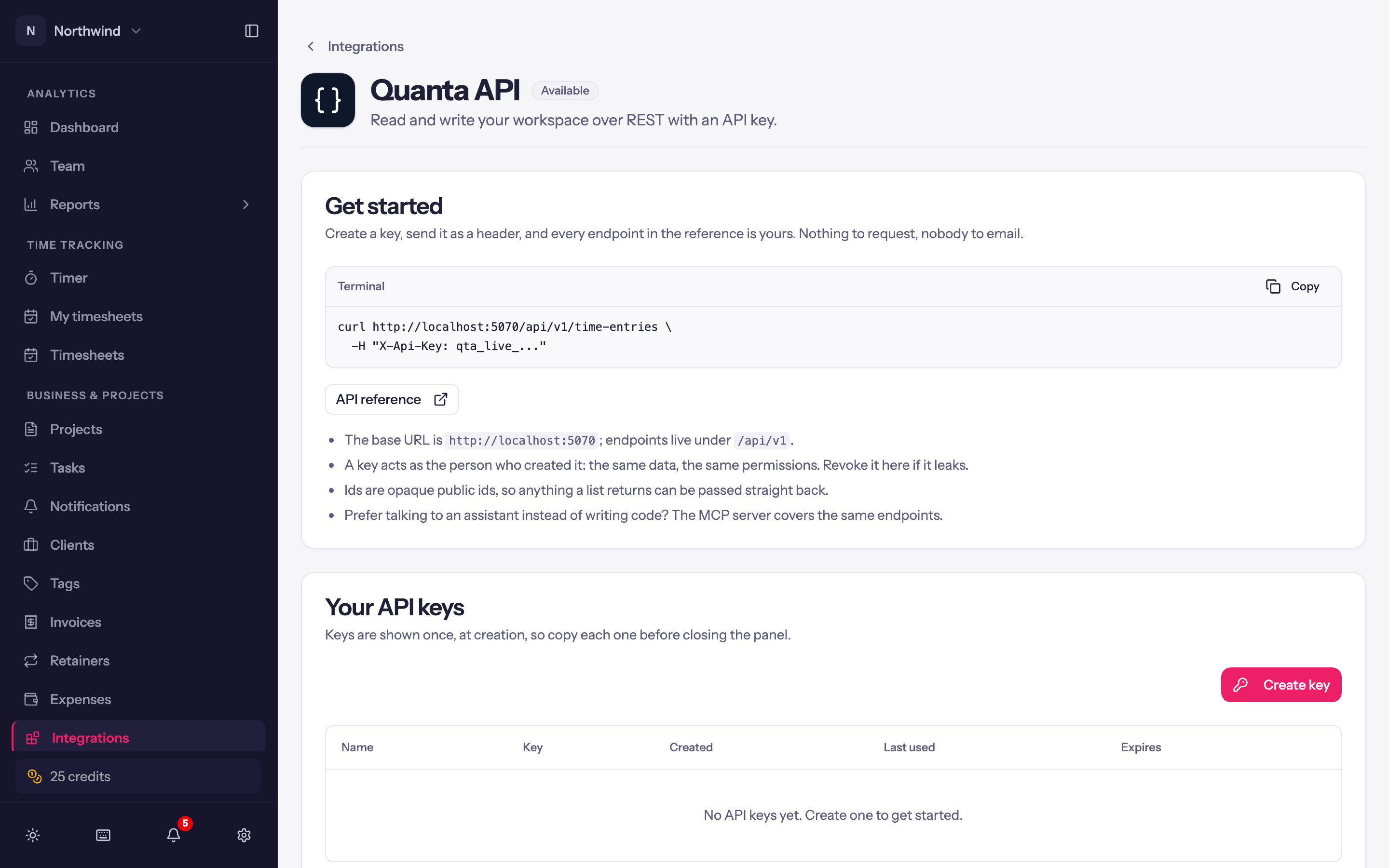
Open Integrations → Quanta API (or User Settings → API Keys) and click Create key.
Give it a name that says what will use it (Claude Desktop, Billing script) and pick an expiry: No expiry, 30 days, 90 days or 1 year. An expiring key stops working on its own; you can revoke any key at any time.
Copy key. It is shown once; close the panel and it cannot be retrieved, only replaced. Treat it like a password.
Keys start with qta_live_. The list shows each key's Name, Created by, Created, Last used and Expires, with Revoke. Admins see every key in the workspace under Administration → API Keys; everyone else sees their own.
Using the API
Send the key as an X-Api-Key header. The base URL is /api/v1 on the API host; the in-app guide shows a ready-to-paste curl example and links to the full API reference (interactive docs with every endpoint).
curl https://api.quanta.is/api/v1/time-entries \
-H "X-Api-Key: qta_live_..."- Ids are opaque public ids, so anything a list returns can be passed straight back.
- Entries created through the API show Created through the API in the timer list and carry the key owner's name.
- Projects, tasks and clients can be created as well as read:
POST /api/v1/projects(with its tasks in the same request),POST /api/v1/projects/{projectId}/tasksandPOST /api/v1/clients. A new project starts from your workspace's project defaults, the same as one made in the app, and creating needs the same permissions as in the app. A task or client name that's already taken returns409 Conflict. - Time entries carry an
invoicedflag for work billed outside Quanta. Set it on a single update or through the batch endpoint; it comes back in the read model and in the change feed. - Each workspace runs up to two requests at a time, with up to twenty more waiting their turn. Beyond that the API answers
429 Too Many Requestswith aRetry-After: 2header; wait that many seconds and try again. - Calls are recorded in the audit logs under the key's user.
Revoking
Revoke on a key stops anything using it immediately. It cannot be undone, but you can always create a new key.
Prefer talking to an assistant?
The MCP server covers the same endpoints for Claude and other AI tools; see Log time from Claude.