Notifications
The bell in the sidebar, the Notifications page, and choosing which notifications you receive.
Quanta notifies you about things that need your attention: a timesheet sent back or approved, an expense approved or rejected, a budget crossing an alert threshold, an invitation, and similar. Some also go out by email.
The bell
The Notifications bell at the bottom of the sidebar shows an unread count. Click it for the latest few, with Mark all as read, See all notifications and Notification settings.
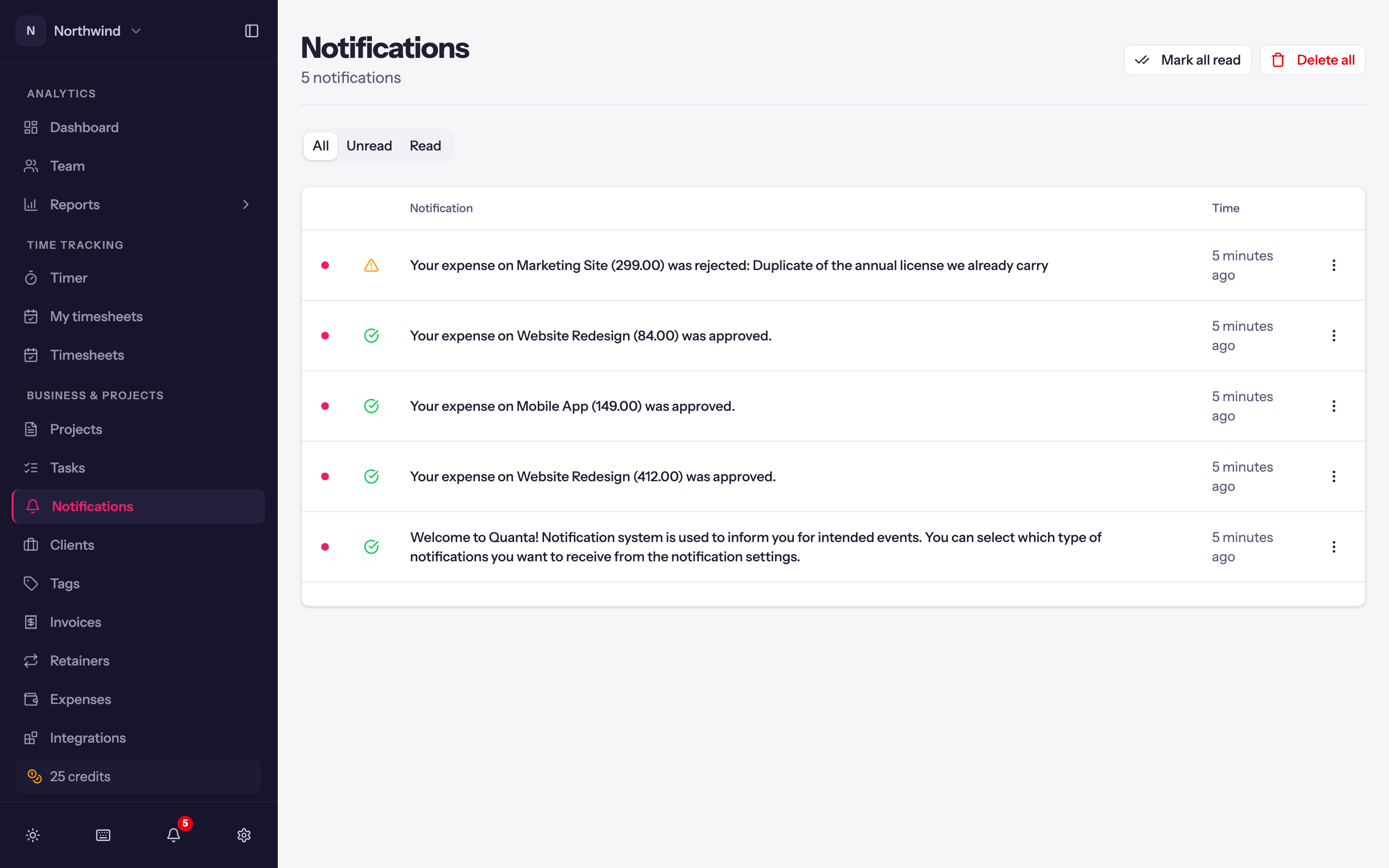
The Notifications page
Business & Projects → Notifications lists everything, filterable to Unread or Read. Per item: Mark as read and Delete; at the top, Mark all read and Delete all.
Notification settings
Notification Settings (from the bell) has a master Receive Notifications switch and a list of Notification Types you can turn on or off individually. Budget alerts additionally depend on the alert's own In-app and Email switches on the project's Budget tab; see Project budgets.
Emails you cannot turn off here
Invoice emails, payment reminders, low-hours reminders and timesheet reminders are sent by the workspace to the people it is configured for. Ask an Admin if you should not be receiving one.